Request Paper Trading
Instructions
Paper Trading lets you experience many of the same trading capabilities available in a live account within a simulated trading environment. It reflects real market conditions and simulates key aspects of live trading, including margin functionality, leverage, and maintenance margin requirements. However, some limitations apply.
Use your Paper Trading Account to familiarize yourself with our trading platforms, explore new markets and products, and test trading strategies without risking real funds. Paper Trading Accounts have limited access to certain Client Portal functions. Under normal business circumstances, Paper Trading Accounts are created within 24 hours. You will receive an email notification when your account is ready to use. For more information, see About Paper Trading Accounts.
Note: A paper trading account will not be opened until your account has been funded.
 Secondary Users & Paper Accounts Closed due to Inactivity
Secondary Users and users whose Paper Trading Accounts have been closed due to inactivity must request new paper trading login credentials. Live account credentials cannot be used to access these Paper Trading Accounts. To request a new Paper Trading Account for a Secondary User or replace an account closed due to inactivity, follow the steps below.
-
Log in to the live master account and click the User menu (head and shoulders icon in the top right corner) > Settings
-
The Account Selector will populate on the right side. Select the secondary or inactive account.
-
Under Account Configuration select Paper Trading Account.
-
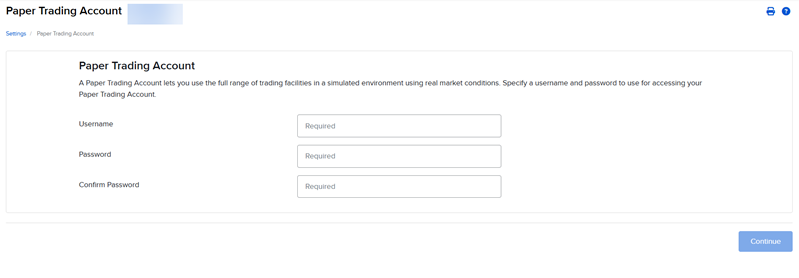
The Paper Trading Account page will populate on your screen.
-
Enter the Username, Password, and Confirm Password for this account and press Continue.
-
The new paper account will be ready to use within 24 hours under normal business circumstances.
If you are requesting a Paper Trading Account for the first time, please follow the steps outlined below.
-
Navigate to interactivebrokers.com, click Log In, and sign in to your new account.
-
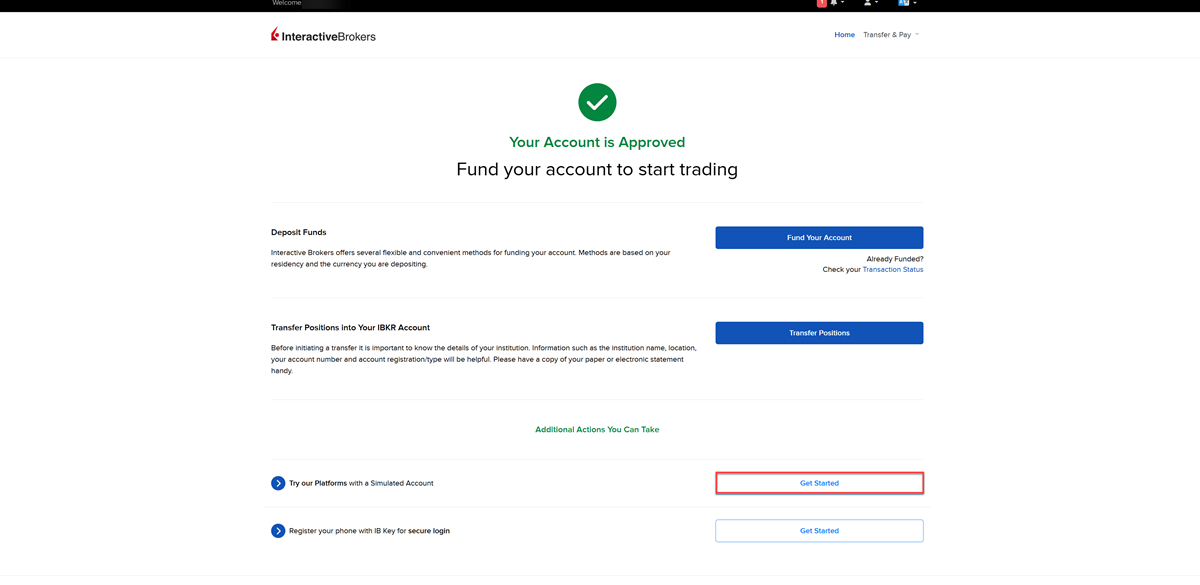
From the Account Status Home page, locate Try Our Platforms with a Simulated Account and click Get Started.
-
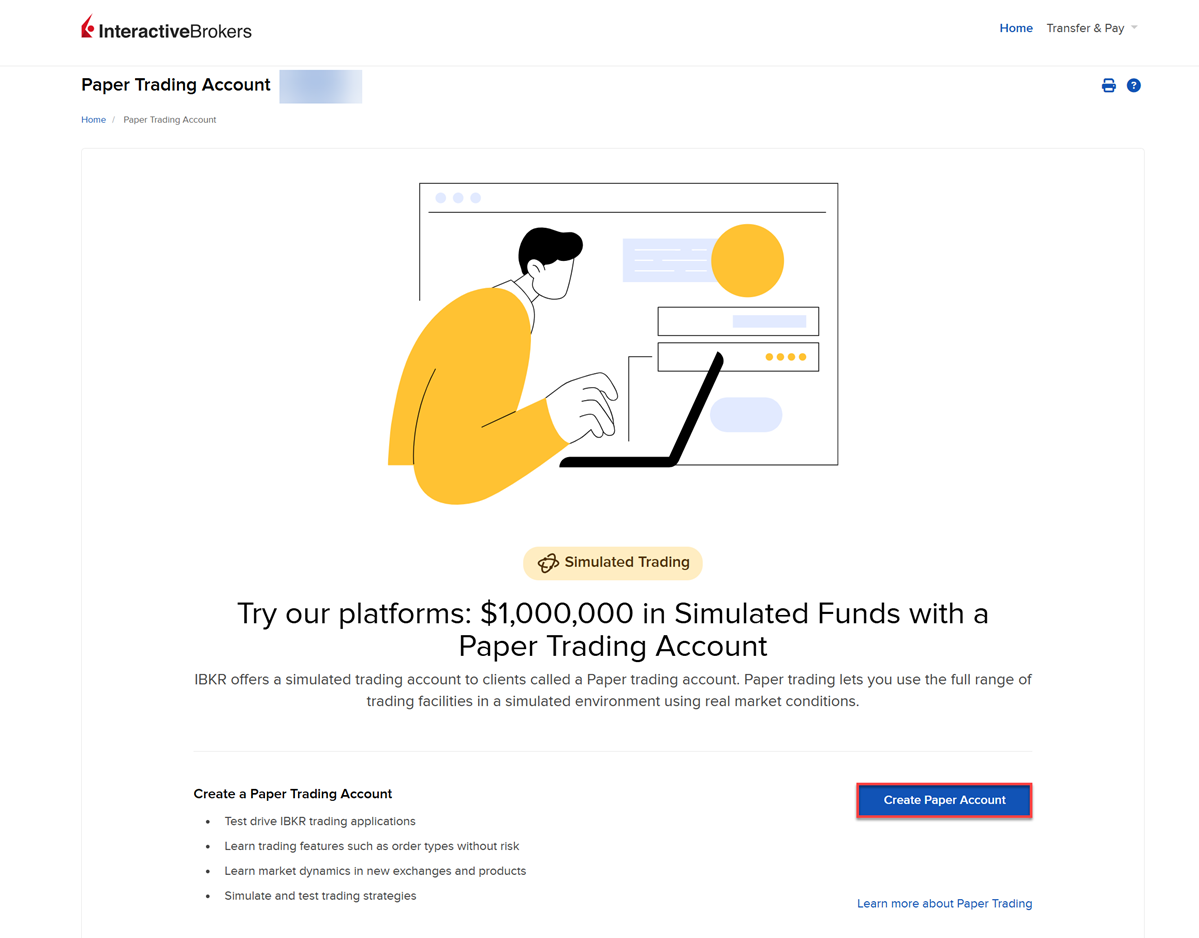
The Paper Trading account screen will populate. Click Create Paper Account.
-
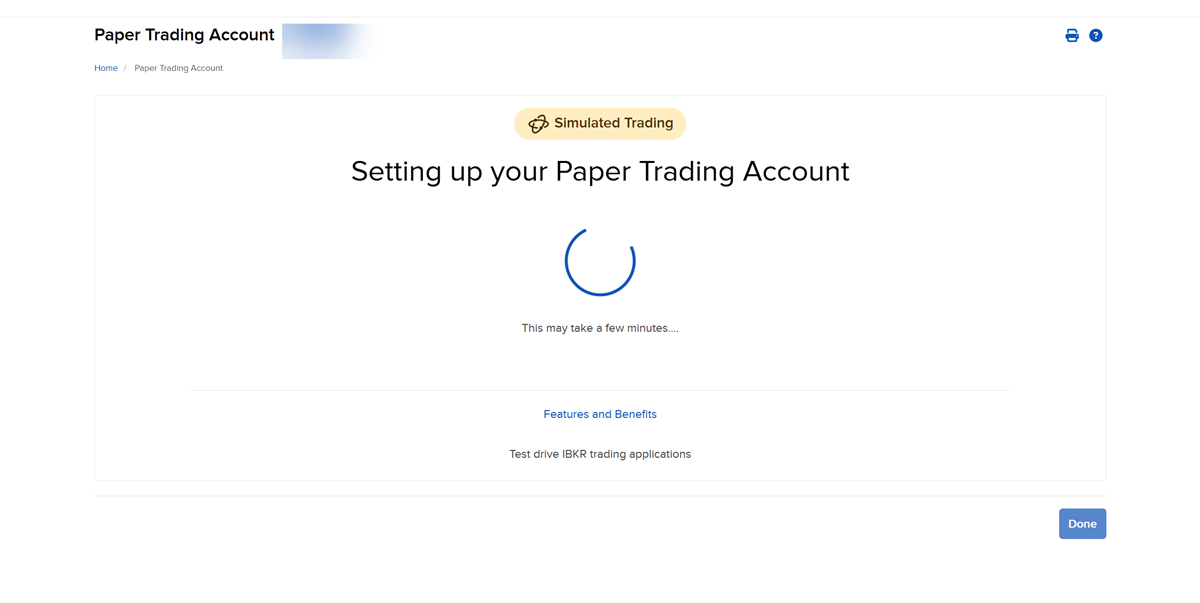
The following screen appears while your Paper Trading Account is being set up.
-
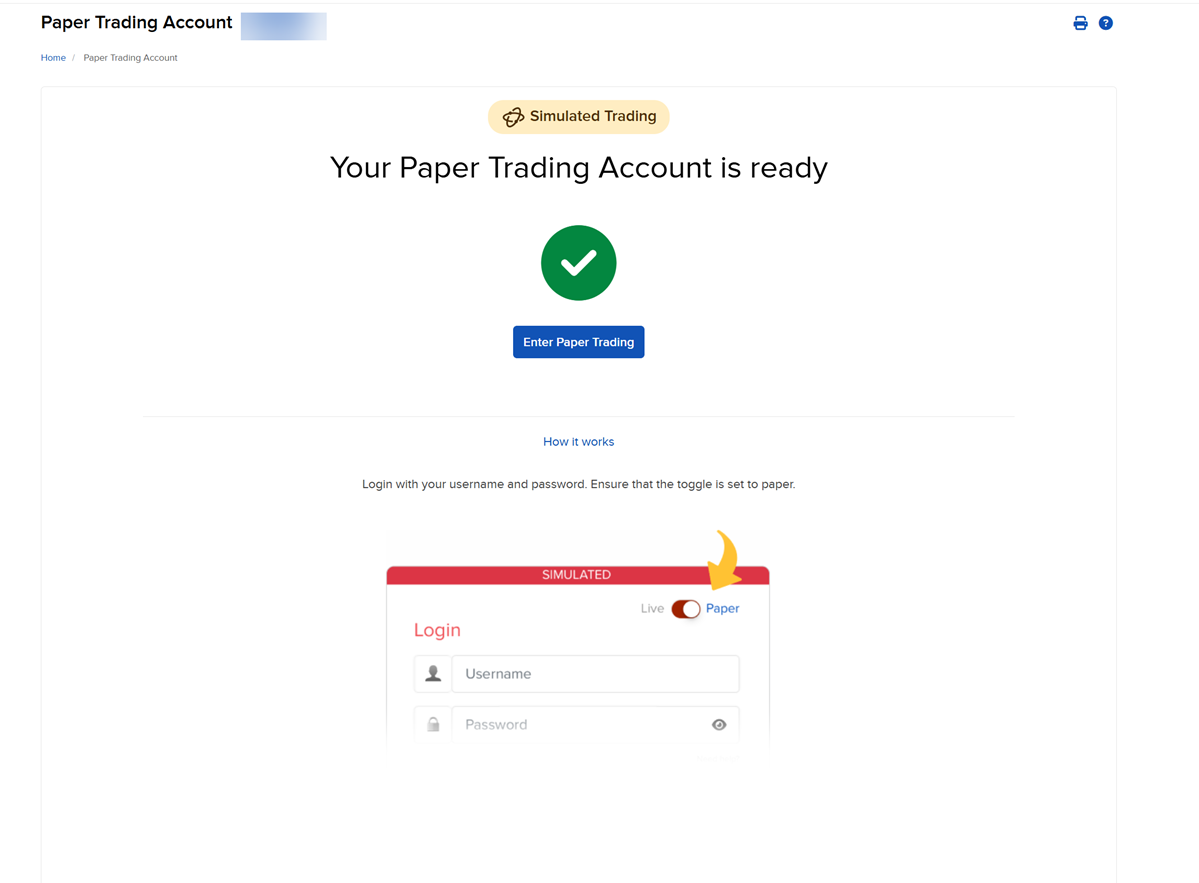
Once setup is complete, the following screen appears confirming that your Paper Trading Account is ready to use.
-
You can access your Paper Trading Account at any time by selecting the Paper toggle on the login screen and logging in with your live account credentials.