Non-Professional Advisor (Individual)
Investment advisors in the US must be registered either with the SEC or the state(s) in which they operate, or else qualify for an exemption from registration. Only advisors who are exempt from registration and managing accounts on behalf of non-professional clients (such as family and/or friends) are eligible to open a Non-Professional Advisor account. Find out more by reviewing the Guide to Choosing the Right Account page and the What You Need for the Application page.
To open this type of account, follow the steps below.
-
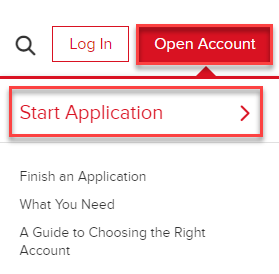
Navigate to www.interactivebrokers.com and select the Open Account button in the top right corner, followed by Start Application.
-
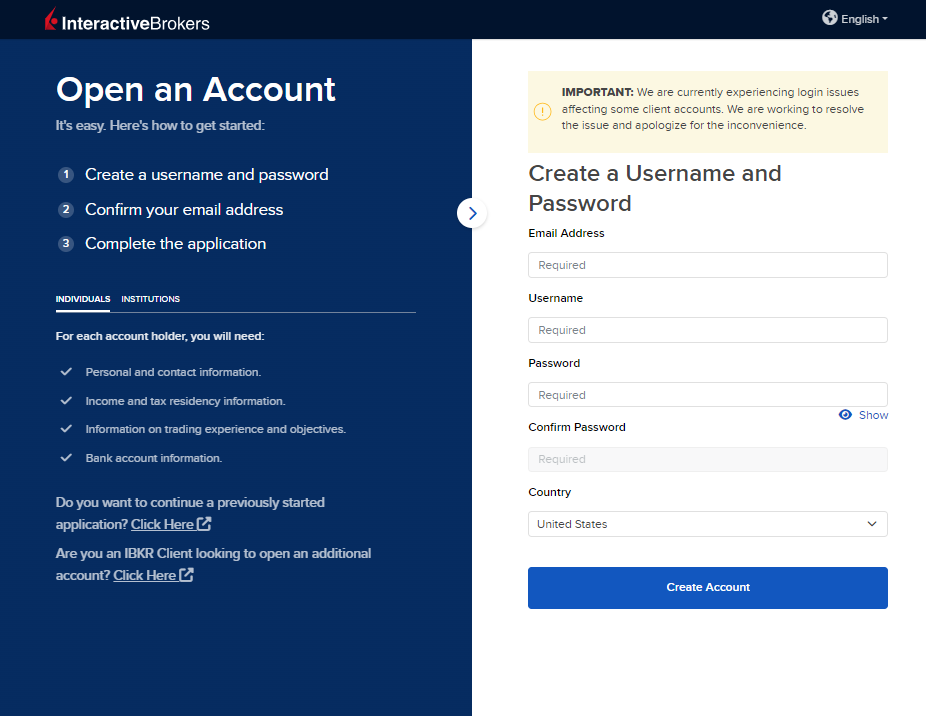
Select the Individual or Institution tab on the left side, then enter an email address, username, password, and country for this account.
-
Select Create Account to navigate to the next page.
-
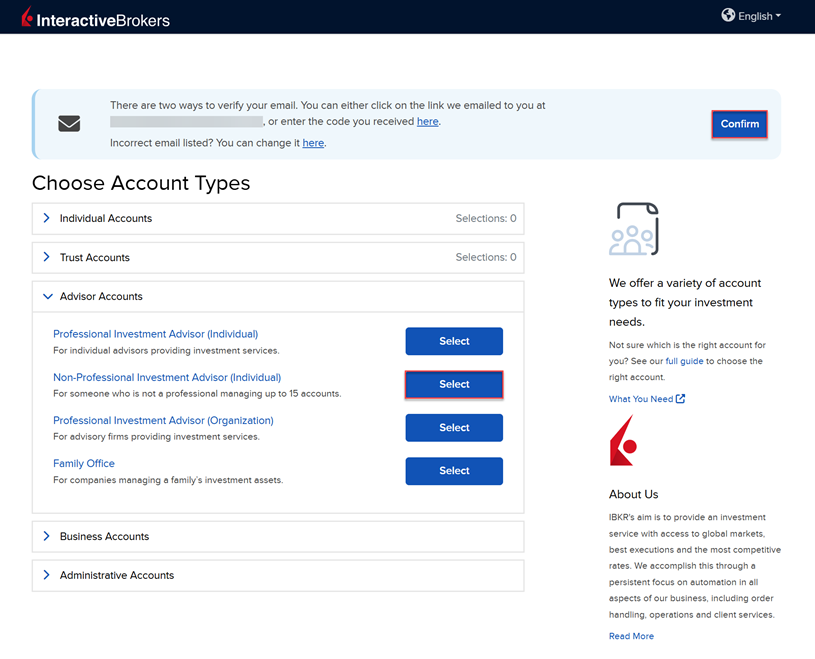
Confirm your email address by selecting the blue Confirm button in the top right corner. Select the Advisor Account tab followed by Non-Professional Investment Advisor (Individual) from the account type drop-down menu.
-
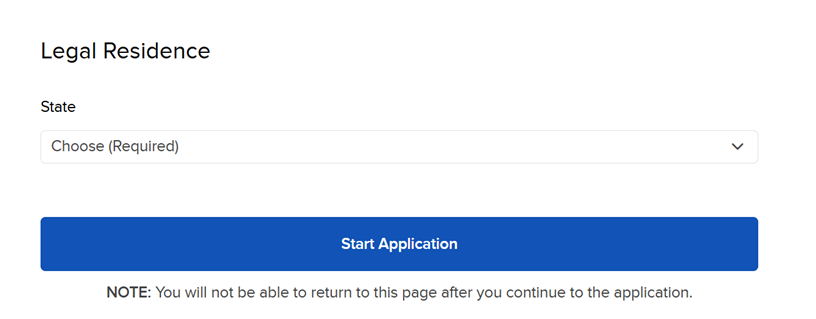
Upon selecting the advisor account type, you will be prompted to enter the Legal Residence, then click Start Application.
-
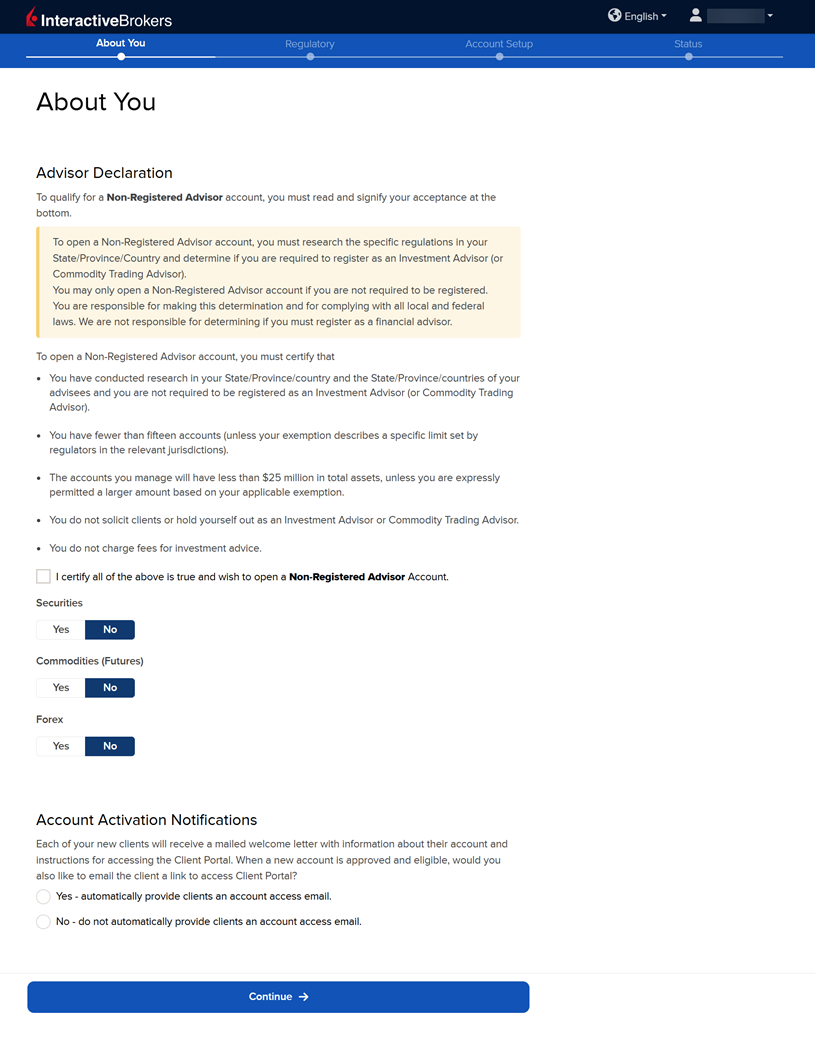
Enter the Advisor Declaration and Account Activation Notification information and press Continue.
-
Complete the About You section then press Continue.
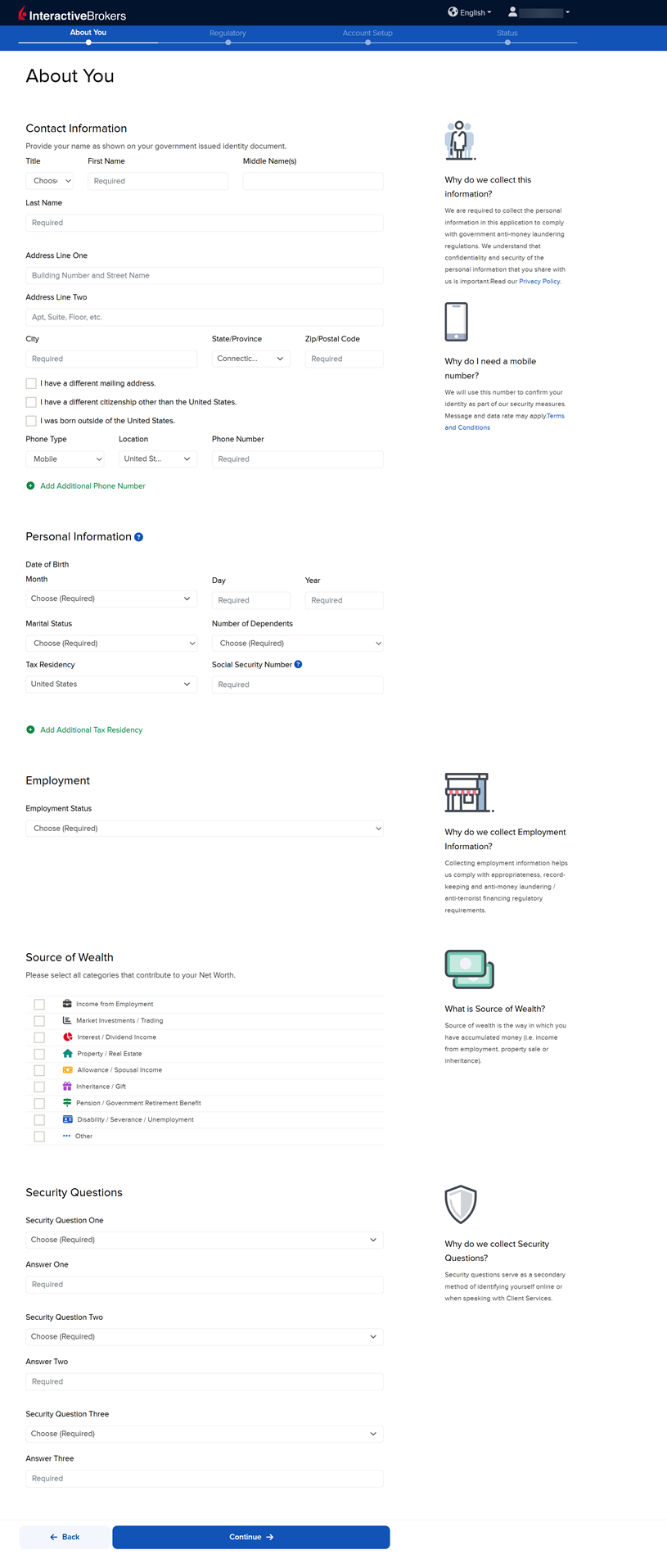
Please note, to the extent required by law, we will take appropriate technical and organizational measures to keep your Personal Information confidential and secure in accordance with our internal procedures covering the storage, disclosure of and access to Personal Information. To review our privacy policy, please click here.
-
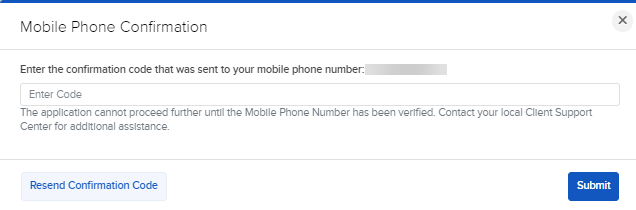
Verify your phone number and enter the confirmation code that was sent to the mobile number you previously entered. Press Submit.
-
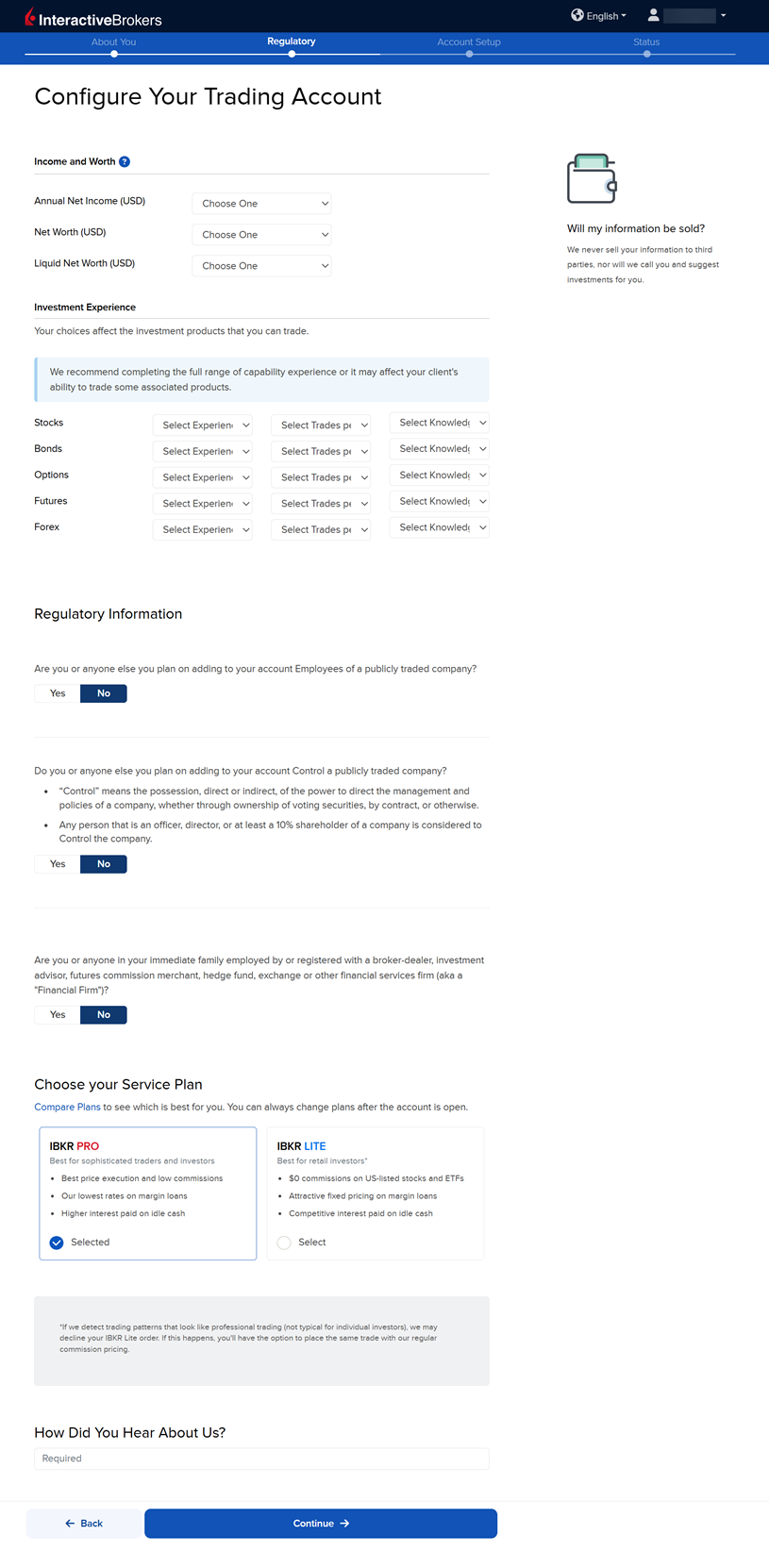
Complete the Configure Your Trading Account section, then press Continue.
-
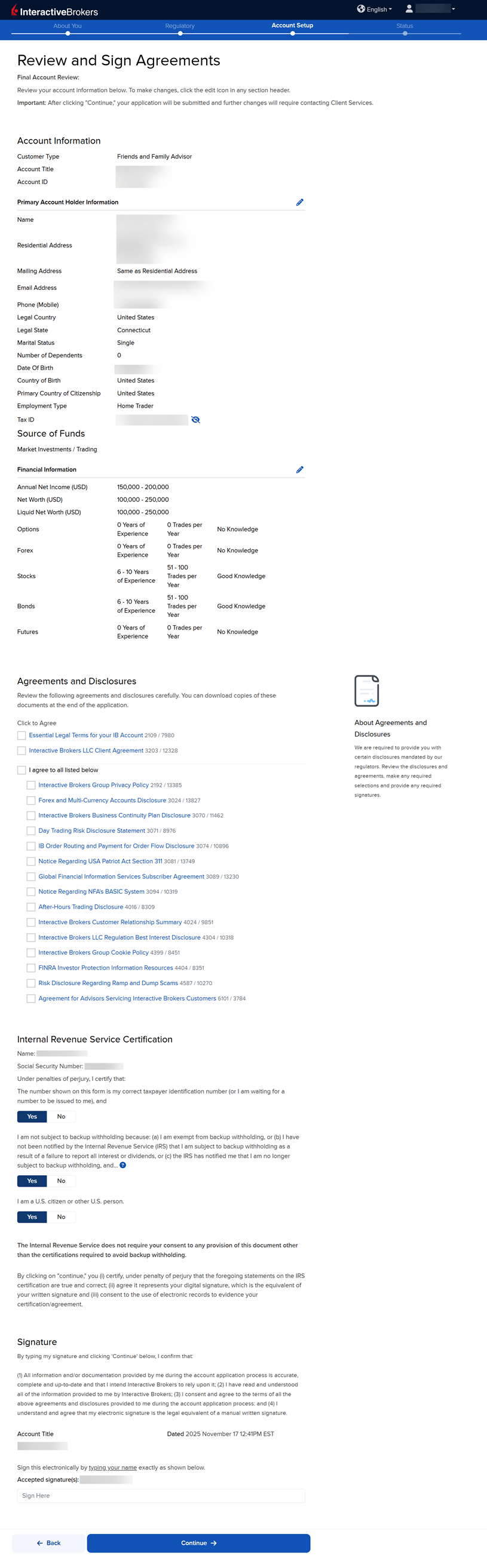
Complete the Review & Sign Agreements section then press Continue.
-
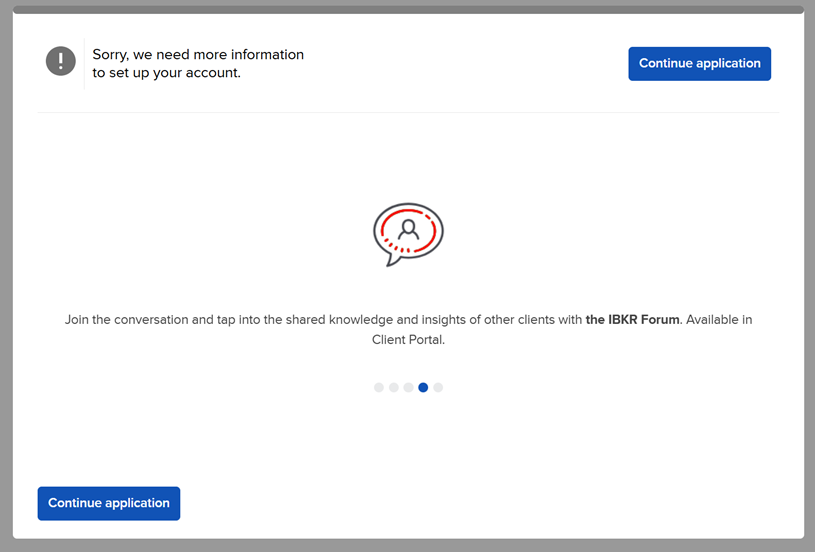
The following pop-up may appear on your screen. Click Continue application.
-
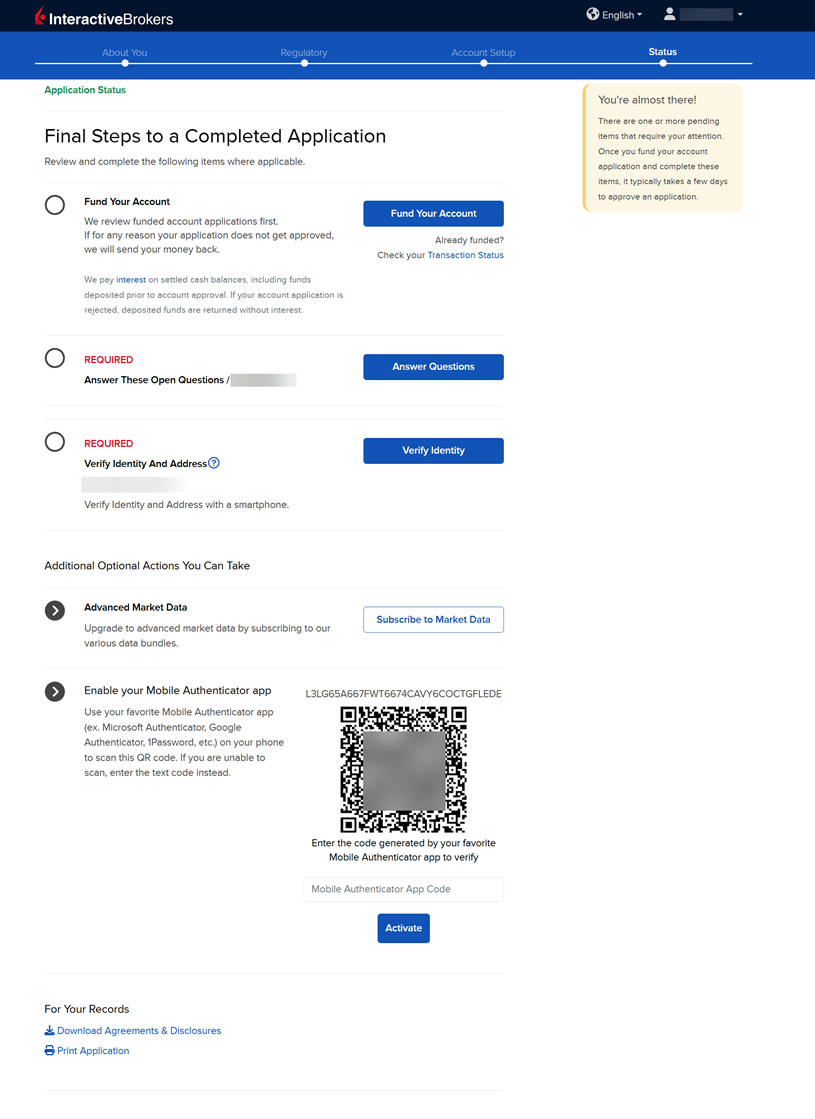
The Status section is the final page. Any additional information or documents needed to complete your application will be marked "REQUIRED" or "Not Yet Received" in red letters. Select the blue buttons to Fund Your Account, Answer Questions, Verify Identity, and Upload Documents.
-
When you have completed all steps, a member of our team will review your application and documents. When the account is approved and open, you will receive an email advising you that you may log in at any time and start trading.
How to Fund Your Account During the Application Process
Funding accounts during the application process is optional because advisor accounts can only be used on behalf of your clients (to trade on your own behalf, you must open another account under your advisor account.) You can, however, fund your advisor account for other reasons, such as subscribing and paying for market data and/or research, and doing so will elevate your application to priority review. To do so, follow the steps below.
-
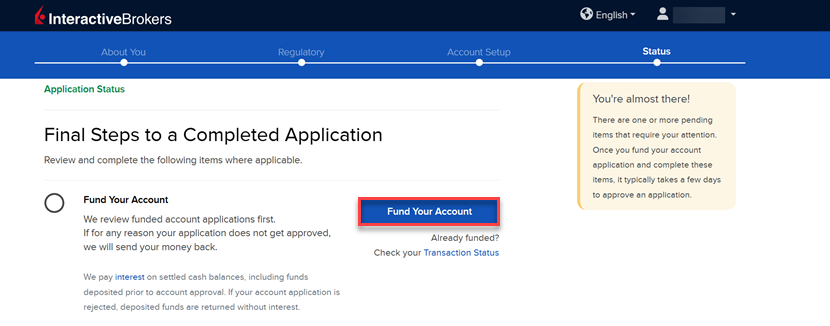
On the final page of the application, click the Fund Your Account button.
-
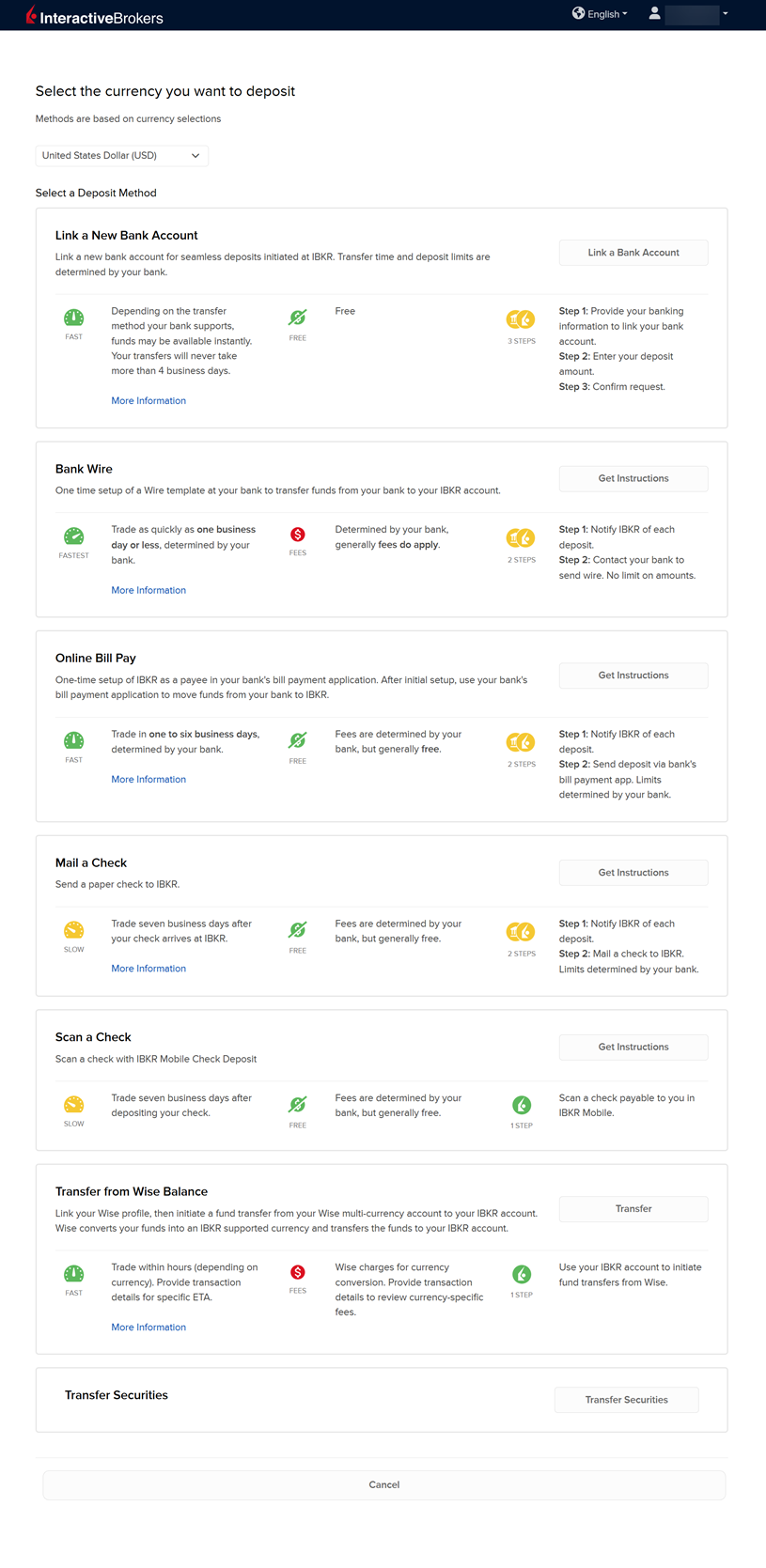
A list of transfer methods will populate on your screen. Choose one, enter your bank details, and complete the transfer.