Joint
A joint account is an Interactive Brokers account owned by two individuals. A Joint Account can be associated with one of four client types:
-
Joint Tenants with Rights of Survivorship – A form of ownership in which two or more parties have equal interests in the account and in which title to the entire account goes to the survivor(s) upon the death of one of the account holders. This process avoids court probate of the property, but may have some tax consequences which should be reviewed with a tax advisor prior to opening the account.
-
Community Property – Community Property is property received by a husband and wife during the marriage, except inheritances and specific gifts to one of the spouses. This form of ownership is recognized only in certain states which have community property laws and each spouse has an undivided one-half interest in the account. The states with community property laws at this time are: Louisiana, Arizona, California, Texas, Washington, Idaho, Nevada, New Mexico and Wisconsin. Upon the death of one spouse, the community property in the account generally passes to the other spouse with certain exceptions, including Texas, Nevada and New Mexico.
-
Tenants in Common – A form of ownership by two or more persons in which each person has an undivided interest in the account even though the percentage of interests may not be equal. Unlike joint tenants, there is no right of survivorship if one of the account holders dies. Upon the death of one tenant in common, a probate proceeding (court-supervised administration of the estate of the deceased) must be held to transfer the ownership interest in the account. This type of joint account requires that you enter ownership percentages in the account application.
-
Tenancy by the Entirety – A form of ownership where the owners are married and each spouse has an equal and undivided interest in the property (e.g., each spouse mutually owns the property). If one spouse was to die, the full title of the property would pass to the surviving spouse.
Find out more information by reviewing the Guide to Choosing the Right Account page and the What You Need for the Application page.
To open this type of account, follow the steps below.
-
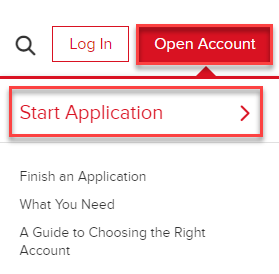
Navigate to ibkr.com and select the Open Account button in the top right corner followed by Start Application.
-
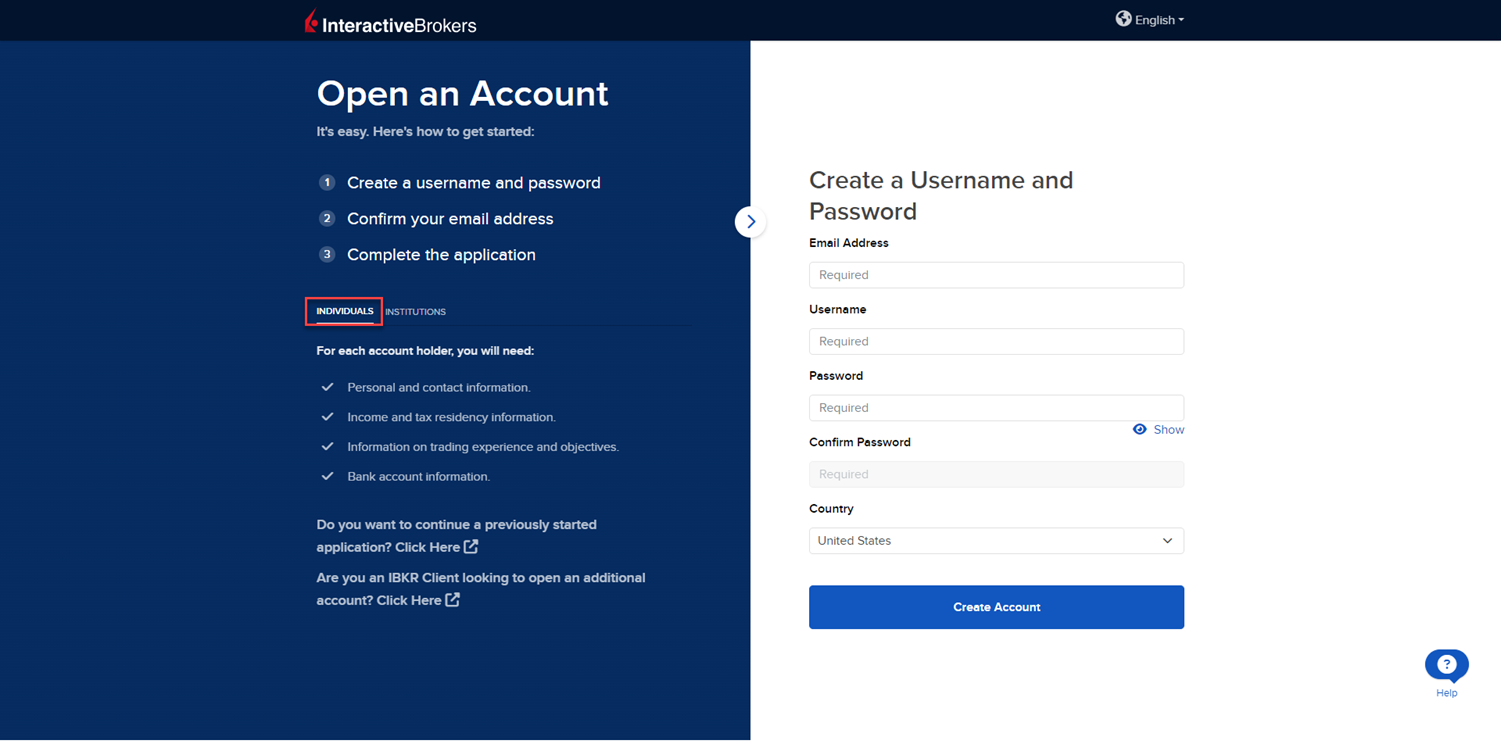
Select the Individual tab on the left side and input an Email Address, Username, Password, and Country for this account.
-
Select Create Account to navigate to the next page.
-
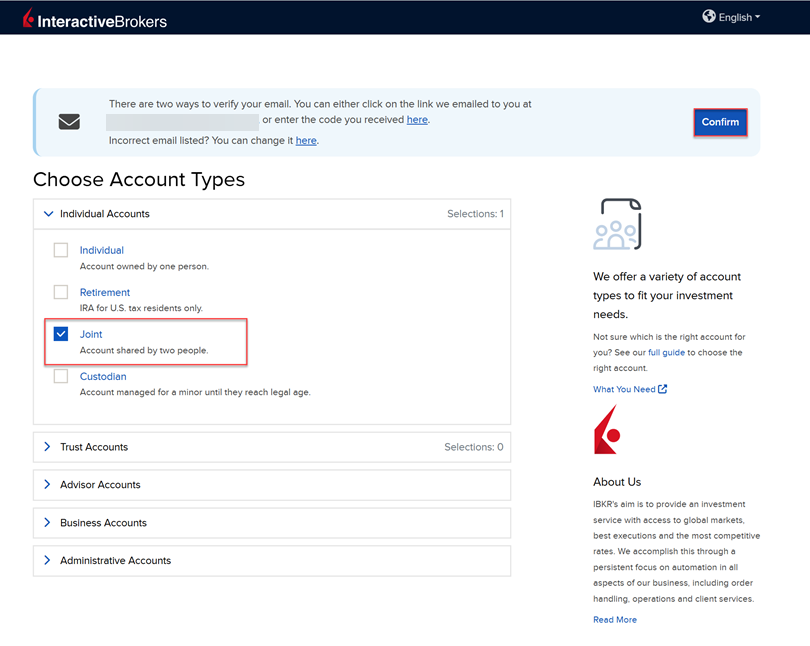
Confirm your email address by selecting the blue Confirm button in the top right corner. Select Joint from the account type drop-down menu.
-
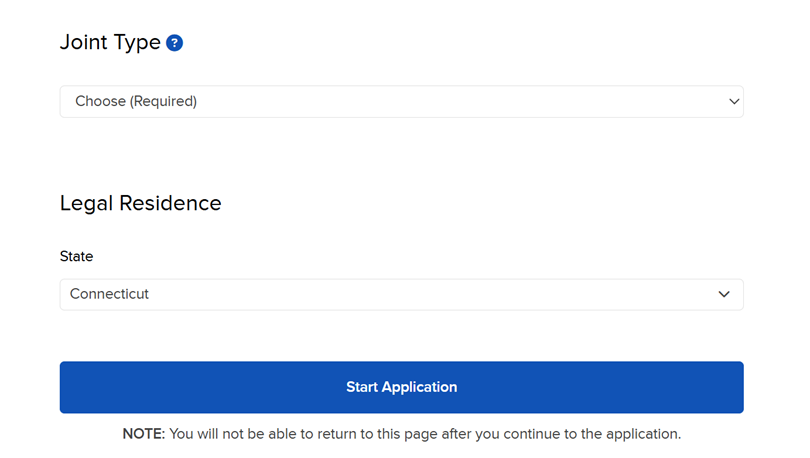
Upon selecting the Joint Account Type, you will be prompted to enter the State of Legal Residence. Once these have been selected, click Start Application.
-
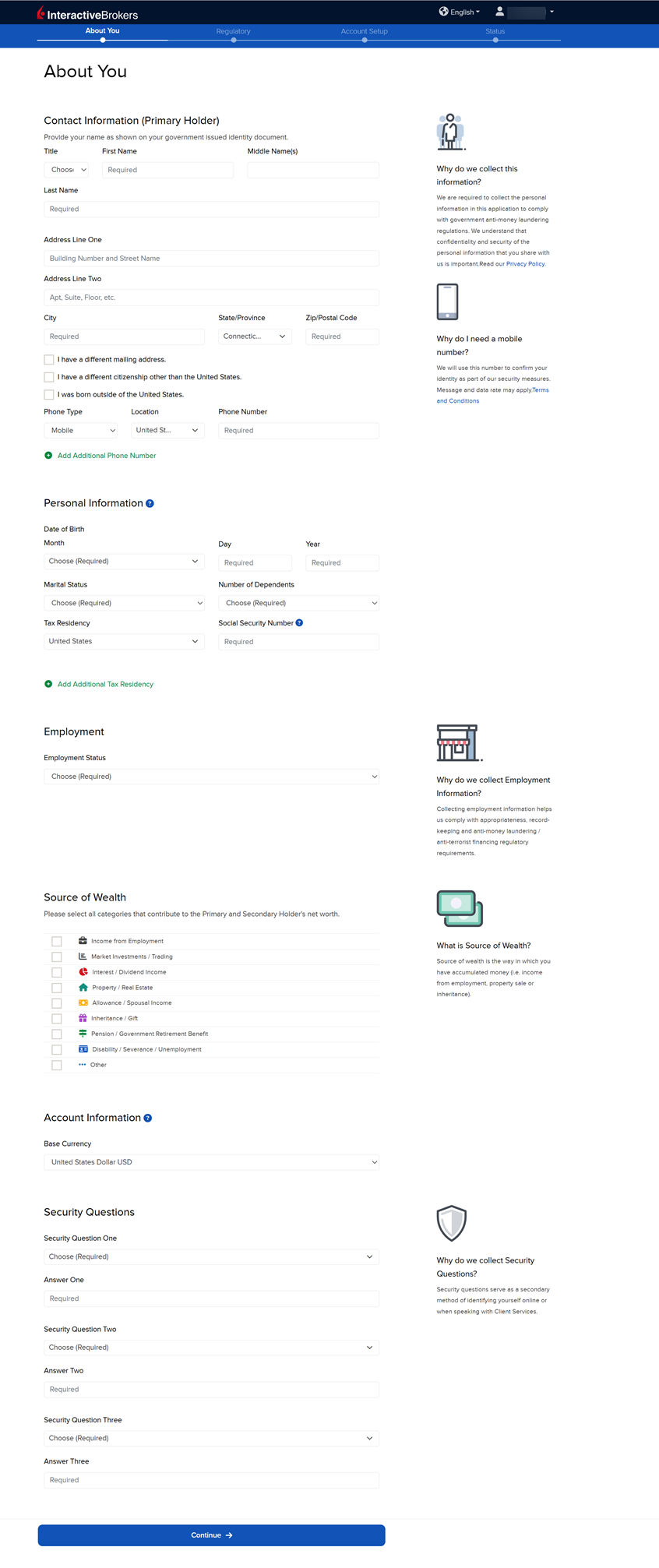
The first page of the application is the About You section. Fill this out accordingly and press Continue.
-
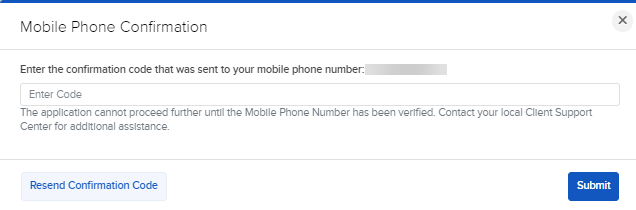
After pressing Continue, you will need to verify your phone number. Enter the confirmation code that was sent to the mobile number you previously input. Press Submit.
-
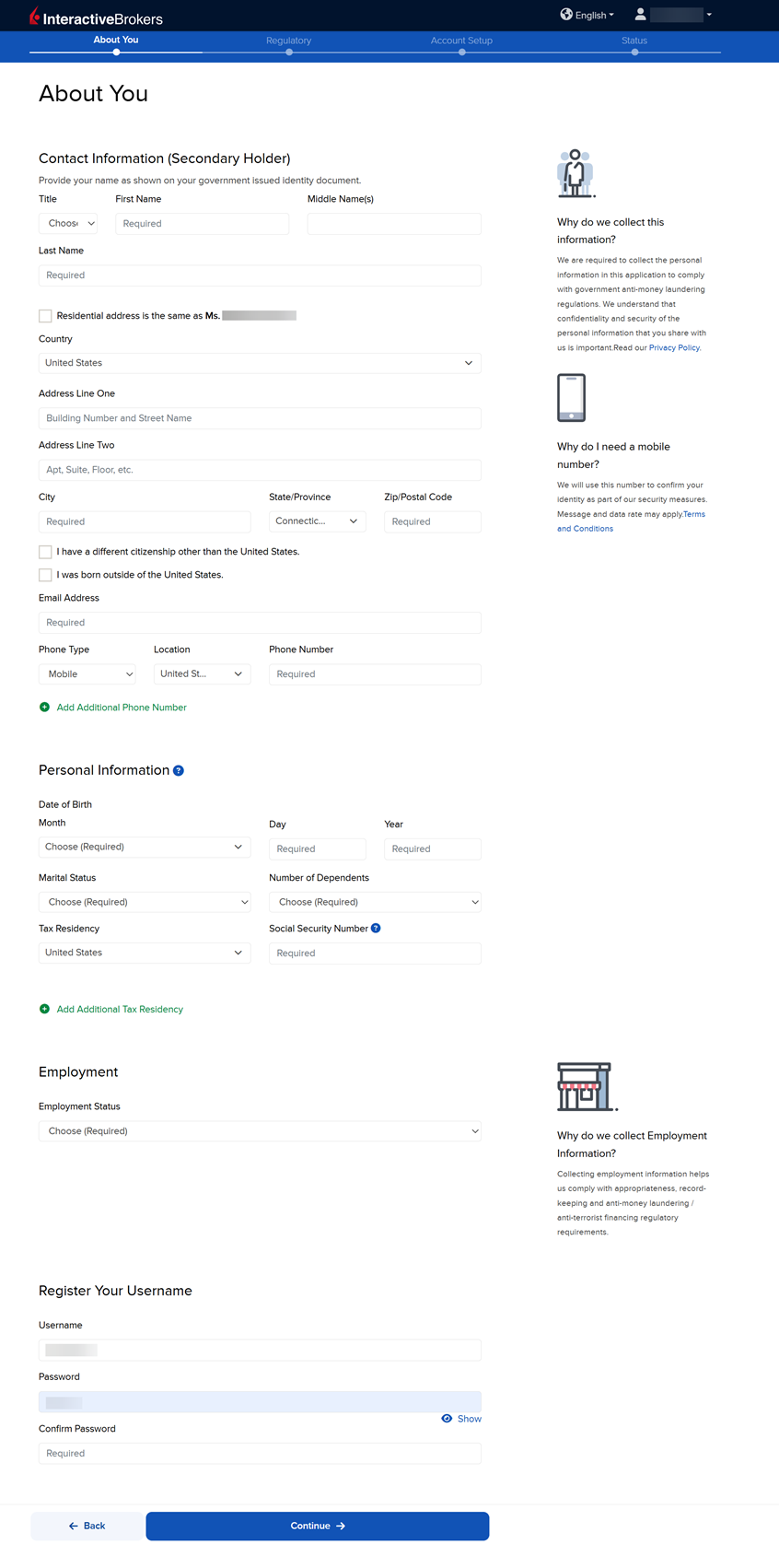
The next page of the application is the About You section for the Secondary Holder. Fill this out accordingly and press Continue. Please be sure to provide a username and password for this user at the bottom of the page.
Please note, to the extent required by law, we will take appropriate technical and organizational measures to keep your Personal Information confidential and secure in accordance with our internal procedures covering the storage, disclosure of and access to Personal Information. To review our privacy policy, please click here.
-
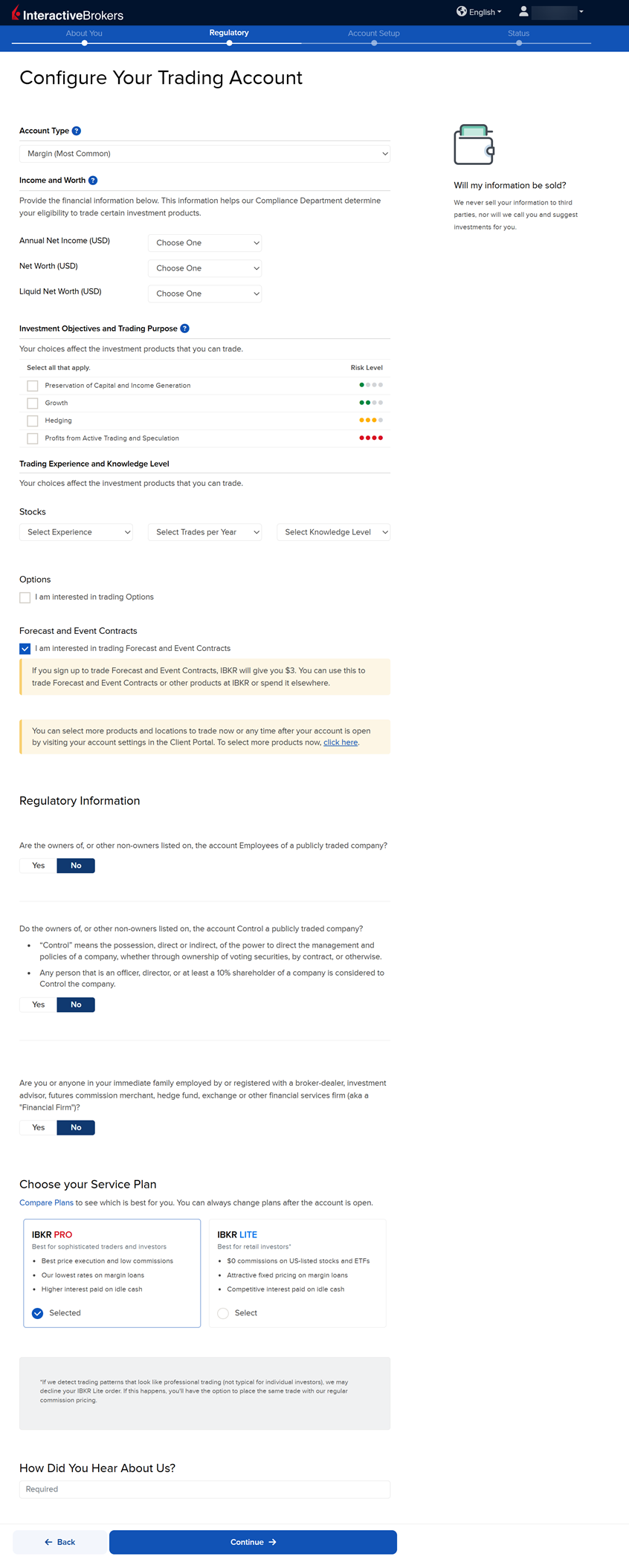
The next page of the application is the Configure Your Trading Account section. Fill this out accordingly and press Continue.
-
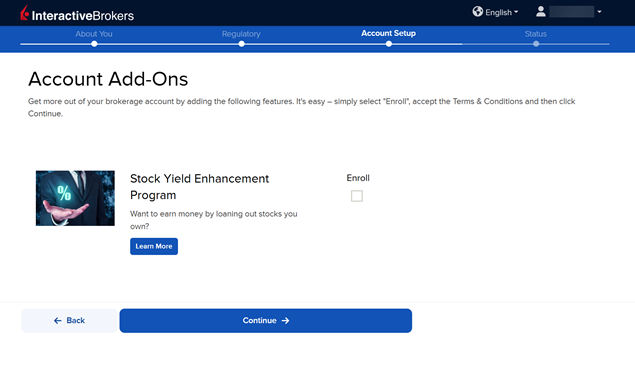
The Account Add-On section will populate on your screen. The Stock Yield Enhancement Program provides extra income on the fully-paid shares of stock held in your account by allowing IBKR to borrow your shares in exchange for collateral (either U.S. Treasuries or cash). IBKR then lends the shares to traders who want to sell them short and are willing to pay a fee to borrow them. To enroll, click the Enroll check-box and press Continue. If you do not want to enroll at this time, leave the check-box blank and click Continue.
-
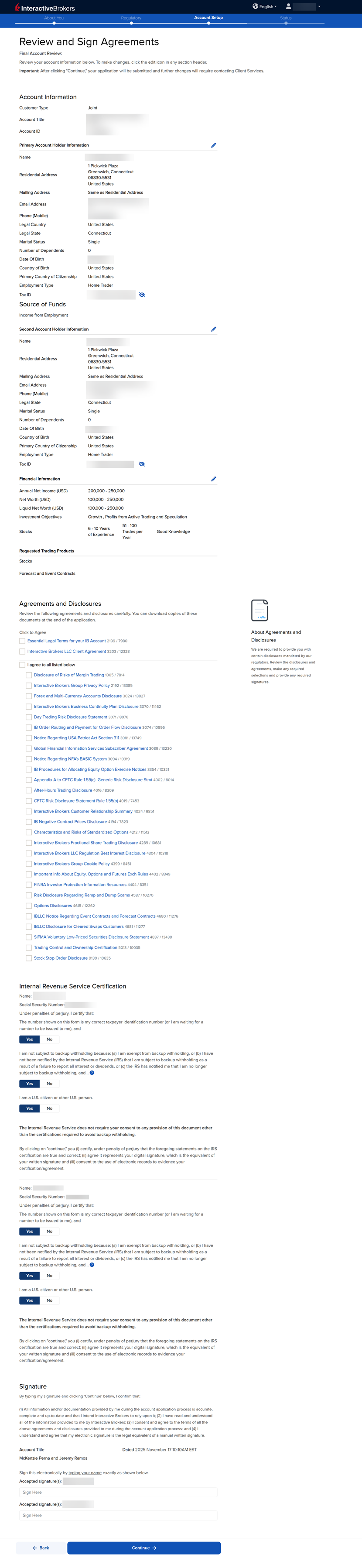
The next page of the application is the Review & Sign Agreements section. Fill this out accordingly, click the check-boxes to sign agreements, provide your signatures at the bottom of the page, and press Continue.
-
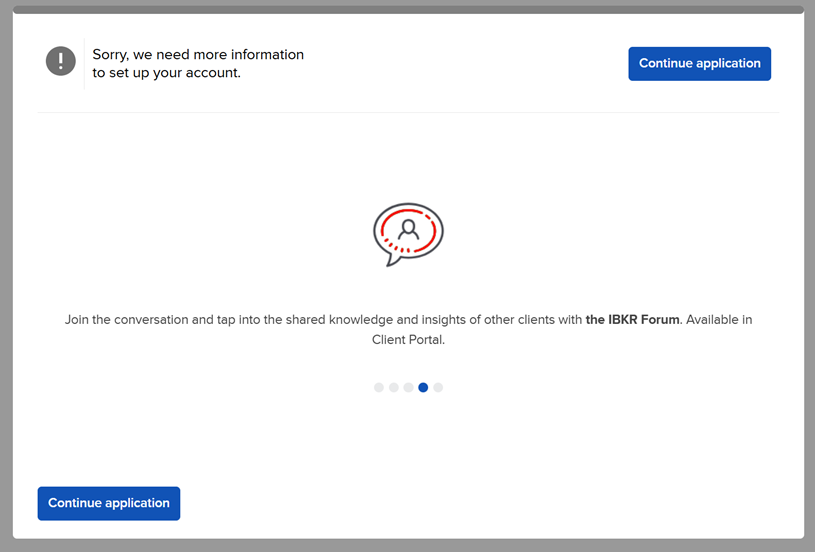
The following pop-up may appear on your screen. Click Continue application.
-
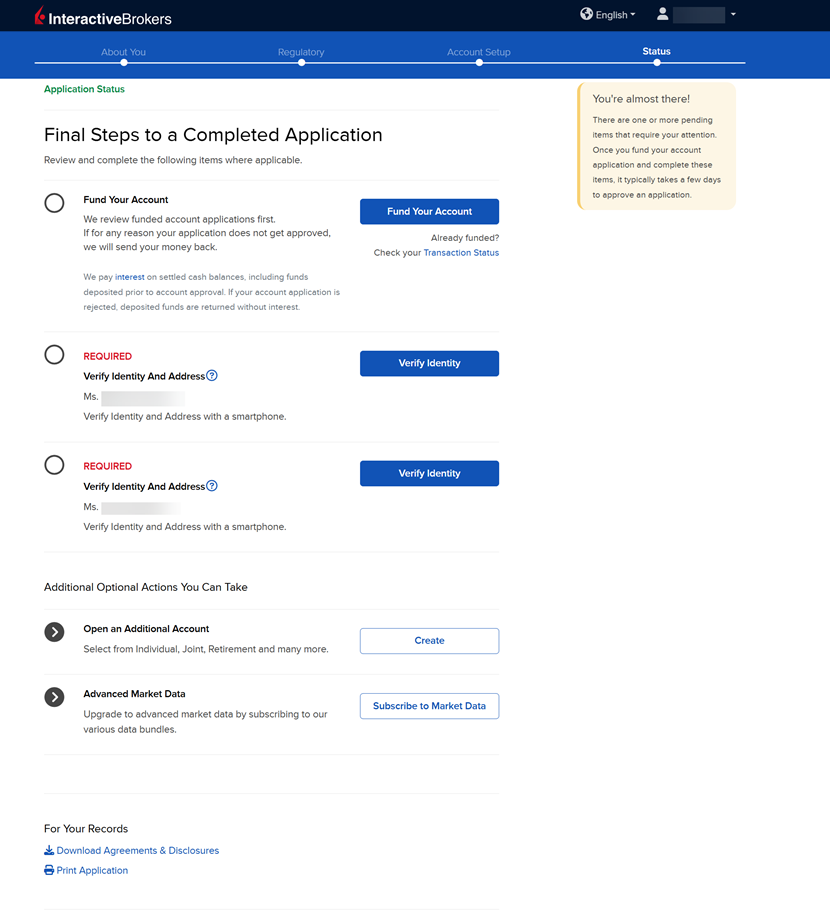
The final page of the application is the Status section. This page will state any additional information or documents needed to complete the application. These tasks are prompted based on the information you previously provided in the application. Any required documents needed for the application will be marked as "REQUIRED" or "Not Yet Received" in red letters. Select the blue buttons to Fund Your Account, Answer Questions, Verify Identity, and Upload Documents.
-
Once all of these steps have been completed, a member of our back office team will review the application and any submitted documents. Once the account has been approved and opened, you will receive an email from Interactive Brokers advising that your account has been activated and you may log in at any time to start trading.
How to Fund Your Account During the Application
Funding your account during the application process is optional. However, doing so will push your application to a priority review. Funding your account may done by transferring cash from a bank account, or transferring securities from your previous custodian. To do so, follow the steps below.
Please note, securities transfer requests are sent to your current custodian only after your IBKR account is approved and opened. Once approved, contact your current custodian to confirm they received the transfer request.
-
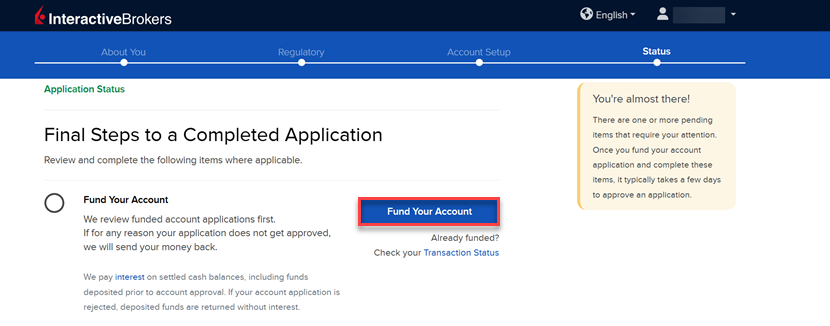
On the final page of the application, click the Fund Your Account button.
-
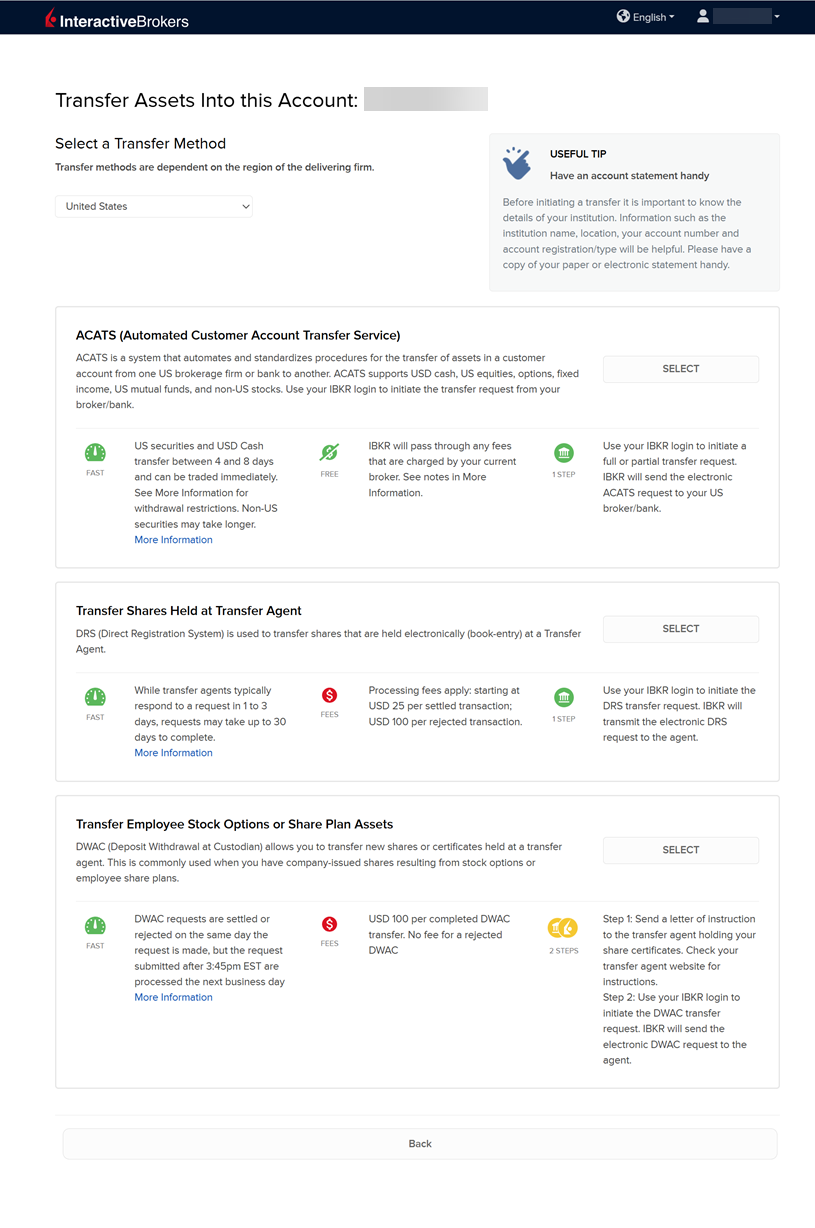
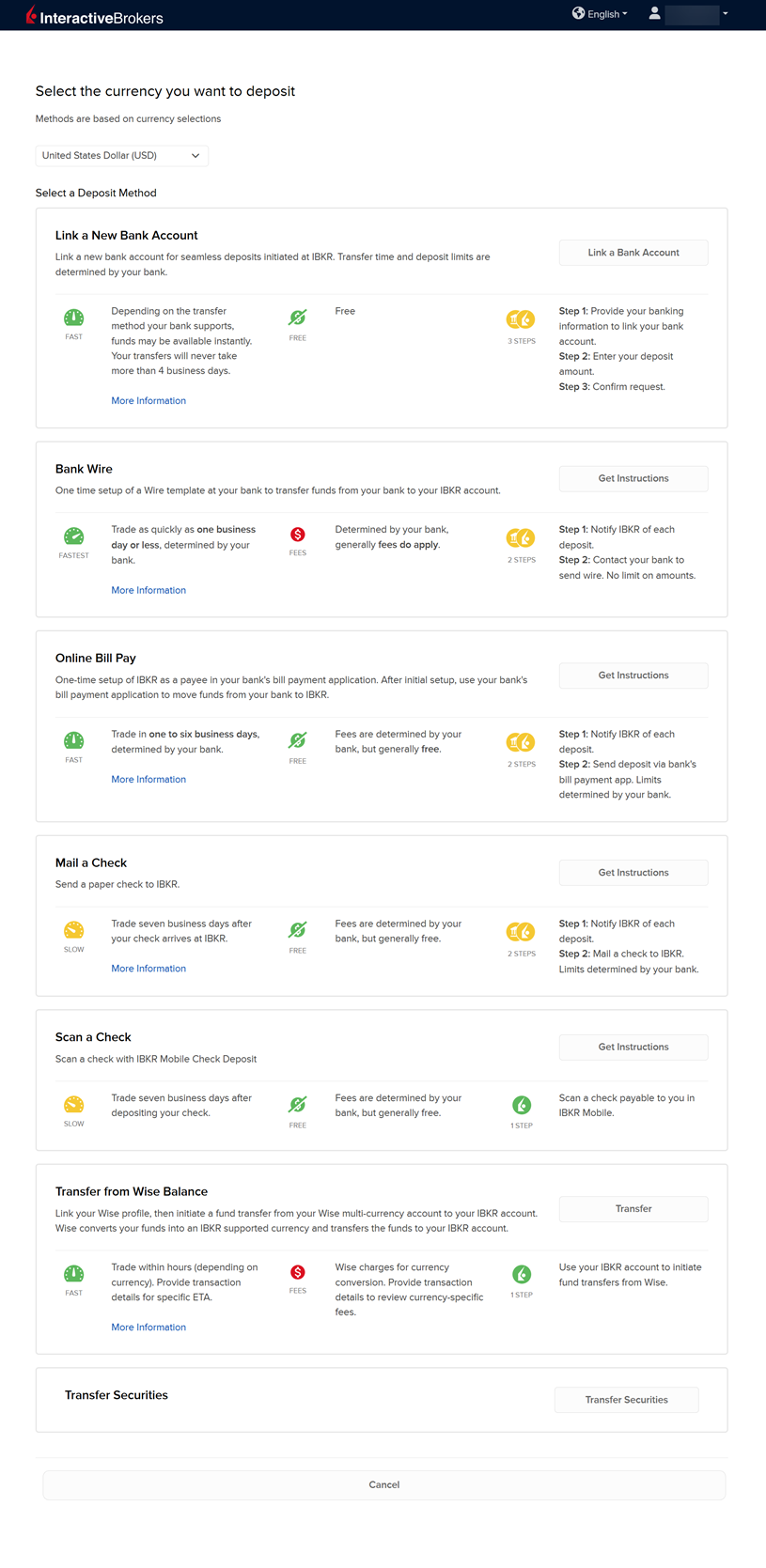
A list of transfer methods will populate on your screen. Click your desired transfer option.
-
Provide your bank details and complete the transfer request.
-
If you are looking to transfer cash and securities from your previous custodian, select the Transfer Securities button at the bottom of the page.
-
A list of transfer security methods will populate on your screen. Click your desired transfer option and provide the required custodian details.