Inherited IRA Trust
An inherited IRA trust is a trust established to receive the assets of a deceased person's IRA, with the trust acting as the beneficiary. This legal arrangement allows the original account holder to specify how the funds should be managed and distributed by the trust, which can be used for asset protection and long-term legacy planning. Find out more information by reviewing the Guide to Choosing the Right Account page and the What You Need for the Application page.
To open this type of account, follow the steps below.
-
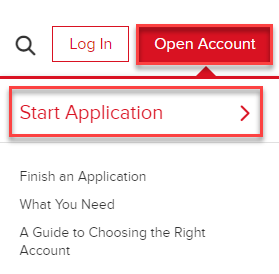
Navigate to ibkr.com and select the Open Account button in the top right corner followed by Start Application.
-
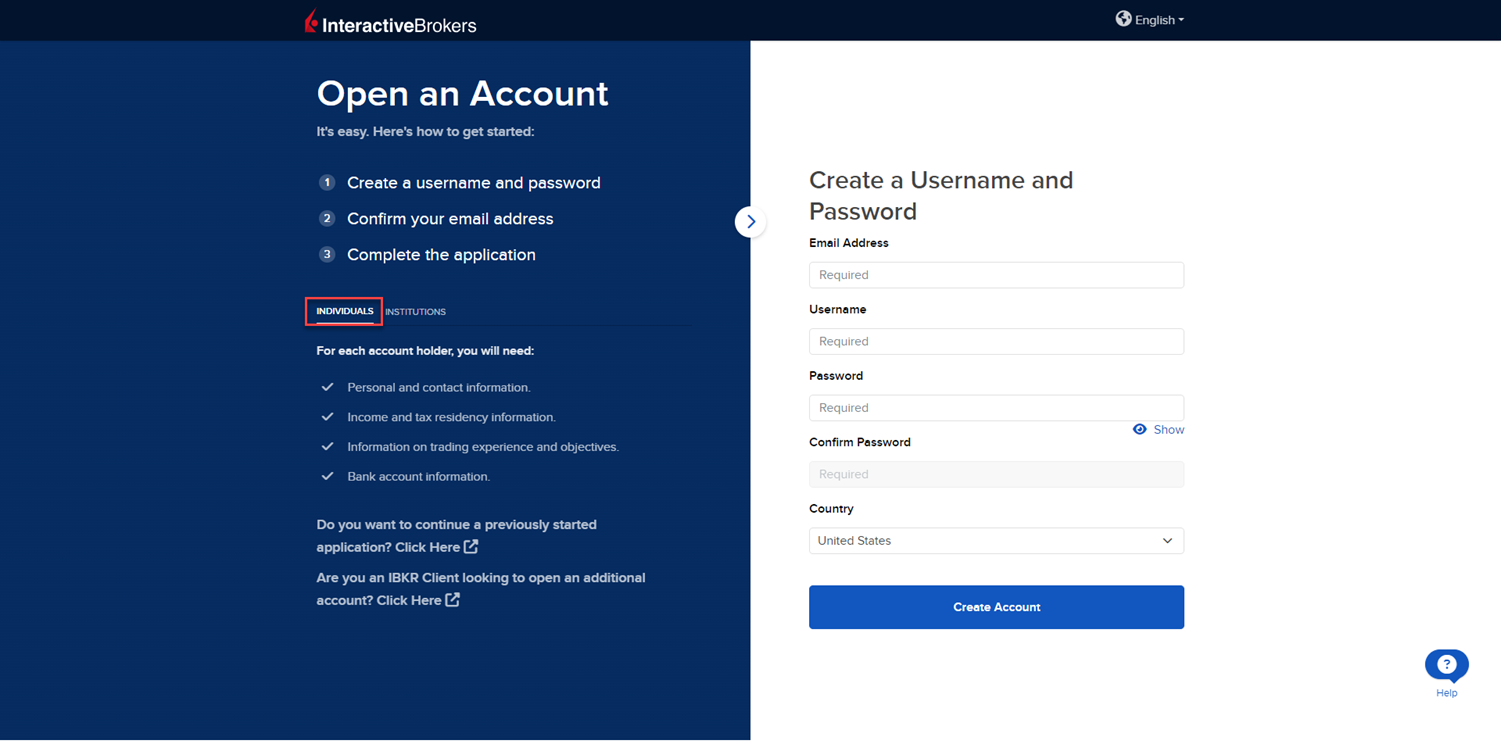
Select the Individual tab on the left side and input an Email Address, Username, Password, and Country for this account.
-
Select Create Account to navigate to the next page.
-
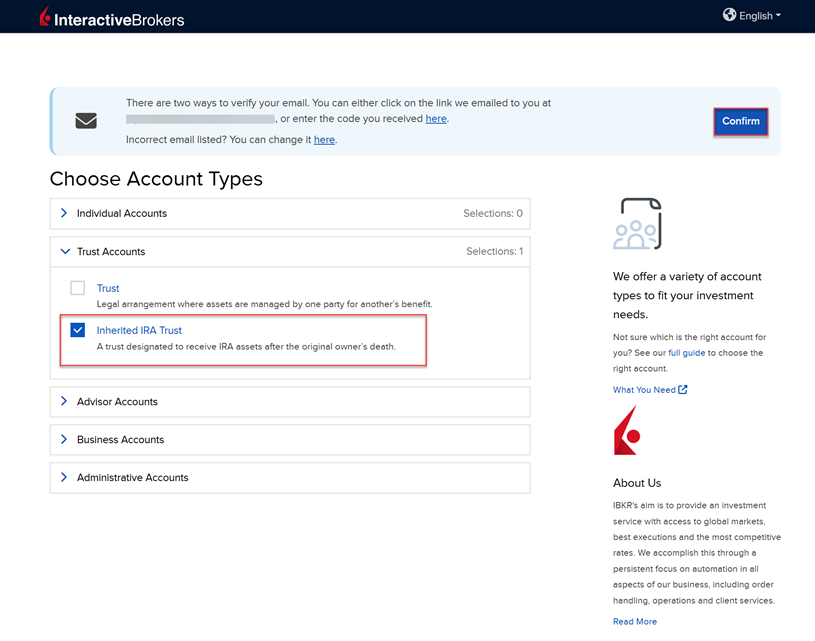
Confirm your email address by selecting the blue Confirm button in the top right corner. Select the Trust Accounts drop-down menu followed by Inherited IRA Trust.
-
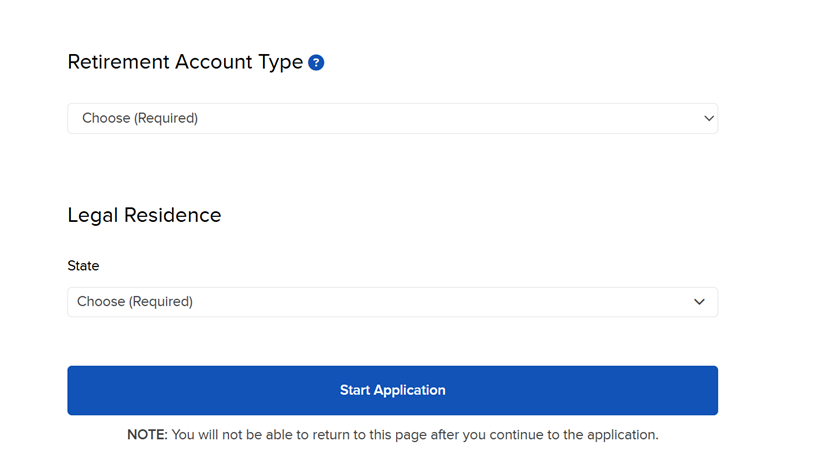
Upon selecting the Inherited IRA Trust account type, you will be prompted to enter the Retirement Account Type and Legal Residence. Once these have been selected, click Start Application.
-
The first page of the application is the About You section. Fill this out accordingly and press Continue.
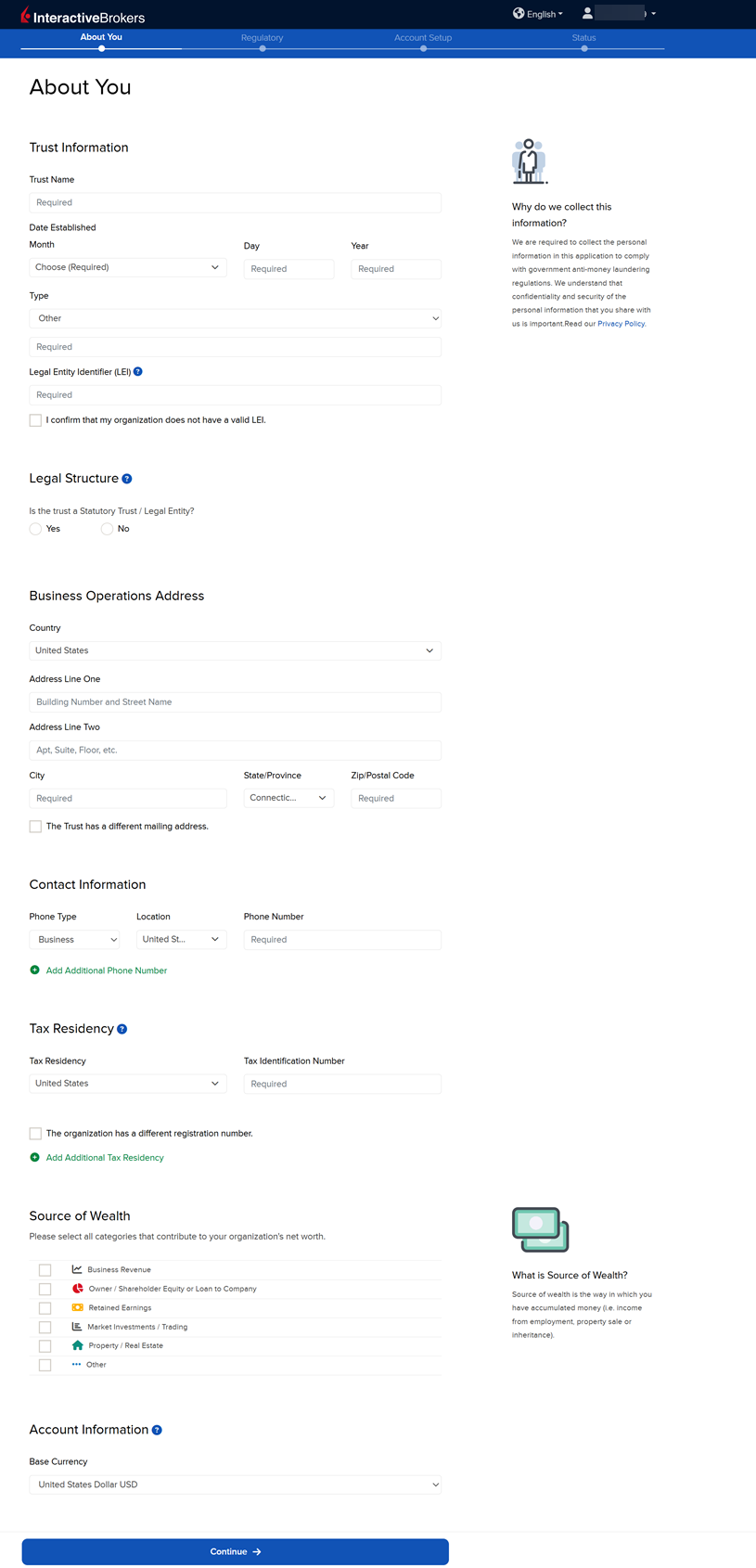
Please note, to the extent required by law, we will take appropriate technical and organizational measures to keep your Personal Information confidential and secure in accordance with our internal procedures covering the storage, disclosure of and access to Personal Information. To review our privacy policy, please click here.
-
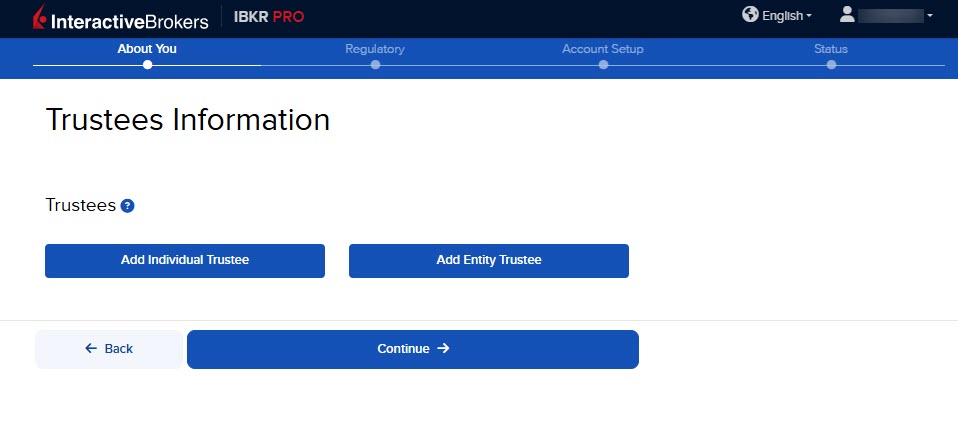
The Trustees Information page will populate. Click Add Individual Trustee or Add Entity Trustee.
-
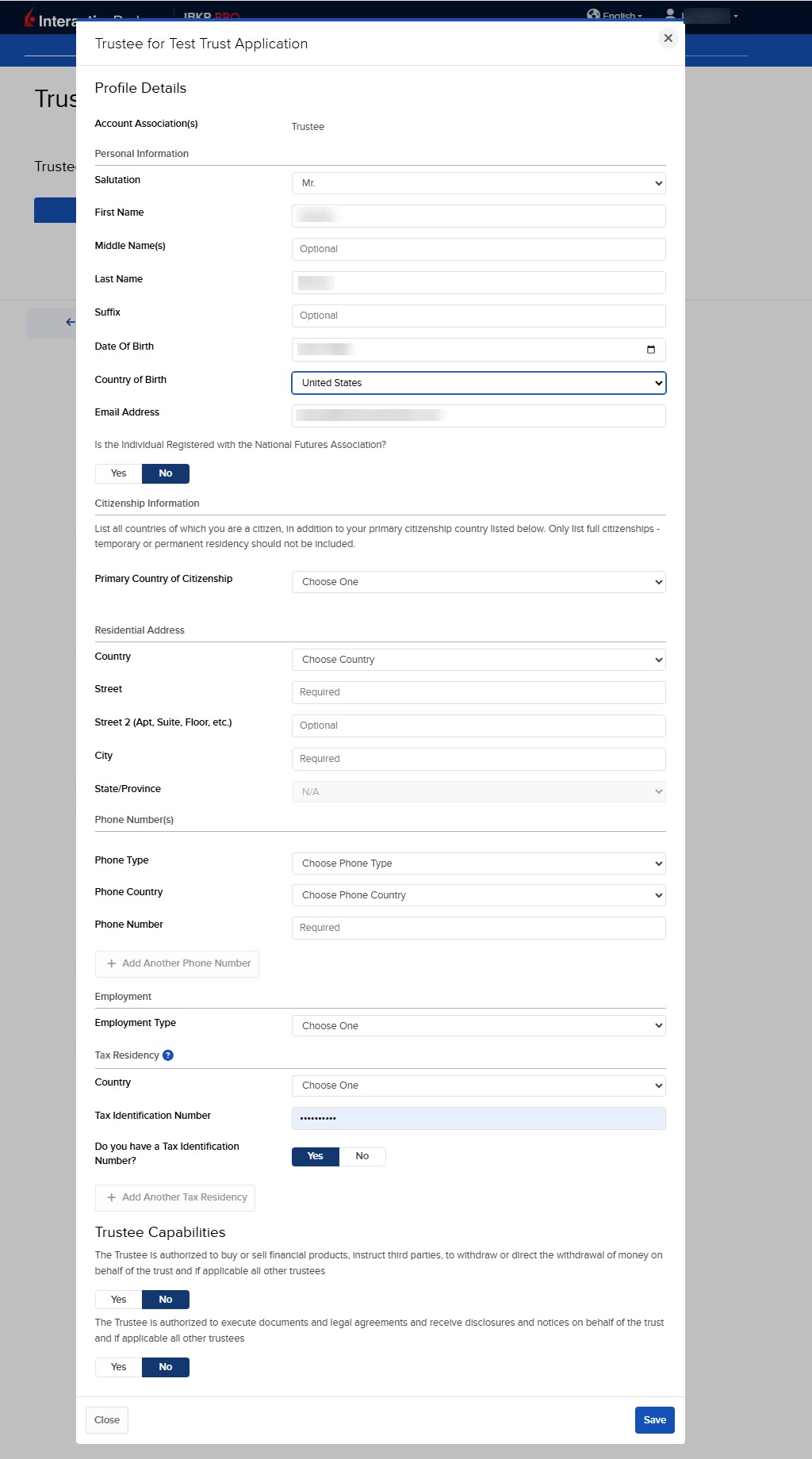
Fill out the required Trustee information and press Save.
-
Once the Trustee Information has been entered, press Continue.
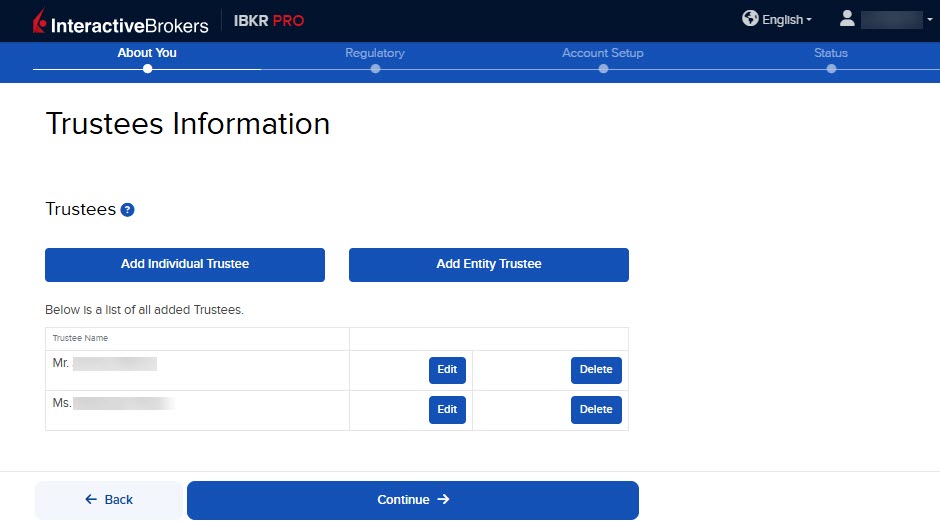
Please note, a minimum of one Signatory Trustee and a minimum of one Trader Trustee is required.
-
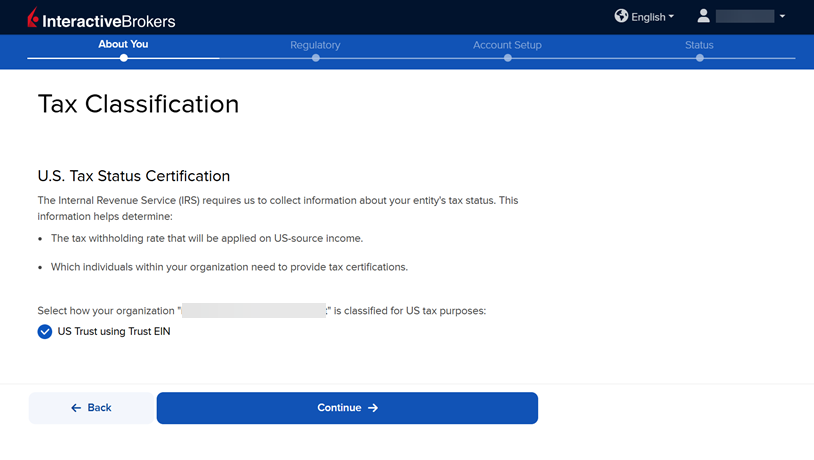
The next page is the Tax Classification section. Enter the information and press Continue.
-
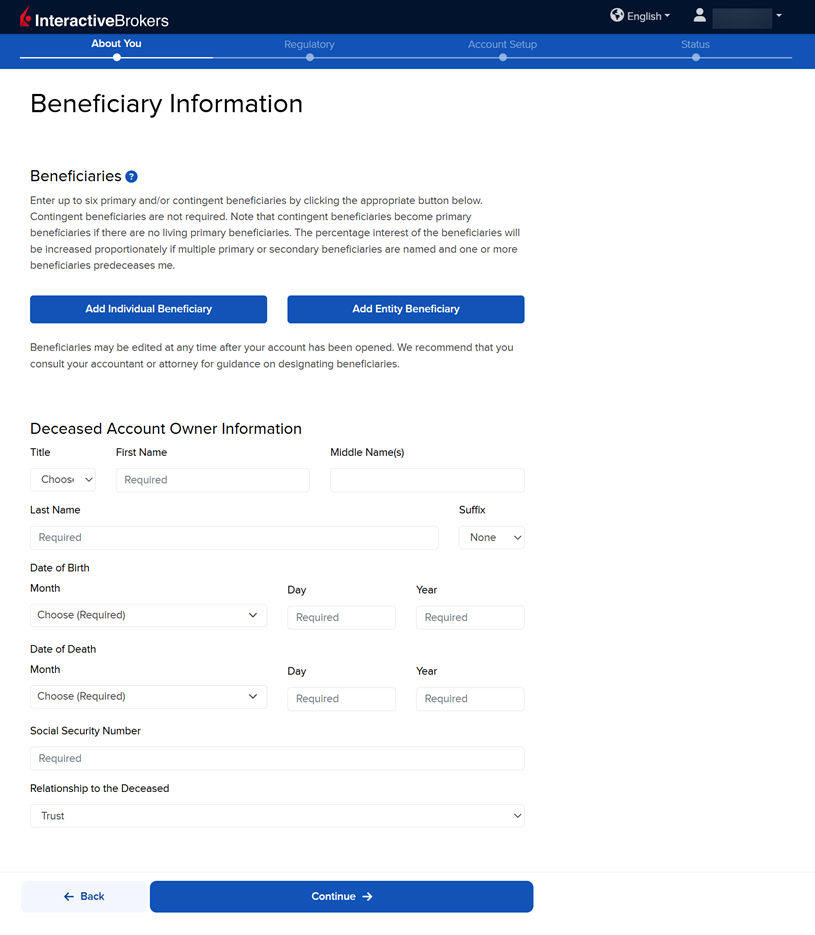
The Beneficiary Information screen will populate. Fill this out as well as the Deceased Account Owner Information and press Continue.
-
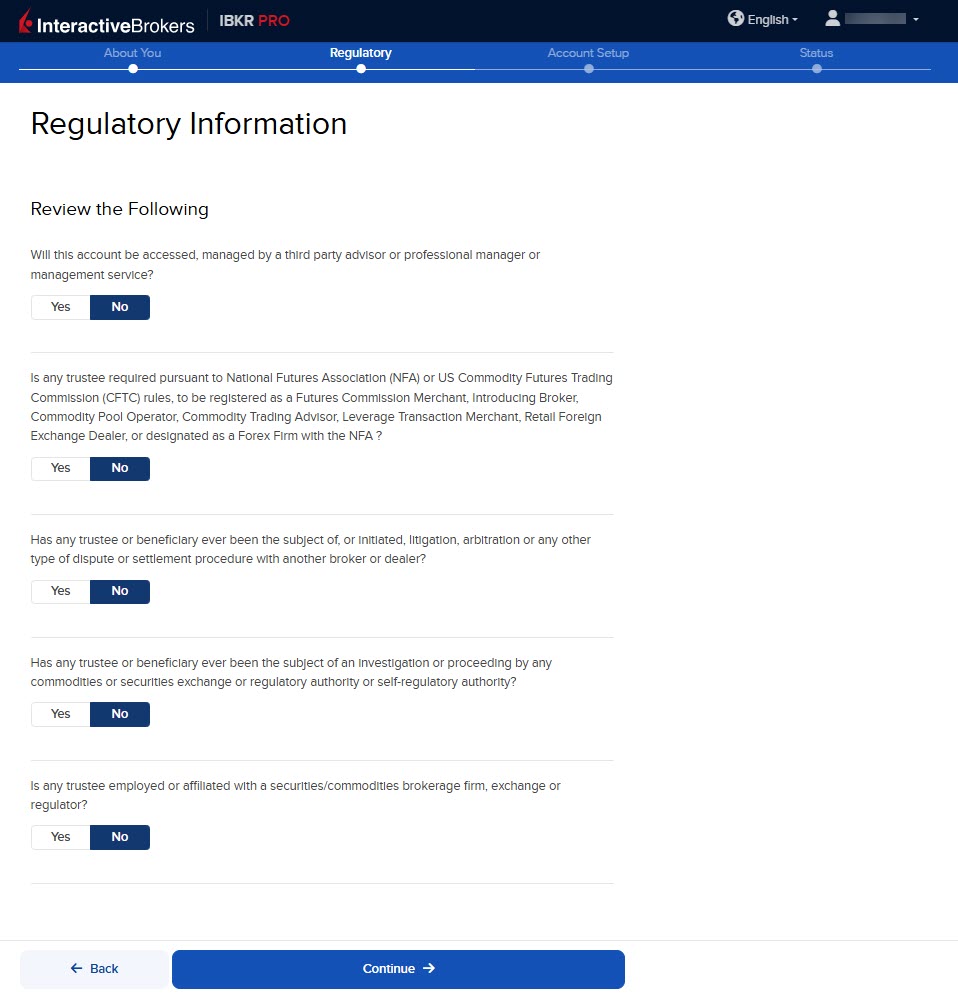
Fill out the Regulatory Information and press Continue.
-
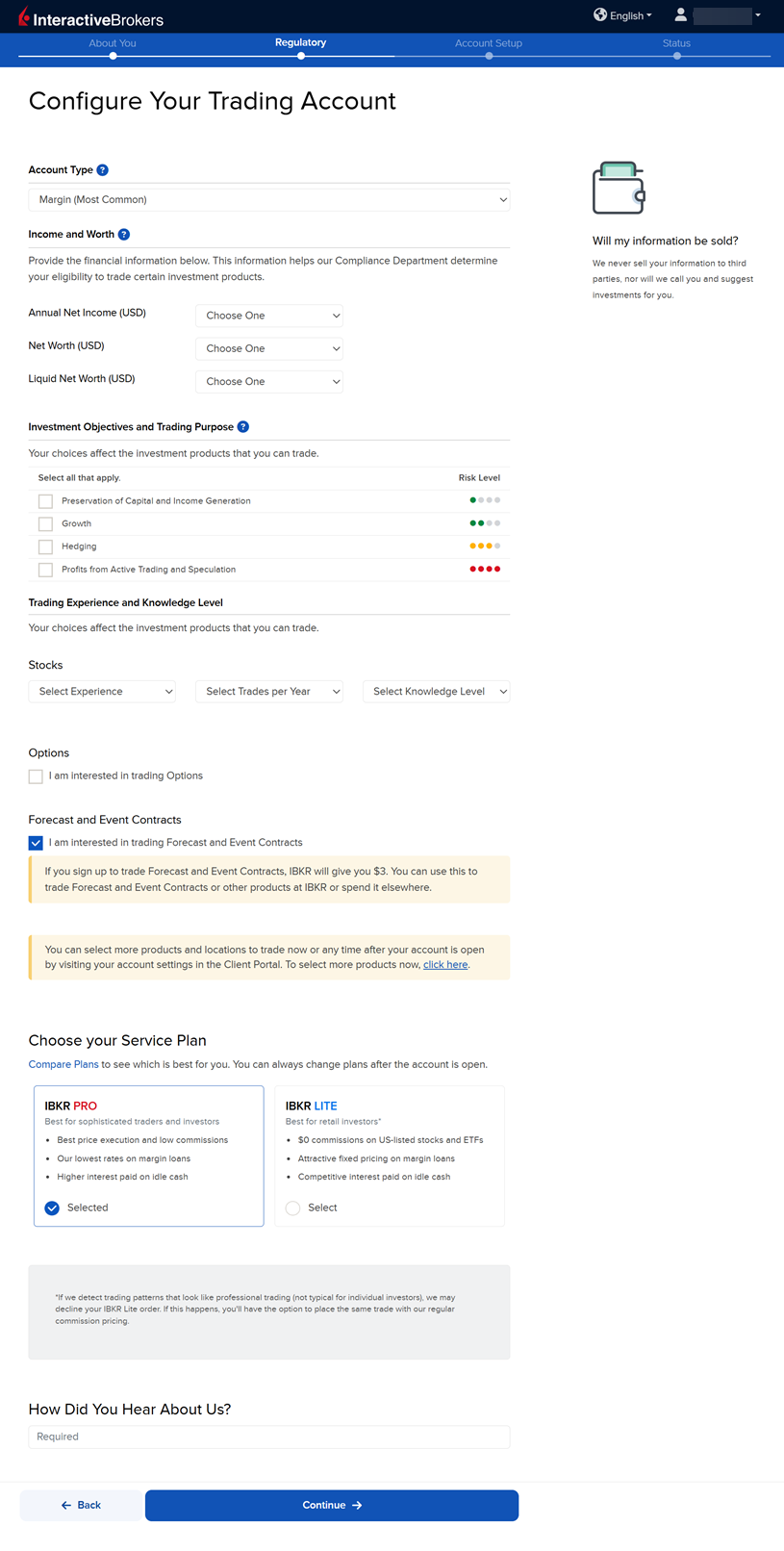
The next page is the Configure Your Trading Account page. Fill this out accordingly and press Continue.
-
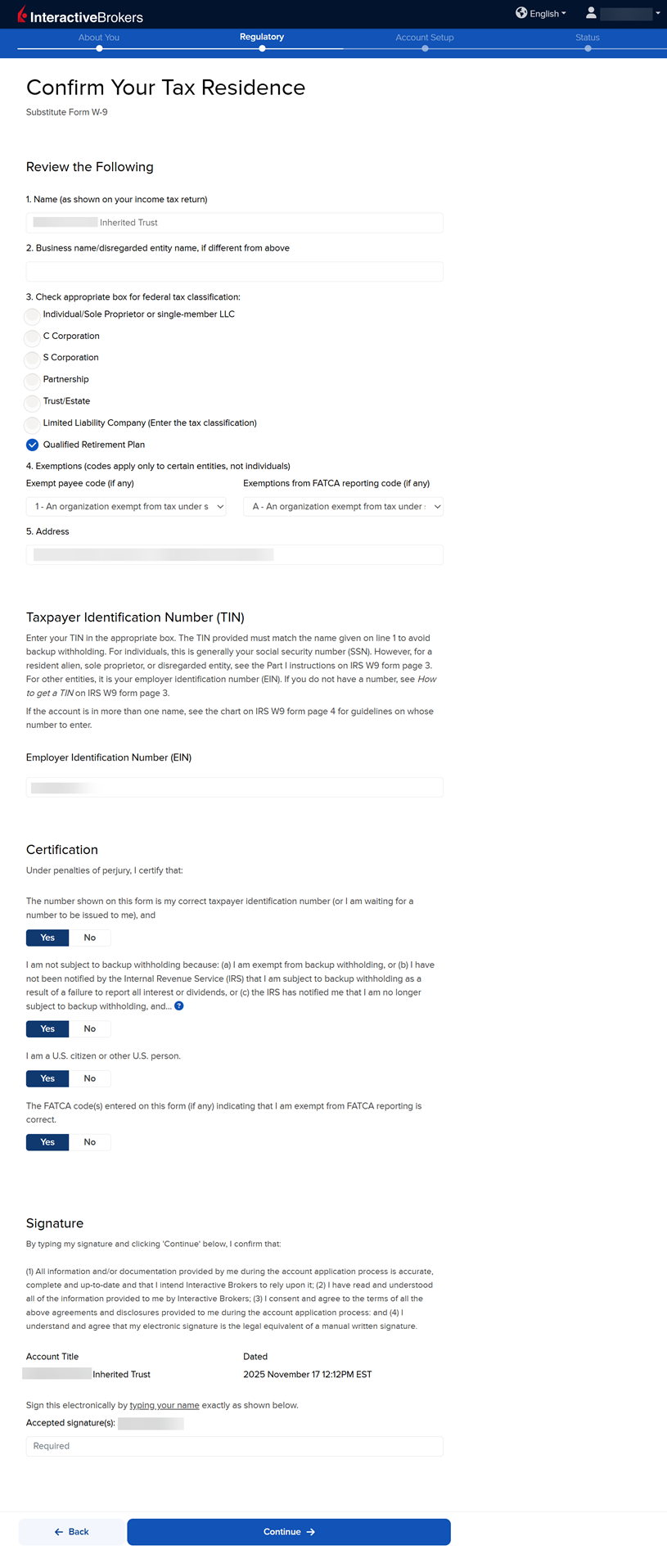
The following page is the Confirm Your Tax Residence section. Fill this out accordingly, provide a signature, and press Continue.
-
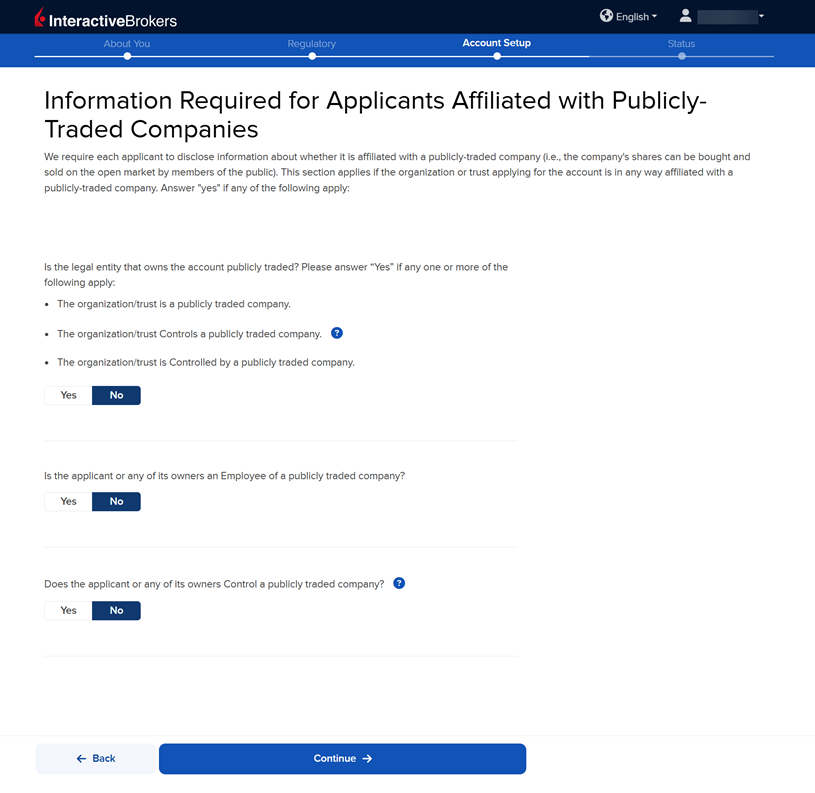
The Information Required for Applicants Affiliated with Publicly Traded Companies page will populate next. Fill this out accordingly and press Continue.
-
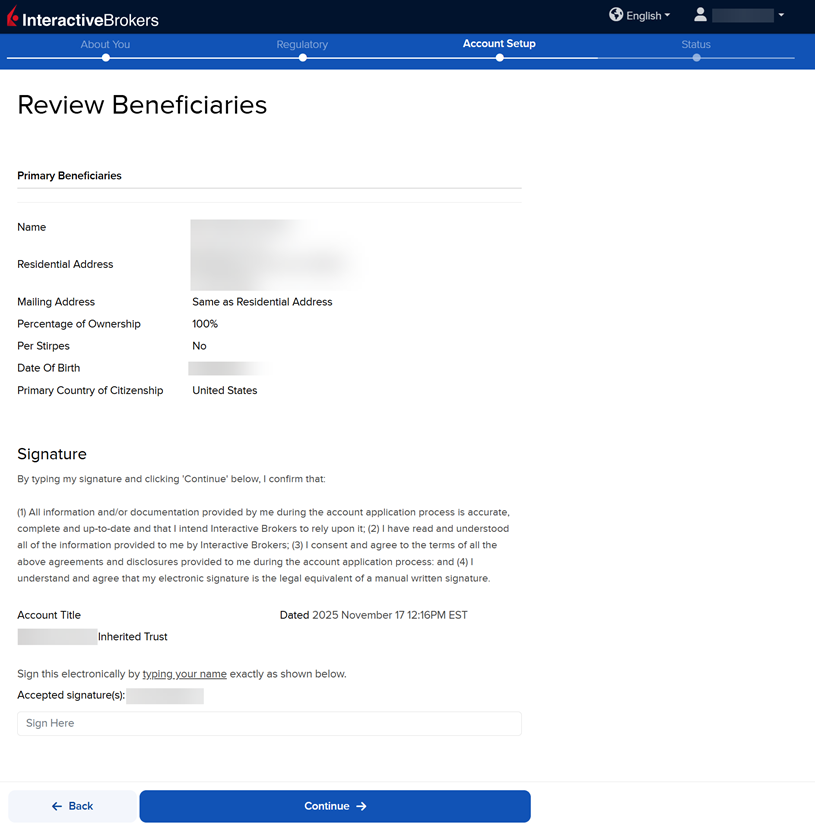
The next page of the application is the Review Beneficiaries section. If all of the information displayed is correct, provide your signature and press Continue.
-
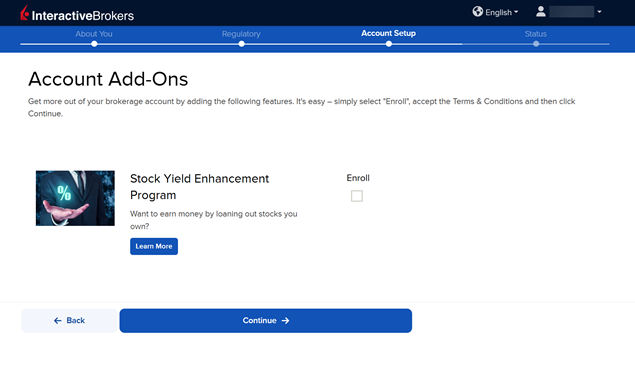
The Account Add-On section will populate on your screen. The Stock Yield Enhancement Program provides extra income on the fully-paid shares of stock held in your account by allowing IBKR to borrow your shares in exchange for collateral (either U.S. Treasuries or cash). IBKR then lends the shares to traders who want to sell them short and are willing to pay a fee to borrow them. To enroll, click the Enroll check-box and press Continue. If you do not want to enroll at this time, leave the check-box blank and click Continue.
-
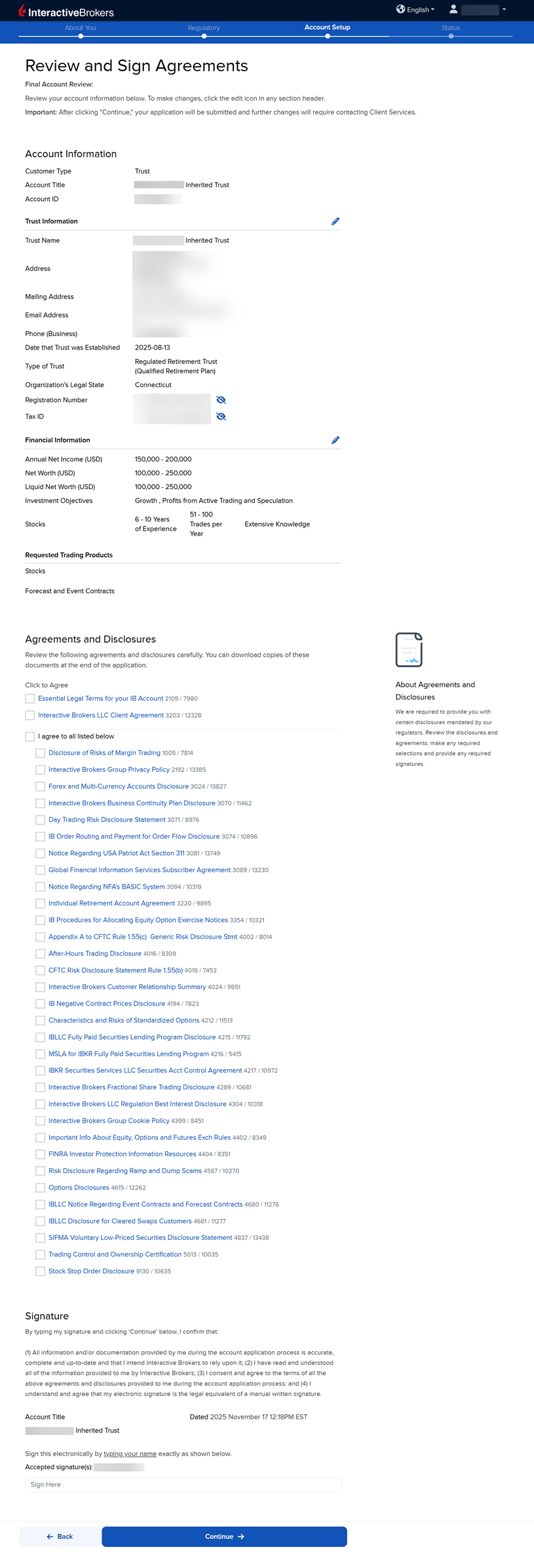
The next page of the application is the Review & Sign Agreements section. Fill this out accordingly, click the check-boxes to sign agreements, provide your signatures at the bottom of the page, and press Continue.
-
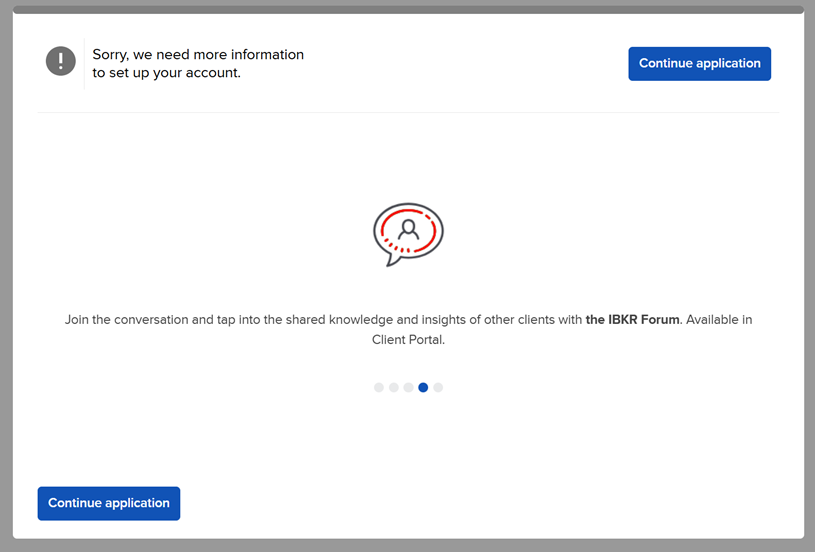
The following pop-up may appear on your screen. Click Continue application.
-
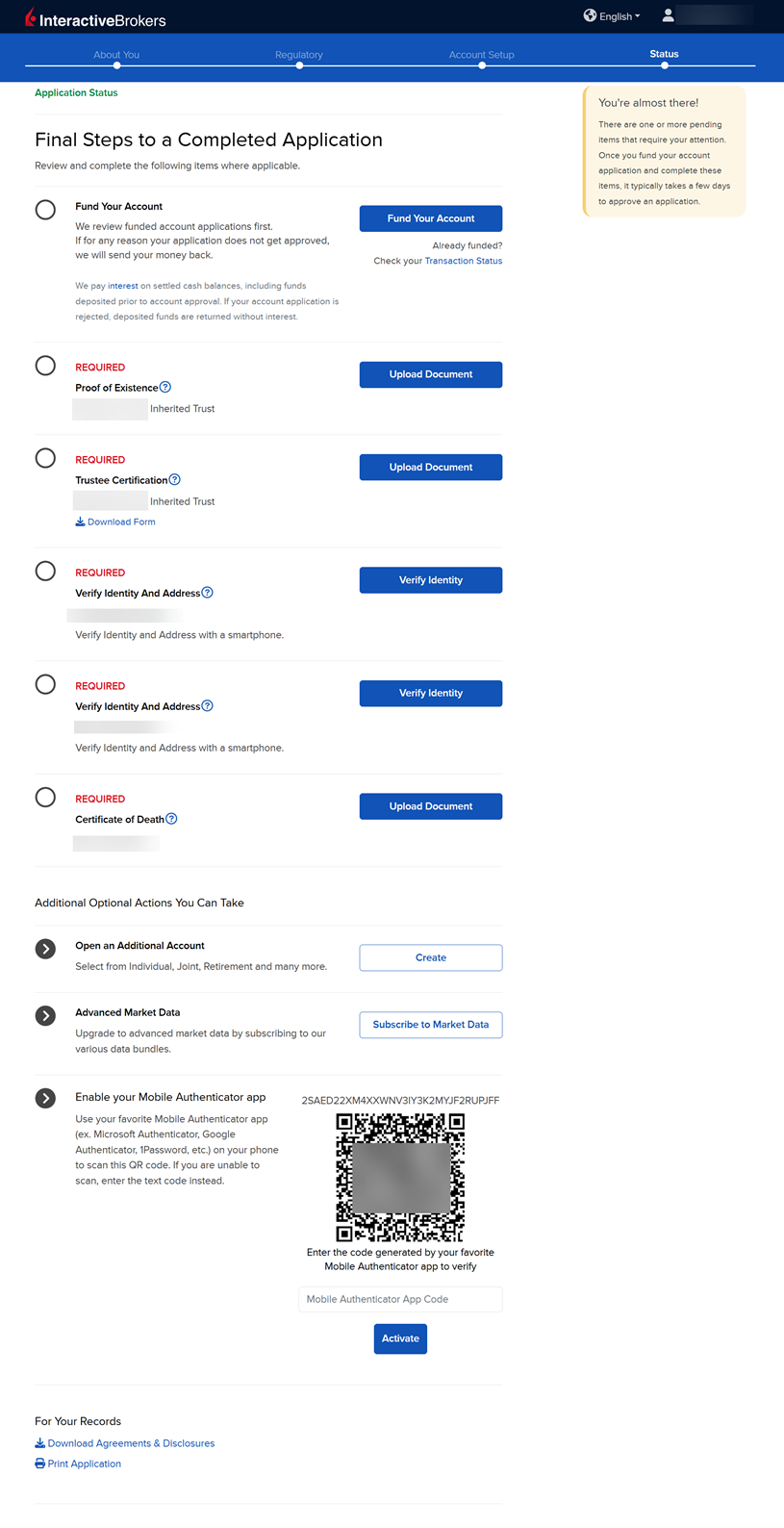
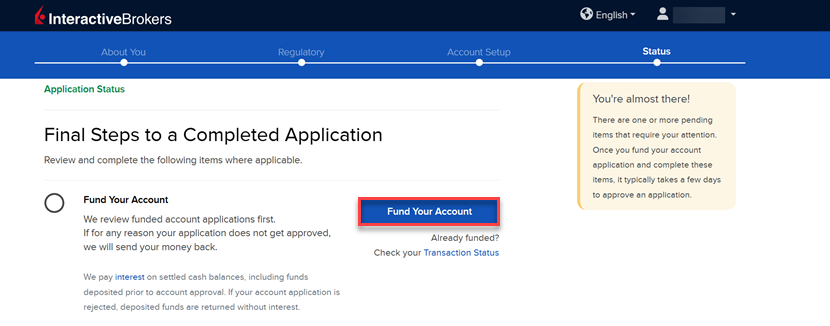
The final page of the application is the Status section. This page will state any additional information or documents needed to complete the application. These tasks are prompted based on the information you previously provided in the application. Any required documents needed for the application will be marked as "REQUIRED" or "Not Yet Received" in red letters. Select the blue buttons to Fund Your Account, Answer Questions, Verify Identity, and Upload Documents.
-
Once all of these steps have been completed, a member of our back office team will review the application and any submitted documents. Once the account has been approved and opened, you will receive an email from Interactive Brokers advising you that your account has been activated and you may log in at any time to start trading.
How to Fund Your Account During the Application
Funding your account during the application process is optional. However, doing so will push your application to a priority review. Funding your account may done by transferring cash from a bank account, or by transferring securities from your previous custodian. To do so, follow the steps below.
Please note, securities transfer requests are sent to your current custodian only after your IBKR account is approved and opened. Once approved, contact your current custodian to confirm they received the transfer request.
-
On the final page of the application, click the Fund Your Account button.
-
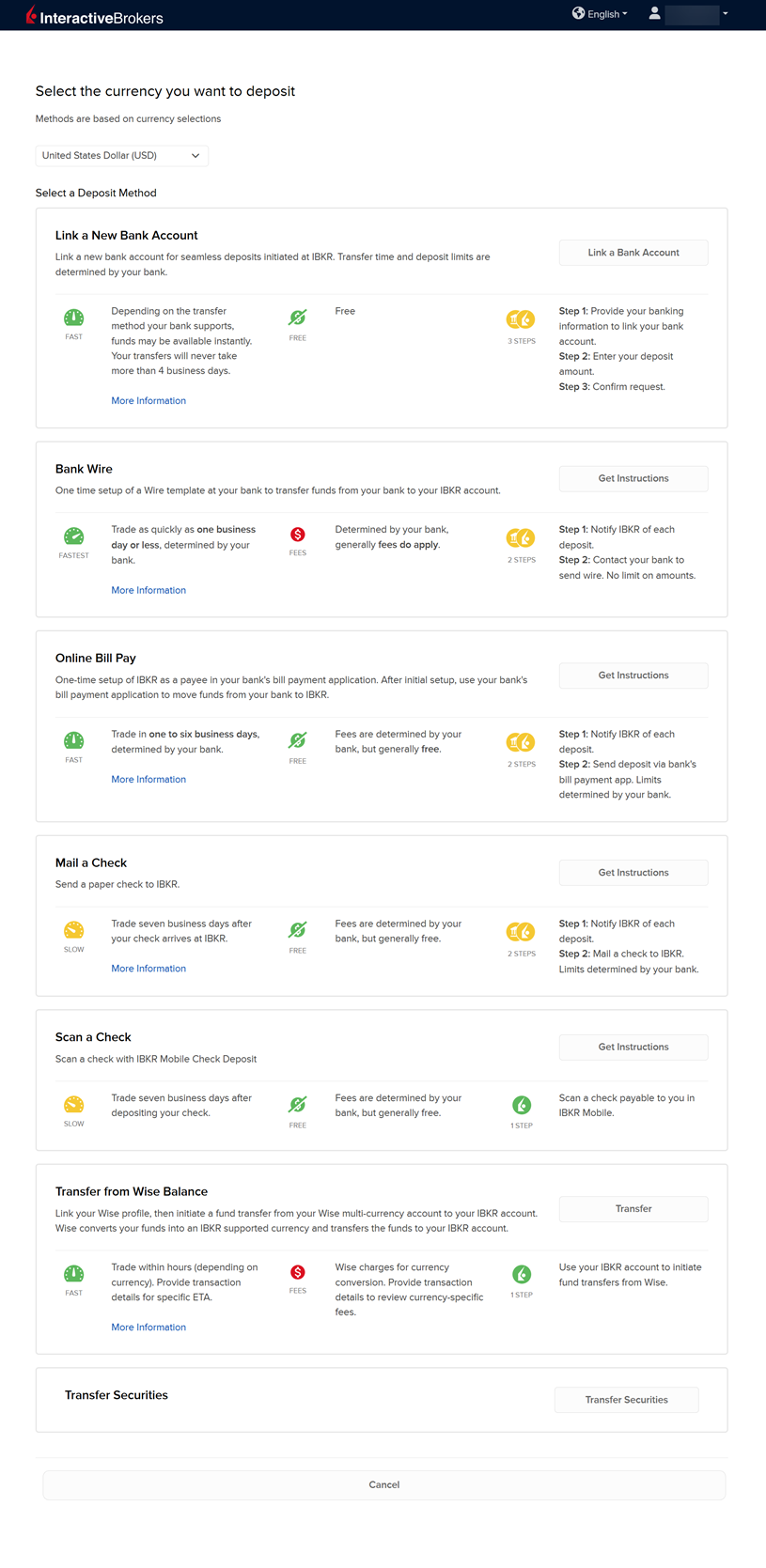
A list of transfer methods will populate on your screen. Click your desired transfer option.
-
Provide your bank details and complete the transfer request.
-
If you are looking to transfer cash and securities from your previous custodian, select the Transfer Securities button at the bottom of the page.
-
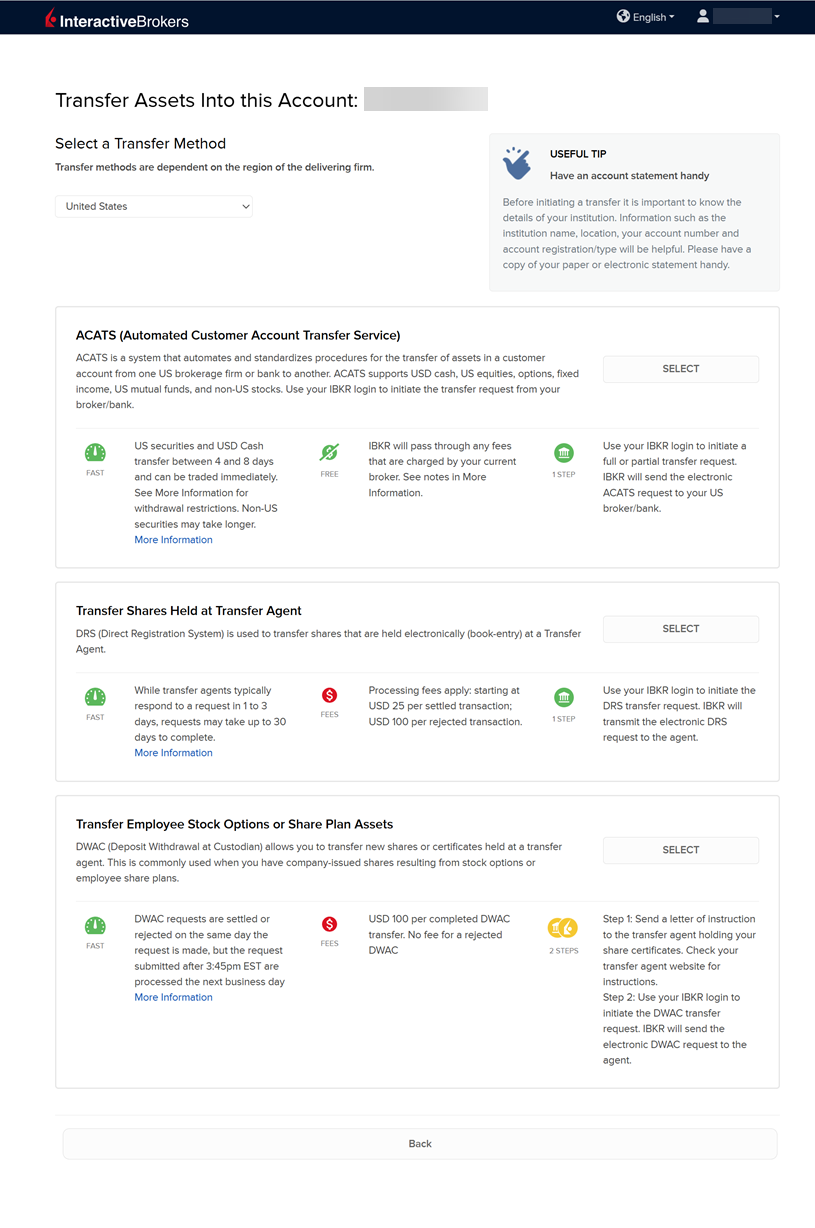
A list of transfer security methods will populate on your screen. Click your desired transfer option and provide the required custodian details.