Account Info & Settings
Instructions
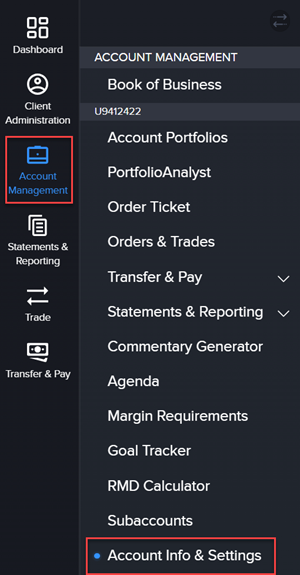
The Account Info & Settings allows you to view client accounts and update any necessary settings within these accounts. To navigate to this page, please take the steps outlined below.
-
Click Account Management in the top left corner.
-
Click Account Info & Settings.
-
You may view and edit the Contact Configuration.