Contact - Tax Documents
Instructions
To navigate to this page take the following steps.
-
From the Contact page, click Menu in the top left corner > Contacts & Accounts
-
Click the contact's name to open the Contact Information page.
-
From the Contact page, click Menu in the top left corner > Select Reporting > Tax Documents.
-
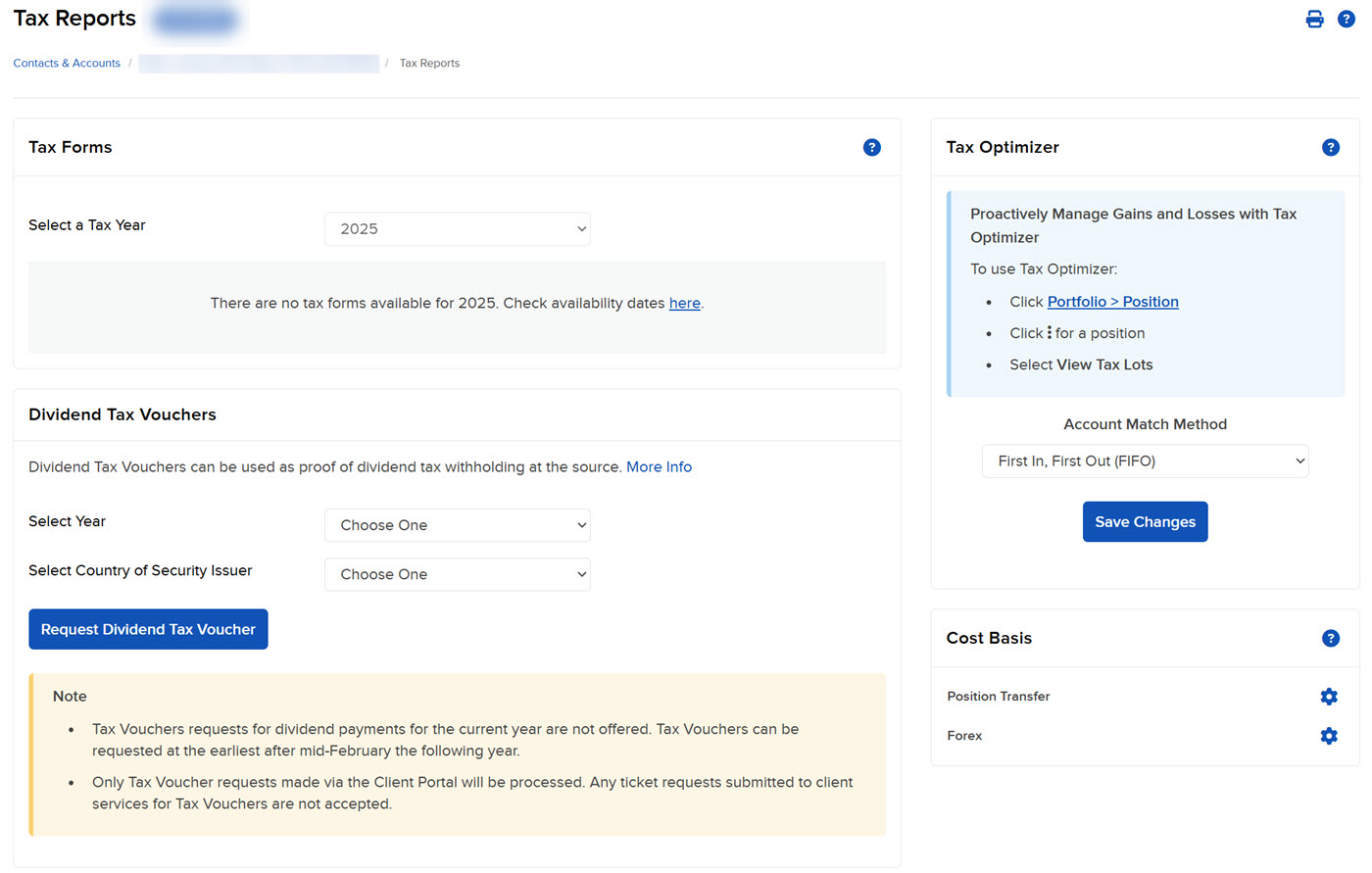
The Tax Documents page gives you access to the following tax-related functions for your contact:
-
Tax Forms - View and download annual tax forms for the last five years.
-
Tax Planner for Advisors - The Tax Planner for Advisors in PortfolioAnalyst is a tool to help Advisors estimate taxes for their client account activities
-
Tax Optimizer - Change tax-lot-matching methods and see the impact of those changes on your profit and loss.
-
Request Dividend Tax Voucher - You can apply for a refund of excess dividends withheld.
- Cost Basis - Cost basis is the original value of an asset and is generally used to determine the capital gain from a sale of securities.
-