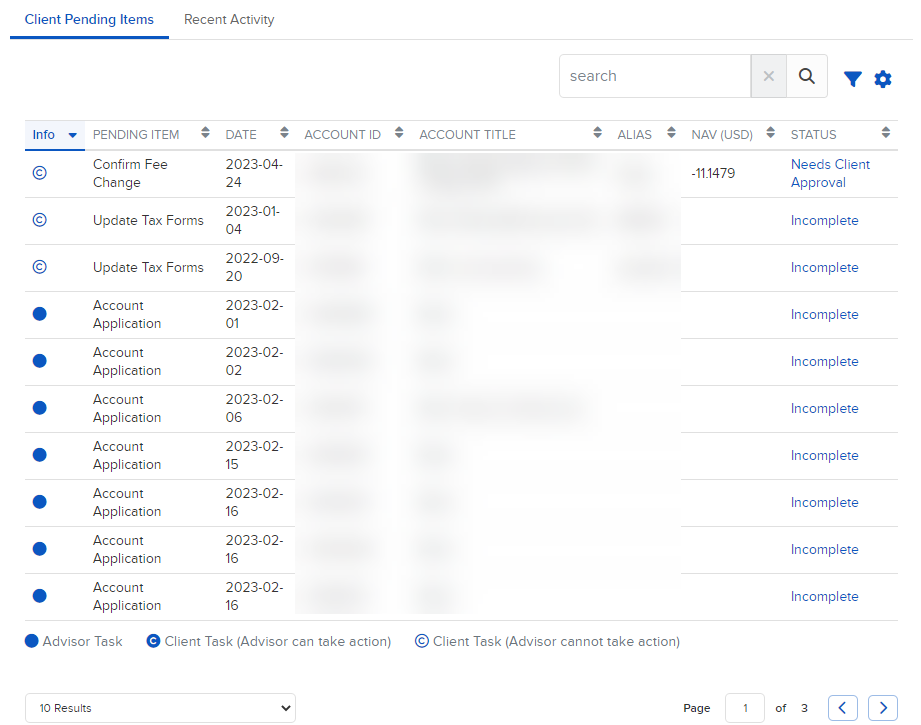
Client Pending Items
Instructions
The Client Pending Items section contains a list of records you can view, sort and search. Sort by clicking any column heading (Info, Pending Item, Date, Account ID, Account Title, Alias, NAV, or Status). Use the search bar to quickly locate information.
-
Click Dashboard in the top left corner and select the Client Pending Items tab
By default, ten records are displayed, but you can change this to 25, 50, or 100. Click items in the Status column for more information.