Client Portal Release Notes 2026
 June 2026: Investment Themes for Funds, Fundamentals for Funds, Connections for Funds
Investment Themes for Funds
Discover funds organized by key investment themes, such as sectors, trends, and strategies. This feature helps you quickly identify and compare funds aligned with specific market opportunities, making it easier to diversify and explore new exposures.
To access this feature:
-
Navigate to the Research tab followed by Investment Themes
-
Browse or search for Themes and S&P 1500 companies.
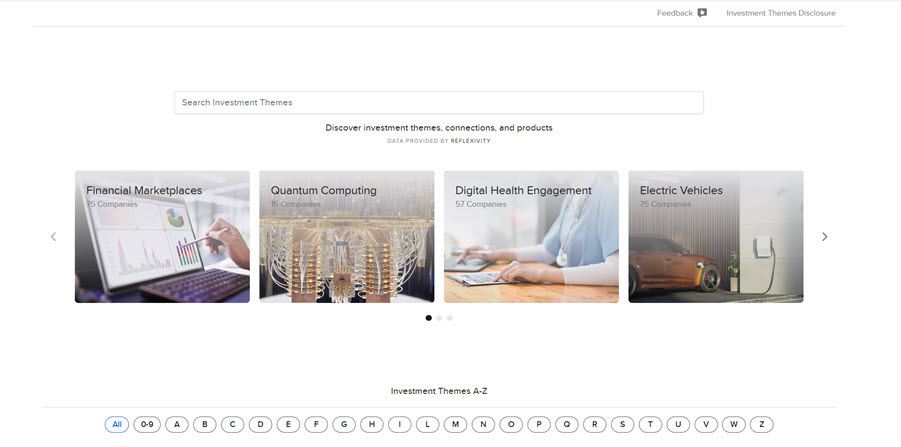
-
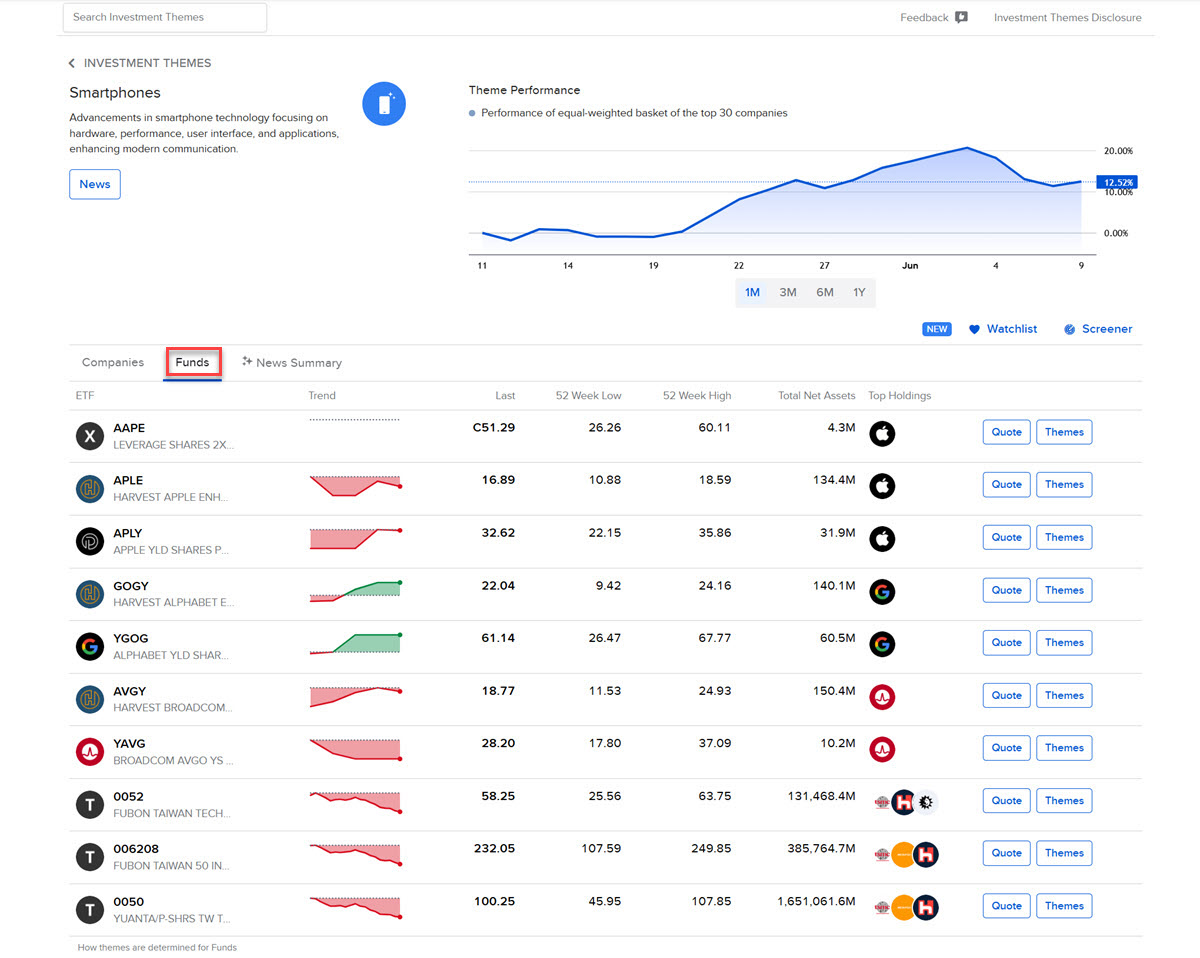
Click a Theme and select Investment Theme Overview to view details and related instruments.
-
Click the Funds tab to view a comprehensive list of all available Funds in this theme.
Fundamentals for Funds
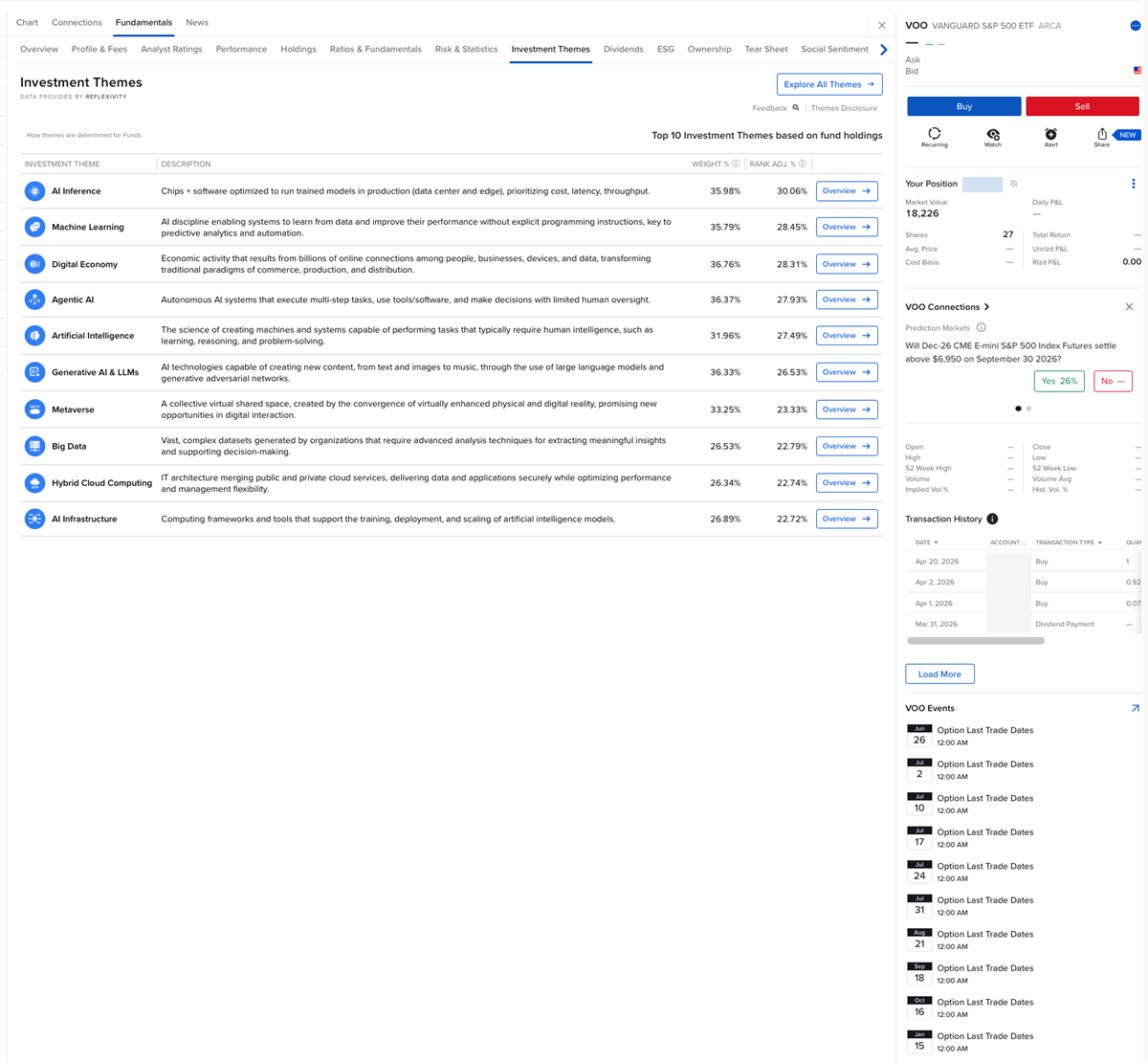
Access key fundamental data for funds to support evaluation and comparison. View performance metrics, holdings insights, and other essential information in one place to make more informed investment decisions.
To access this feature:
-
Click the Research tab followed by Fundamentals Explorer.
-
Enter a Ticker Symbol or Company name in the search box.
-
Use the tabs across the top of the page to view fund information.
Connections for Funds
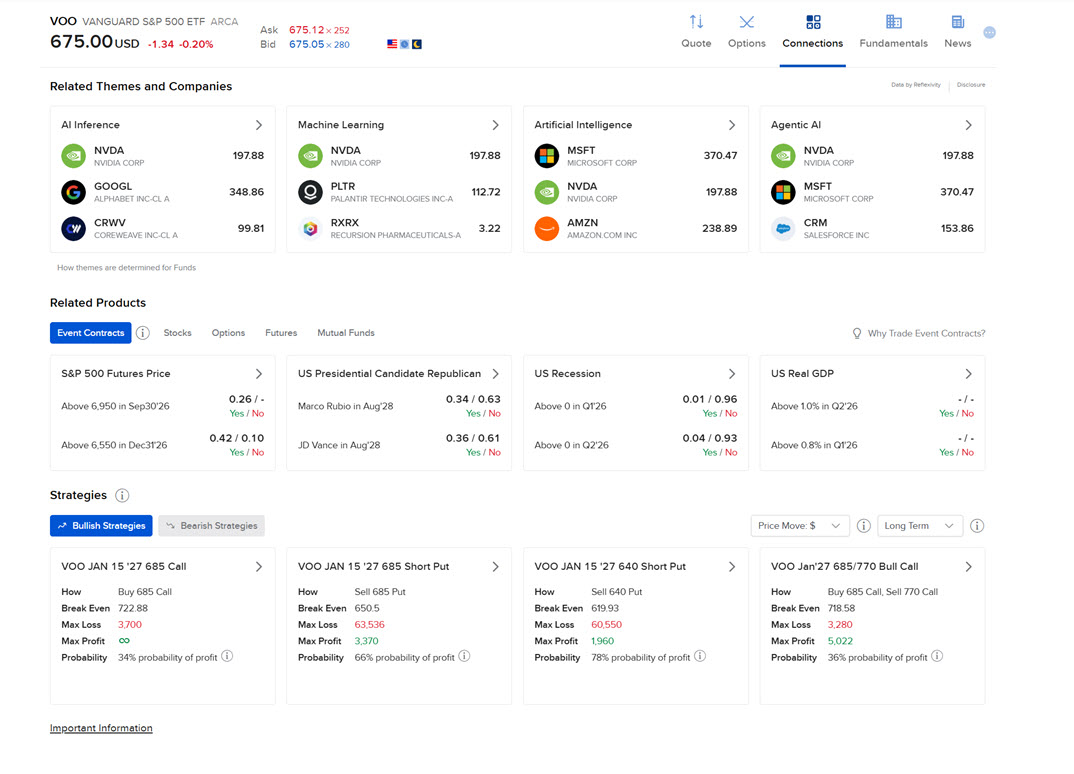
Discover related investment opportunities through fund connections. Explore links between funds and other instruments to identify alternative exposures, compare options, and uncover new strategies.
To access this feature:
-
Search for a financial instrument using the search box in the top right corner of your Portals screen.
-
Select the financial instrument from the search drop-down menu.
-
Select the Connections button from the top of your screen
May 2026: Configure Flex with AI
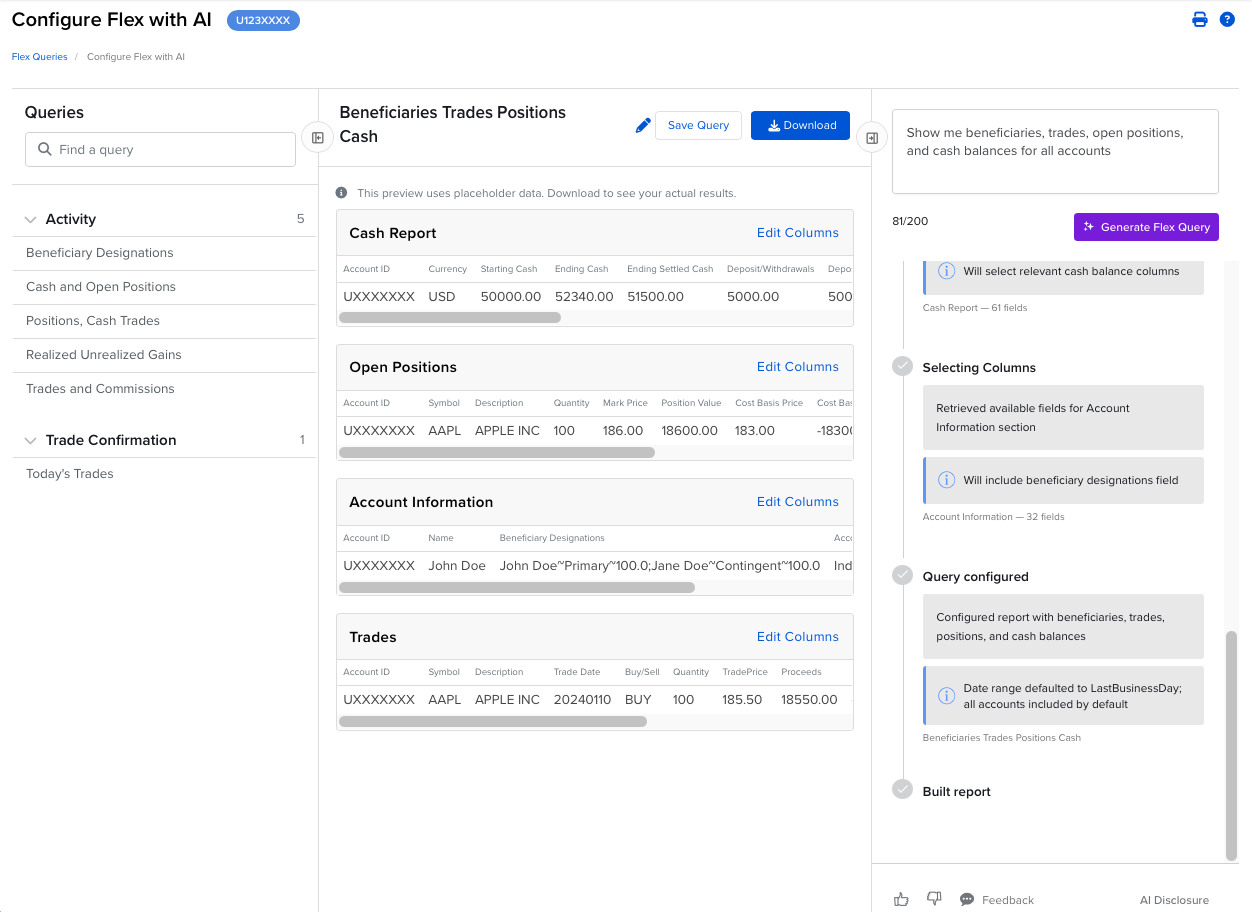
Configure Flex with AI allows you to create and manage Flex Queries using plain‑English descriptions without manually navigating query fields or settings. This natural language interface interprets your data requirements and automatically builds the corresponding Flex Query for you. Simply describe the data you need, and the AI will configure either an Activity Flex Query or a Trade Confirmation Flex Query. Once configured, a preview of your generated query is displayed and includes placeholder data to illustrate the selected sections and columns. The final report can be downloaded in multiple formats (CSV, XML, or Text). You can also save queries as reusable templates and schedule them for future delivery.
The tool supports all account types currently available for Flex Queries. Data is available up to the previous business day with the exception of Trade Confirmations which can include trades data for the current day.
For more information about Configure Flex with AI, visit the user guide or FAQs.
To view all available data fields, visit the Activity Flex Query Reference and Trade Confirmation Flex Query Reference pages.
February 2026: Support for Trading BIP and ETP Perpetual Style Crypto Futures, Last Size Extra Decimal Feature
Trading BIP and ETP Perpetual Style Crypto Futures
We’ve added support for trading BIP and ETP Perpetual Style Crypto Futures—simply enable US-Crypto trading permissions to get started.
Last Size Extra Decimal Feature
The "Last Size Extra Decimal" feature controls how Last Size values are displayed across platforms. By default, Last Size values are displayed as integers. When configured, the feature formats Last Size values to a specified number of decimal places, giving users greater precision in how trade size data appears in the interface.
For more information about the Last Size Extra Decimal Feature, visit the FAQs.
January 2026: Client Portal for Mobile, Watchlist Support for Investment Themes
Client Portal for Mobile
Client Portal is now optimized for mobile, offering app-like performance from your device's home screen with no download required. Choose the platform that best suits your needs.
To learn more about Client Portal for Mobile, visit the FAQs.
Watchlist Support for Investment Themes
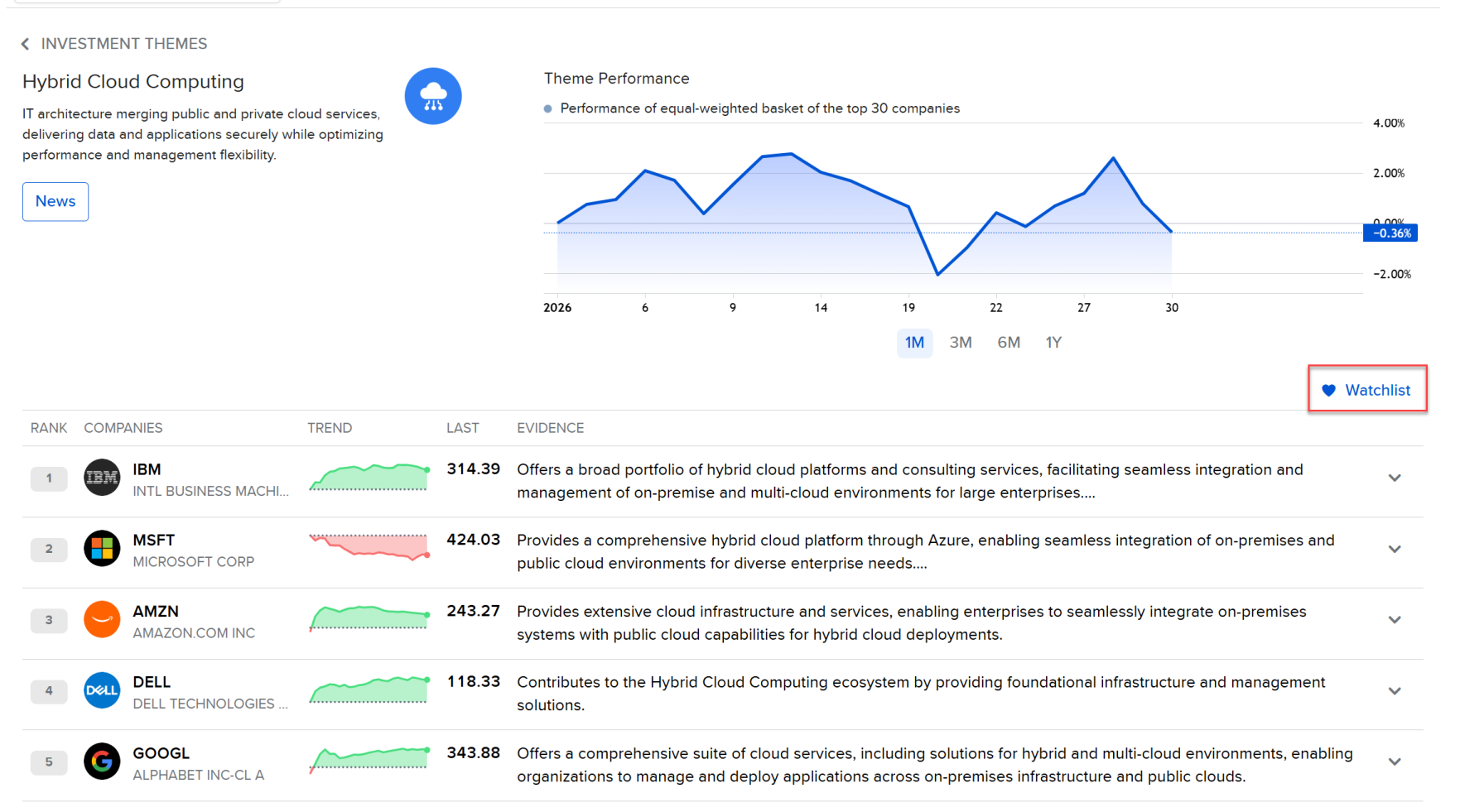
You can now quickly add all or select companies from an Investment Theme to an existing or new watchlist with just a few clicks.