Accounts
Instructions
You can add a range of external accounts to Retirement Planner, including brokerage, bank, real estate and other asset types. To add an account, follow the steps below.
-
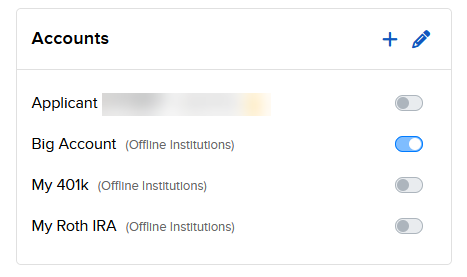
Click the plus (+) icon to the right of Accounts.
-
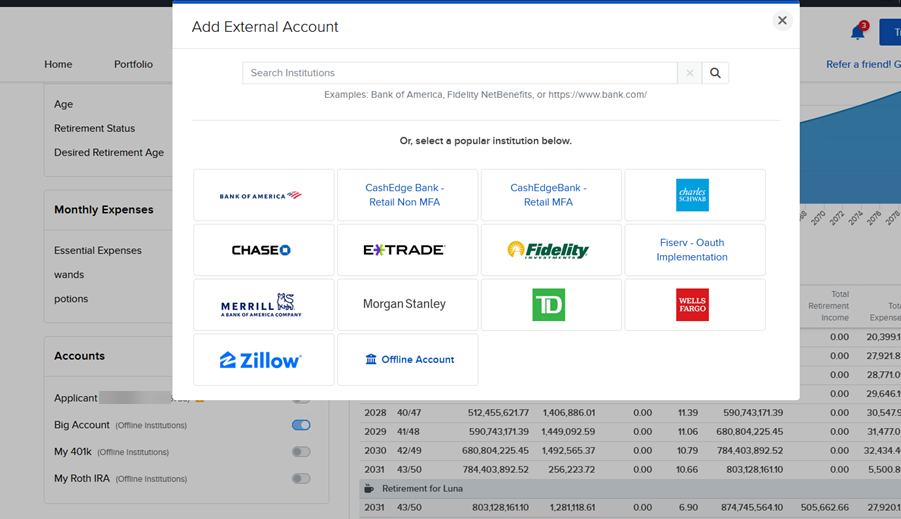
The Add External Account screen will populate. Select or search for your institution.
-
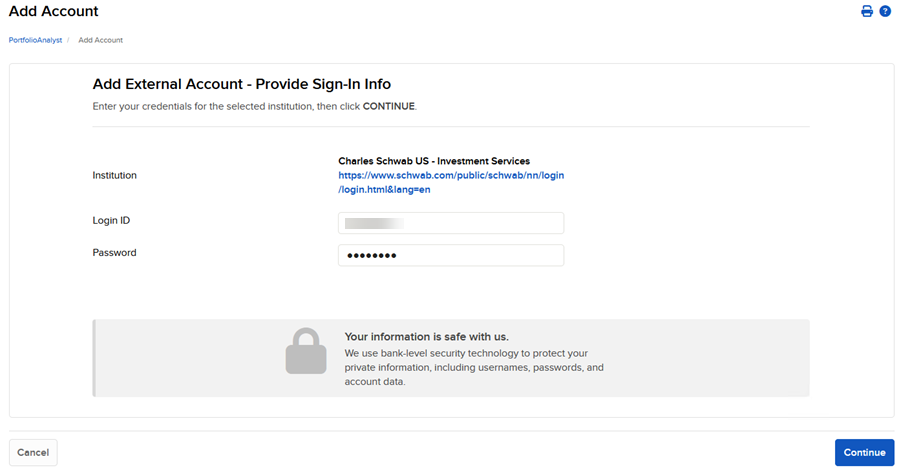
Enter your login credentials for that account.
-
The account will populate in the Accounts section.
-
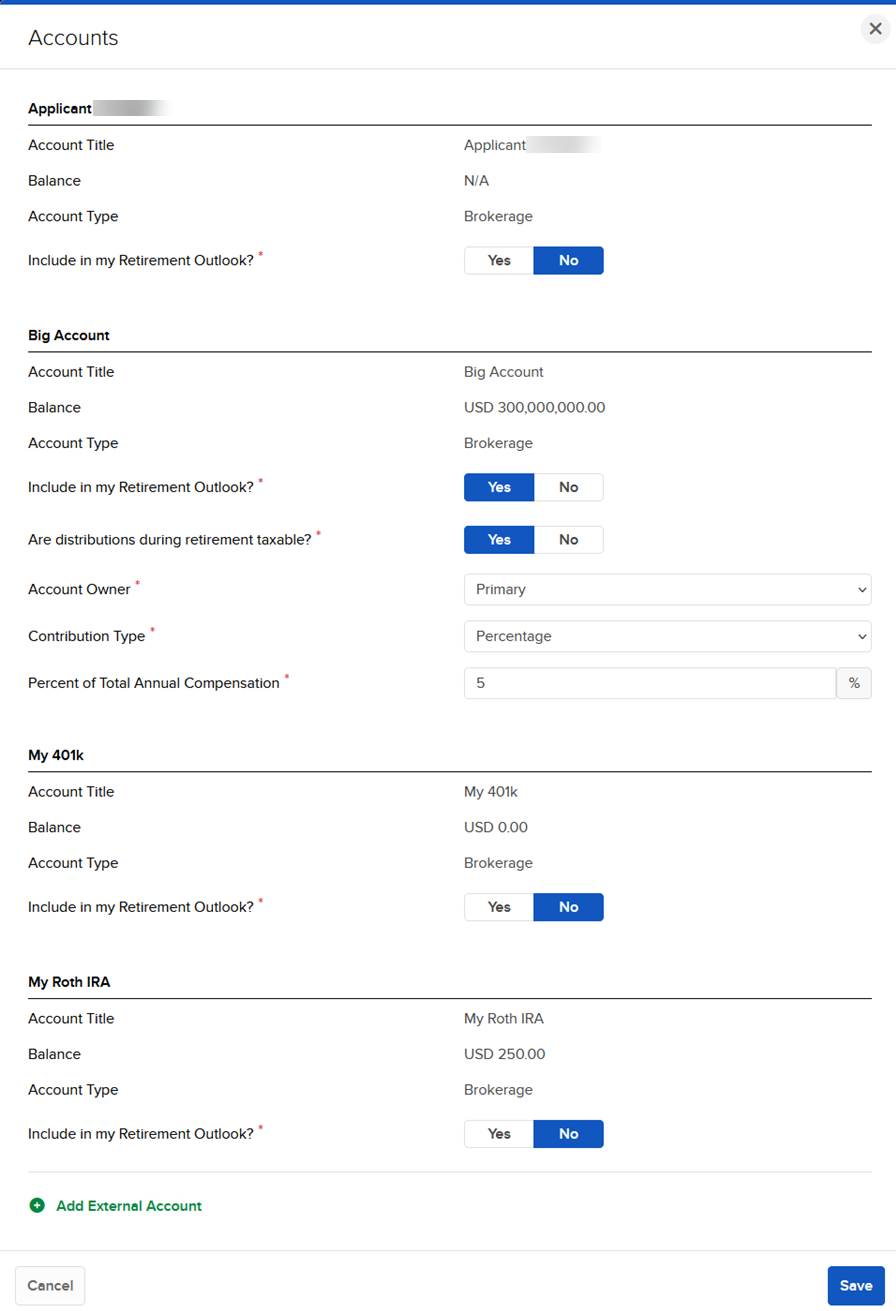
Select the pencil edit icon to add information.
-
If you select Yes to Include in my Retirement Outlook, you will be prompted with additional questions.
Brokerage Accounts -
- Are distributions during retirement taxable? - We ask this to determine whether or not to deduct taxes from distribution during your retirement.
-
Contribution Type - We ask this to determine how you will be contributing to the account before retirement.
-
Amount - Annual Contribution Amount - The amount you will contribute annually.
-
Percent - Percent of Total Annual Compensation - The percentage of your compensation to be contributed.
-
Bank Accounts
- Are distributions during retirement taxable? - We ask this to determine whether or not to deduct taxes from distribution during your retirement.
-
Contribution Type - We ask this question to determine how you will be contributing to the account before retirement.
- Amount- Annual Contribution Amount - The amount you will be contributing to the account annually.
-
Percent - Percent of Total Annual Compensation - The percentage of your compensation that will be contributed.
-
Interest Rate- We ask this to determine the interest your checking or savings account receives so we can project its growth throughout the plan.
Real Estate and Other Asset Accounts
- Expected Average Annual Appreciation- We ask this to determine the average annual appreciation or depreciation you can would expect to see for your Other Asset account.
-
How will you utilize this asset?
-
Sell the asset
-
Monthly expense adjustment as a result of the sale. We ask this to determine how your expenses will be impacted at the time of the sale.
-
-
Take a loan against the asset
-
Loan amount as a percent of the asset value. We ask this to determine how large a loan you would like to take against the asset.
-
Monthly expense adjustment as a result of the sale. We ask this to determine how your expenses will be impacted at the time of the sale.
-
-
-
Liquidate Last- You can designate only one of your Other Asset accounts to liquidate last. It will be utilized after all other accounts have been tapped.
-
Press Save to save the External Account information.