Plaid Identity Verification
Instructions
To complete an ACAT transfer we may ask you to verify your identity through Plaid. If so, follow the steps below.
Plaid Verification
-
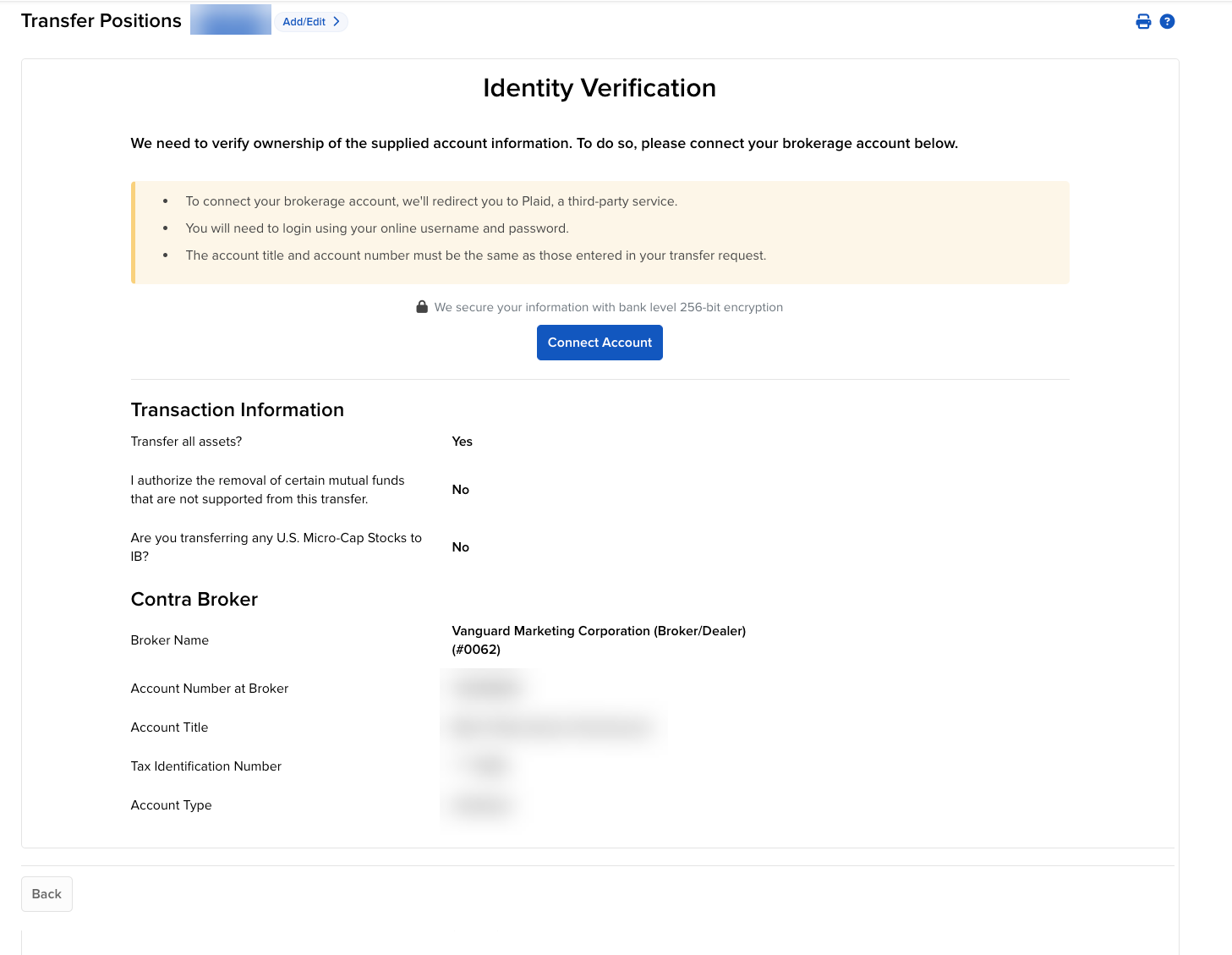
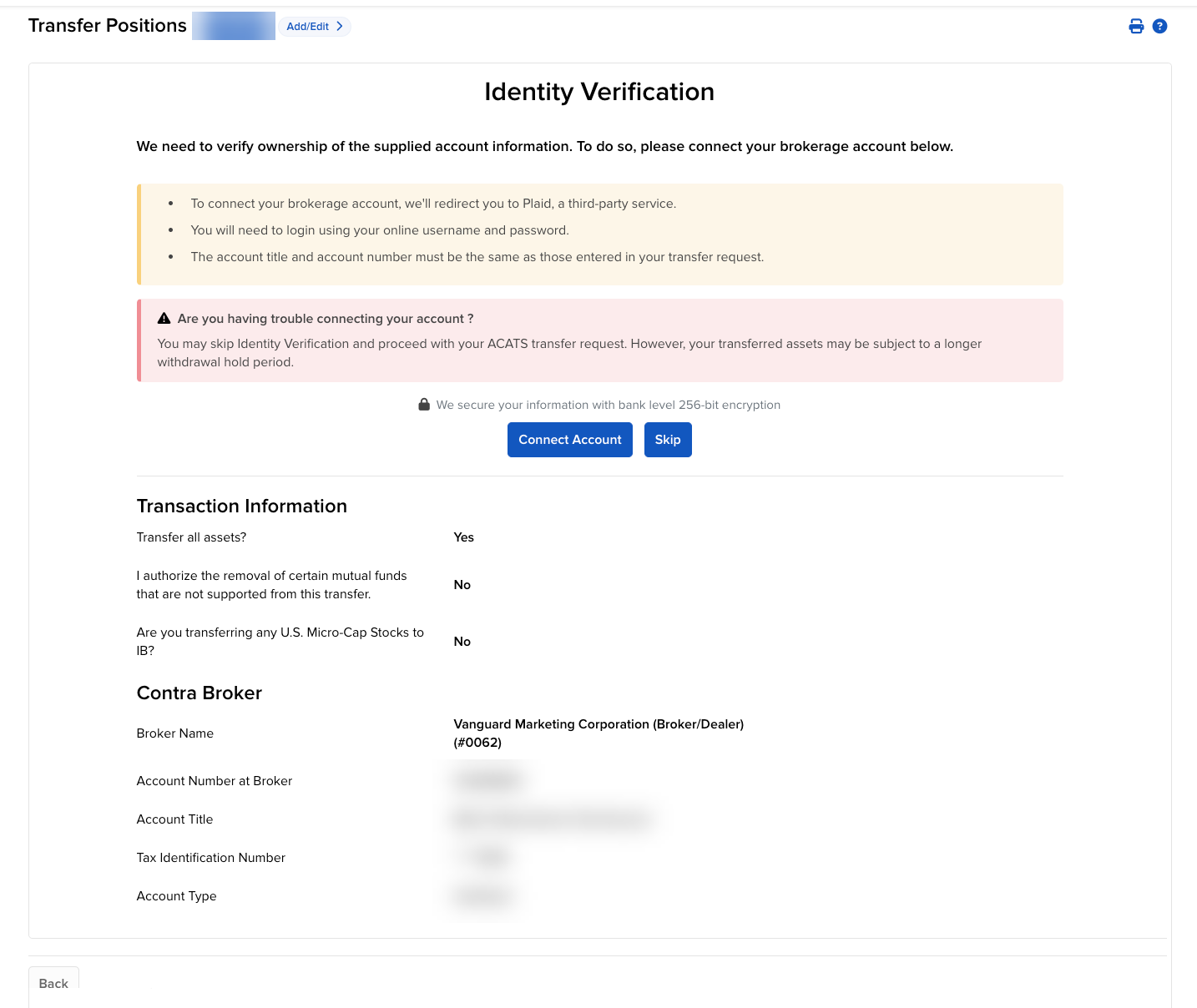
After providing your signature on the Transfer Verification page, you will be prompted to Verify Your Identity by connecting your brokerage account. Click Connect Account to sign in.
-
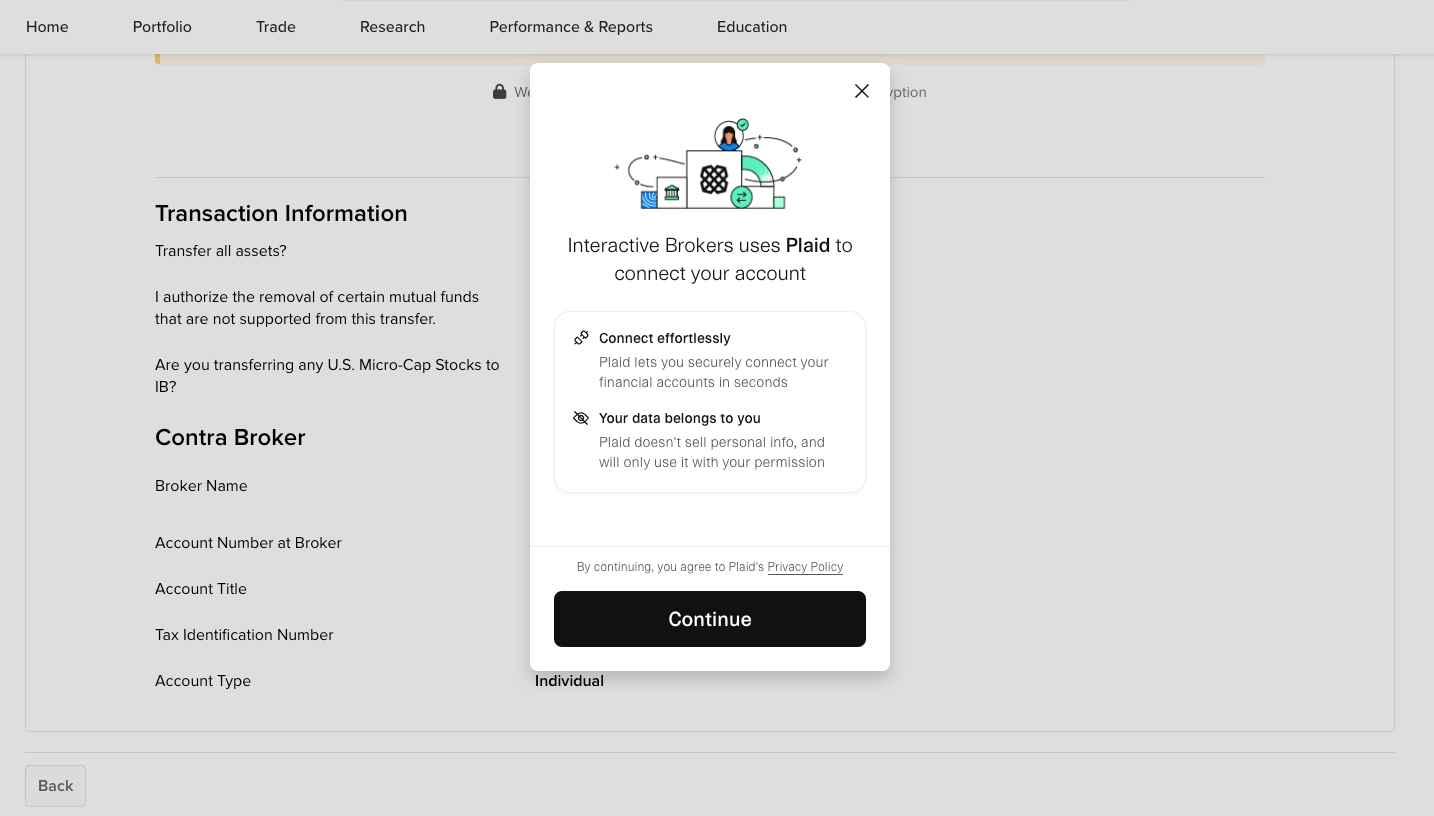
A pop-up will appear. Press Continue.
-
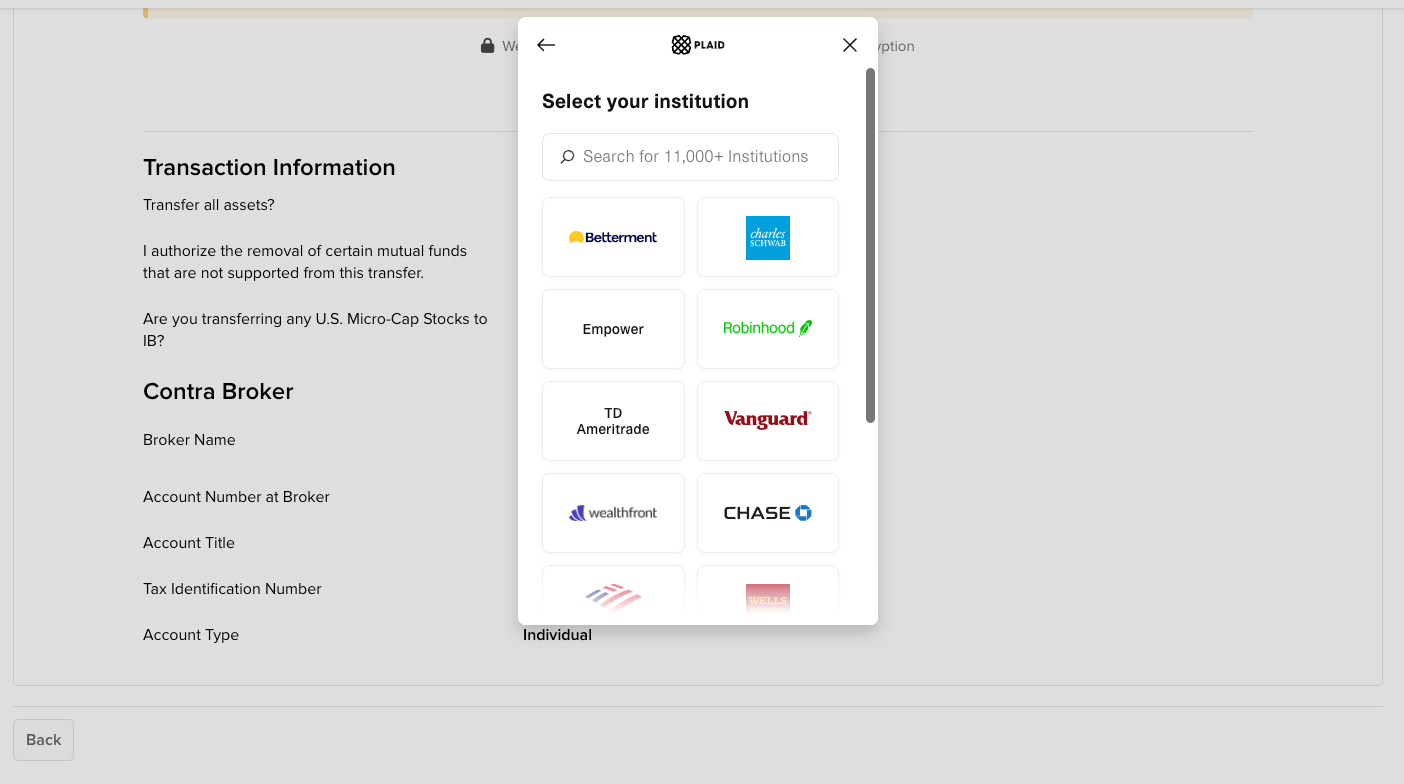
Select the institution that you would like to use to verify your identity.
-
Enter your login credentials for the institution and press Submit.
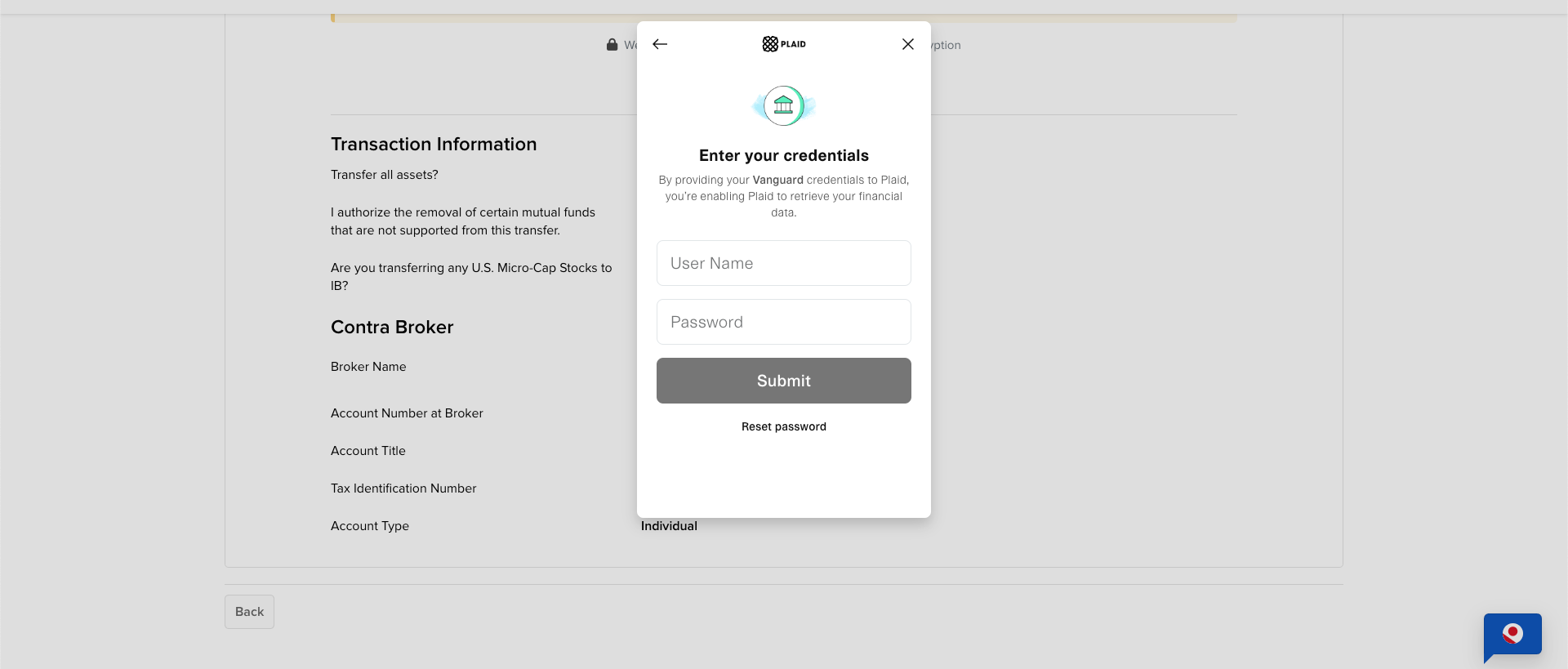
If you encounter login or technical issues, close the pop-up and press Skip to proceed with email verification. You can also try logging in again by selecting Connect Account.
-
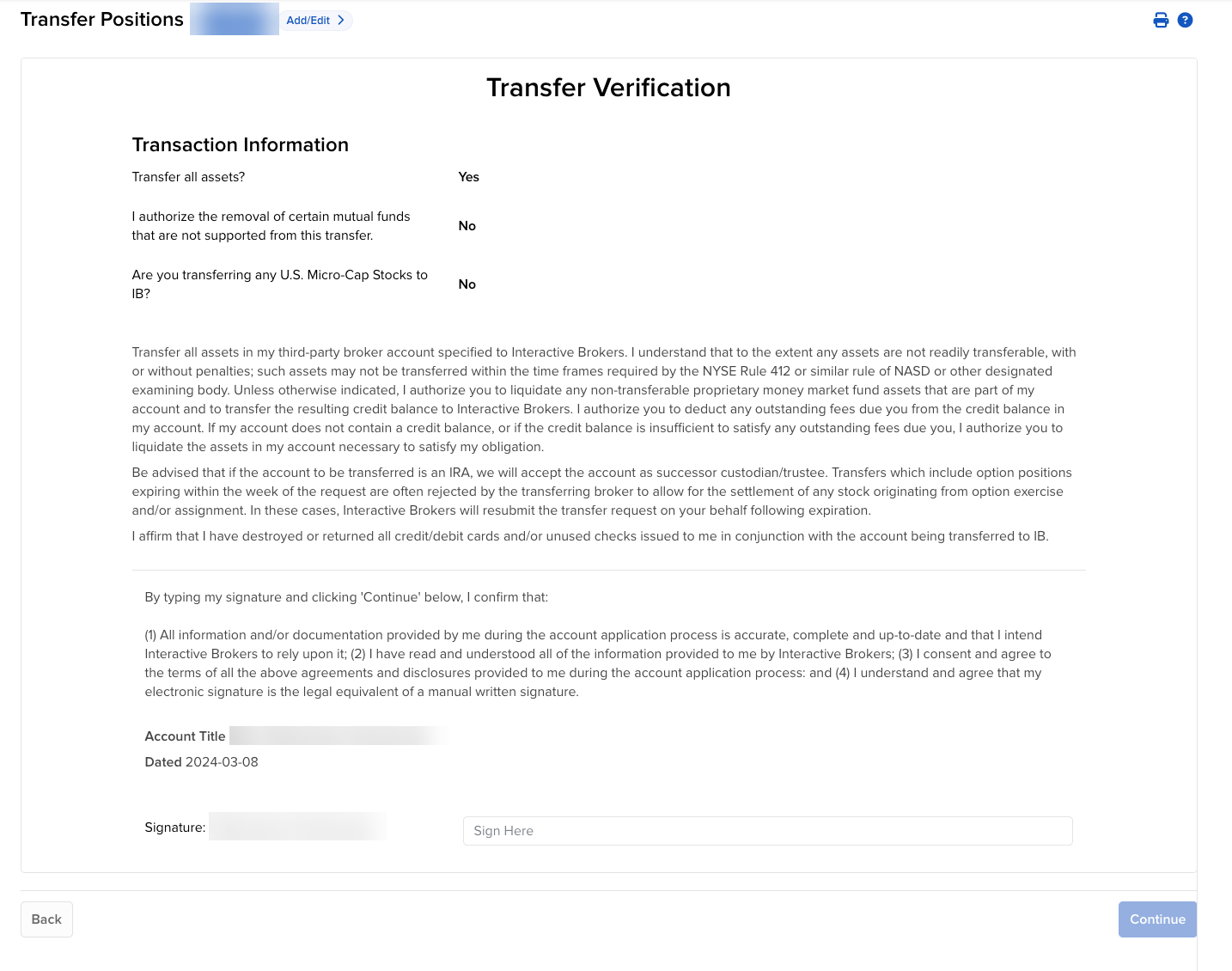
When you have completed the Plaid verification, you will be prompted to provide a signature. Do so, then press Continue.
-
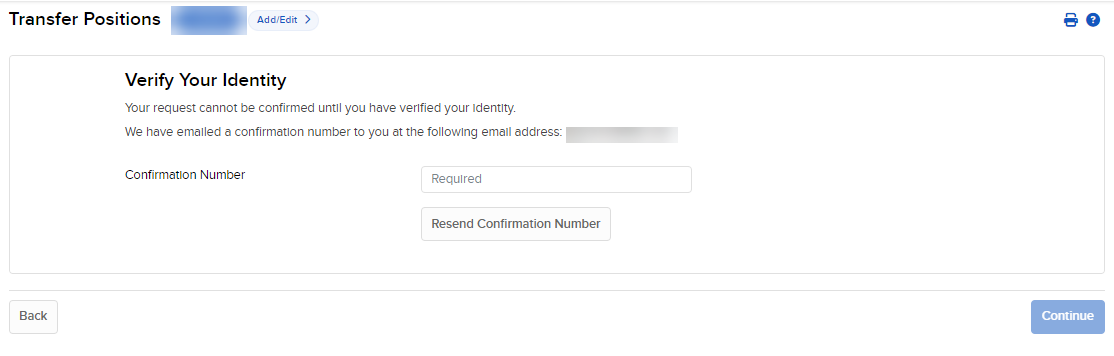
You will next be prompted to Verify Your Identity by entering the code sent to your email address. Do so, then press Continue.
-
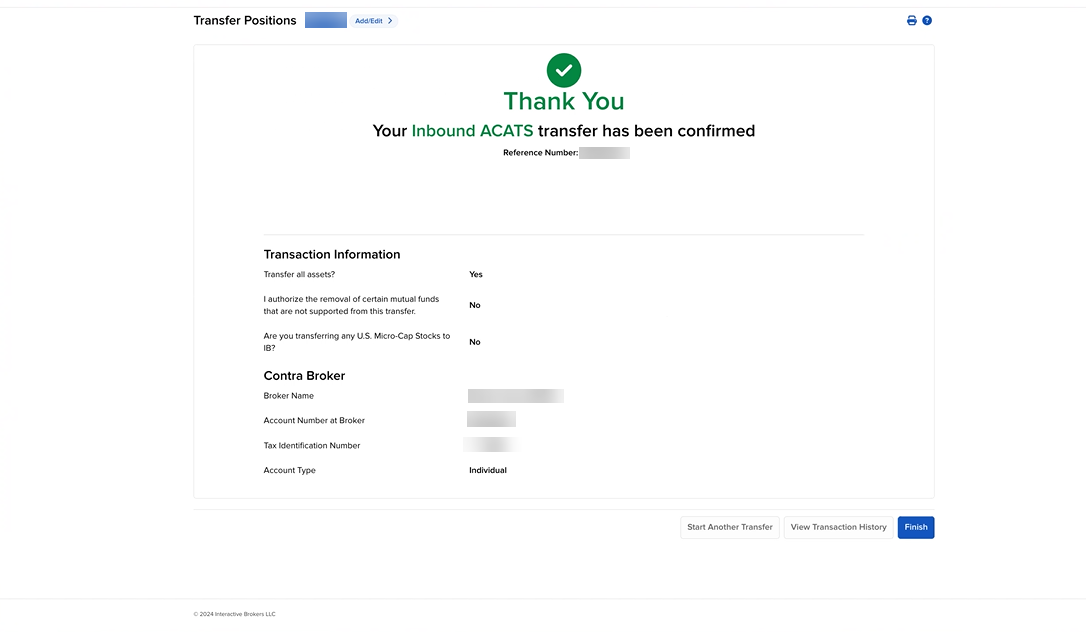
A confirmation screen will appear with a summary of your transfer request.
-
Click Finish to complete the ACATS transfer request.
Once the verification process has been completed, your ACATS transfer request will be sent to the Contra Broker.