View Batch Reports
Instructions
- Select the Reports button in the top right corner of the PortfolioAnalyst page.
- In the Batch Reports panel click the View (arrow) icon.
- A pop-up opens asking if you would like to open the report with Adobe Acrobat or save the file.
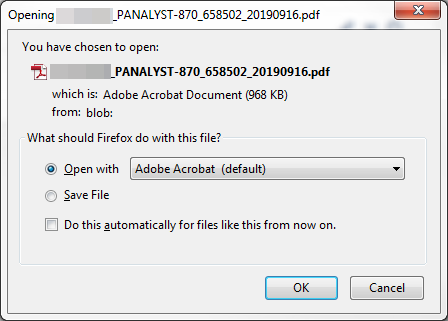
- Choose one of the options, then click Ok.
One report is created for each selected account and saved as a .zip file. Extract all files to view all the reports.
Note: If the report is taking longer than usual to generate, click the browser's refresh button to restart the process.