Withdrawal
Instructions
The Withdrawal page lets you request a withdrawal of funds from your account or an internal fund transfer to another IBKR account.
To enter a withdrawal:
-
Tap the
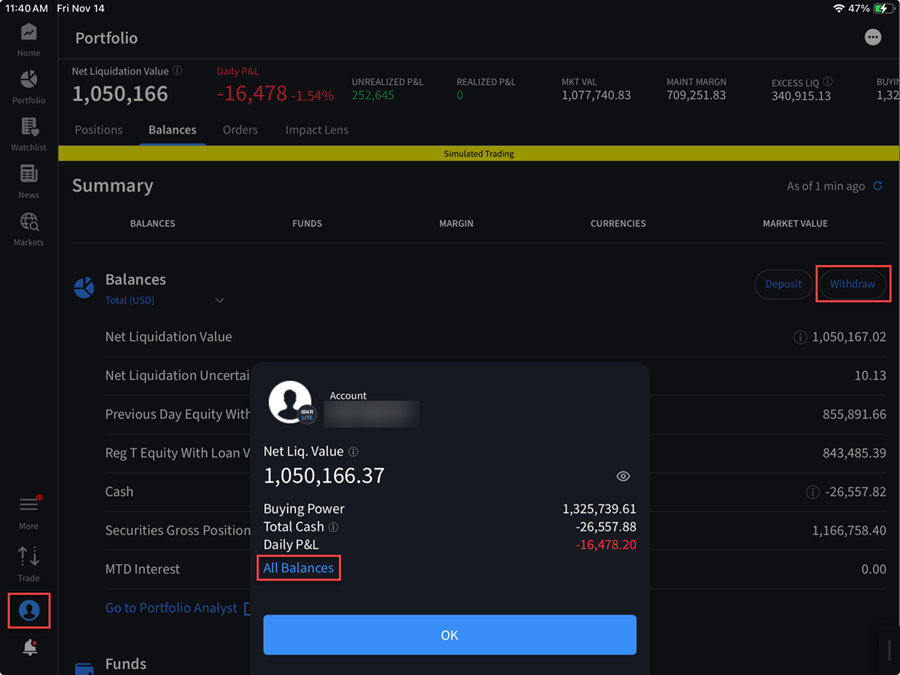
-
Select a withdrawal method; you can either select a previously used method or create a new withdrawal method.
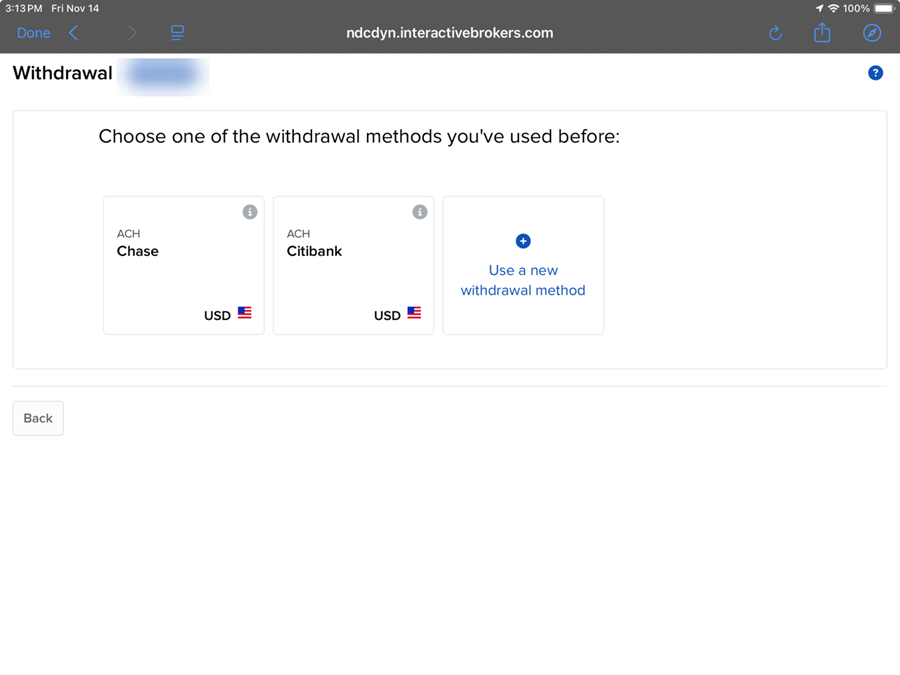
-
Select the currency of your withdrawal. If you select use a new withdrawal method you will be asked to select any of the available withdrawal requests.
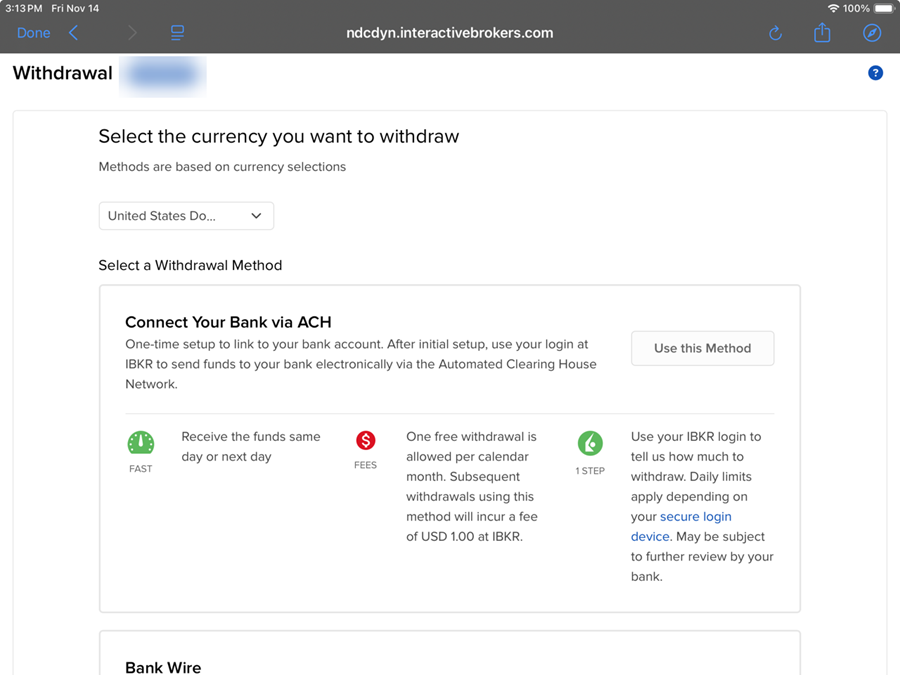
-
Enter the required information depending on the withdrawal type selected to complete your withdraw.
 We support the following types of withdrawal requests:
-
Wire
-
ACH - US ACH transfer initiated at IBKR (US accounts only).
-
Check - Available for US currency only; your mailing address must be in the US.
-
Direct Debit - One-time setup at your bank to link your IBKR virtual account.
-
Transfer to Wise Balance - One-time setup of your Wise account as a withdrawal destination at IBKR.
-
Canadian EFT transfer - Canadian accounts only
-
SEPA (Single Euro Payments Area) Initiated at IBKR
Low-Value Payments (LVP) for:
-
GBP - BACS (Bankers' Automated Clearing Services)
-
HKD - GIRO/ACH
-
CNH - GIRO/ACH (offshore Renminbi)
-
NZD - ACH
-
SGD - GIRO/ACH
Note: Each LVP services is strictly local to the currency (i.e. BACES is for GBP accounts in the UK).
Rules for Withdrawals
The following rules apply to withdrawals:
- Accounts that do not participate in our Secure Login System are limited in the amount of money that can be withdrawn. Account holders without a security device are limited to a maximum withdrawal of 50,000 USD per day and a maximum withdrawal of 100,000 USD in five business days. For more information, see Withdrawal Limits.
- Typically withdrawal requests submitted prior to the cut-off will be sent that day, under normal business circumstances; however, in certain cases a withdrawal request may be subject for further review which may result in a delay. We apologize for any inconvenience.
- There is no charge for the first withdrawal (of any kind) every 30 days; however, we will charge withdrawal fees for any subsequent withdrawal.
- All withdrawals will be sent in the name of the account holder.
-
IBKR may, from time to time, allow clients to submit withdrawal requests for settlement proceeds on the scheduled settlement date. However, please be aware that events beyond IBKR’s control may cause delays or failures in the settlement process. Such delays or failures will not automatically render the withdrawal requests void and may cause the client to incur interest charges due to an account deficit. It is the client’s responsibility to bear the interest charge if settlement does not take place on the scheduled settlement date due to events beyond IBKR’s control. IBKR, in any event, shall not be liable for any damages, whether direct, indirect, special, consequential, incidental, for any settlement that did not take place on the scheduled settlement date due to events beyond IBKR’s control.