One Cancels Another
Use the One Cancels Another section of the order ticket to place multiple and possibly unrelated orders assigned to a group. The aim is to complete just one of the orders, which in turn will cause TWS to cancel the remaining orders. To place a One Cancels Another order, please take the steps outlined below.
Instructions
-
From the Order Ticket, scroll down and select One-Cancels-Another
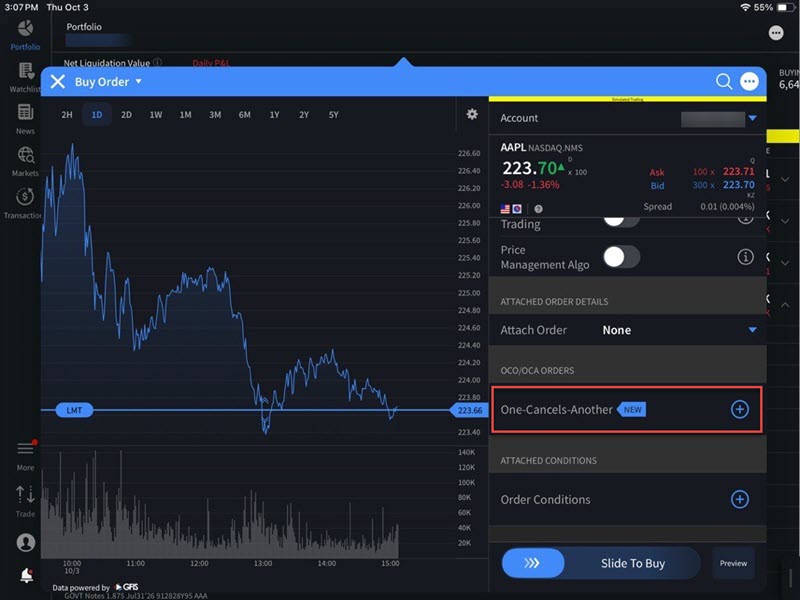
-
Select Add Buy Order or Add Sell Order
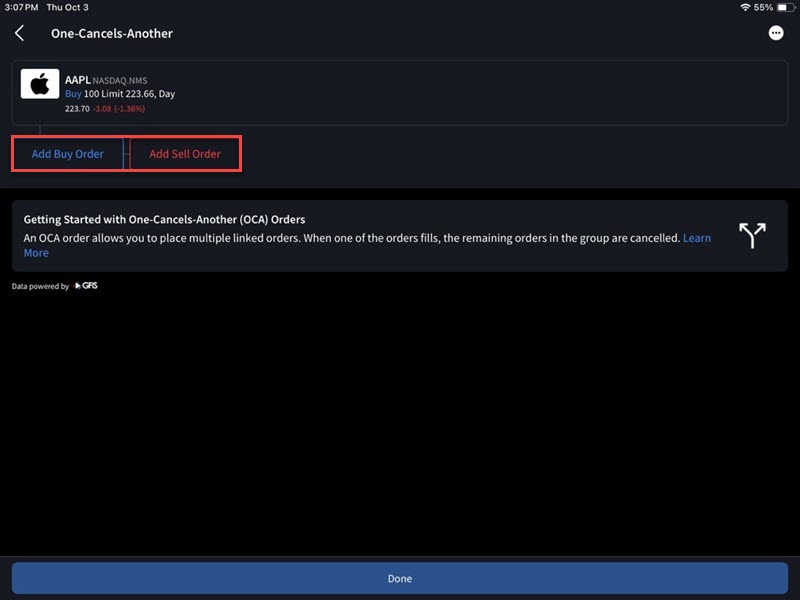
-
Enter the Symbol in the search box and select the type of asset.
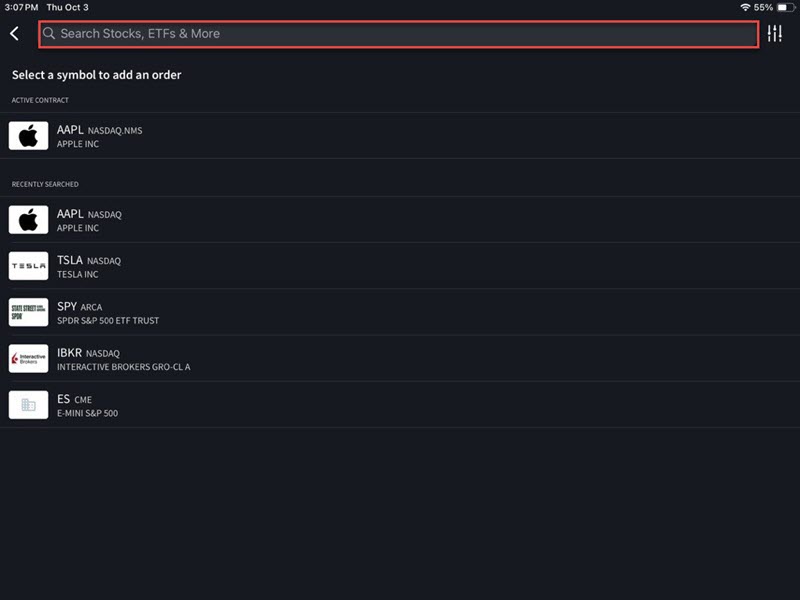
-
The new asset will apply to this trade. Enter the Quantity and select Preview.
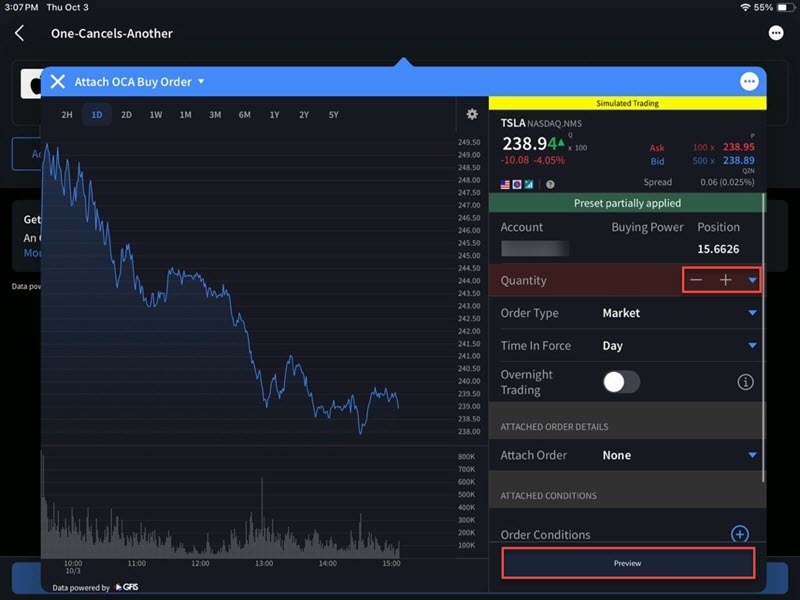
-
A preview of the order will populate on your screen. Press Done.
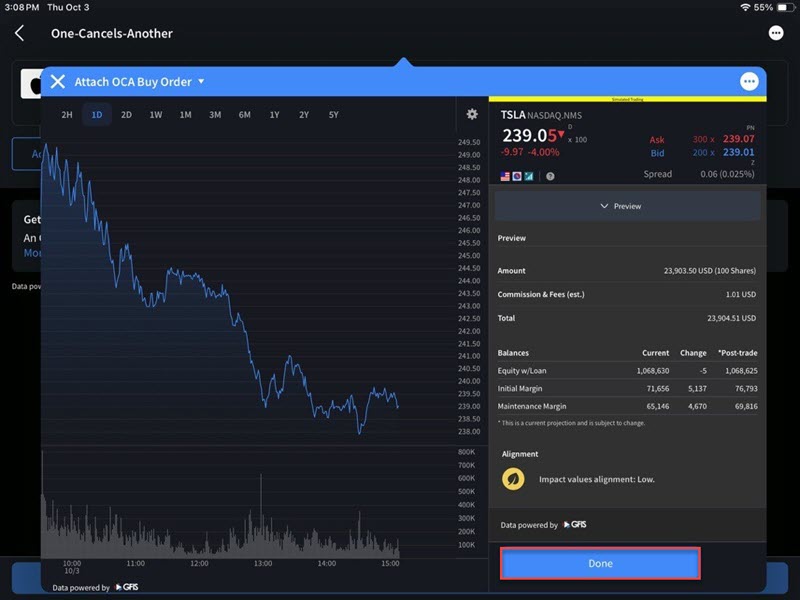
-
The One Cancels Another order summary will appear on your screen. Press Done.
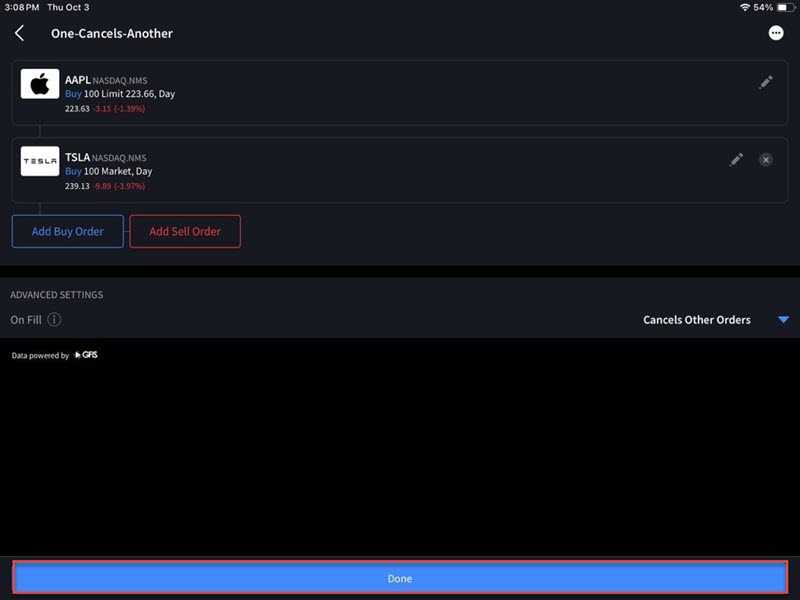
-
You will be navigated back to the order ticket where you can Slide to Submit Buy order.
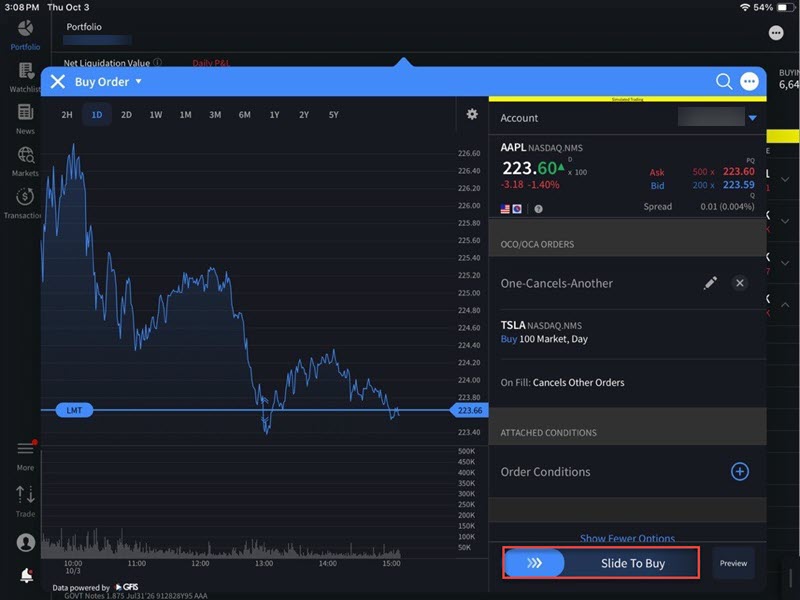
-
The order has been placed.