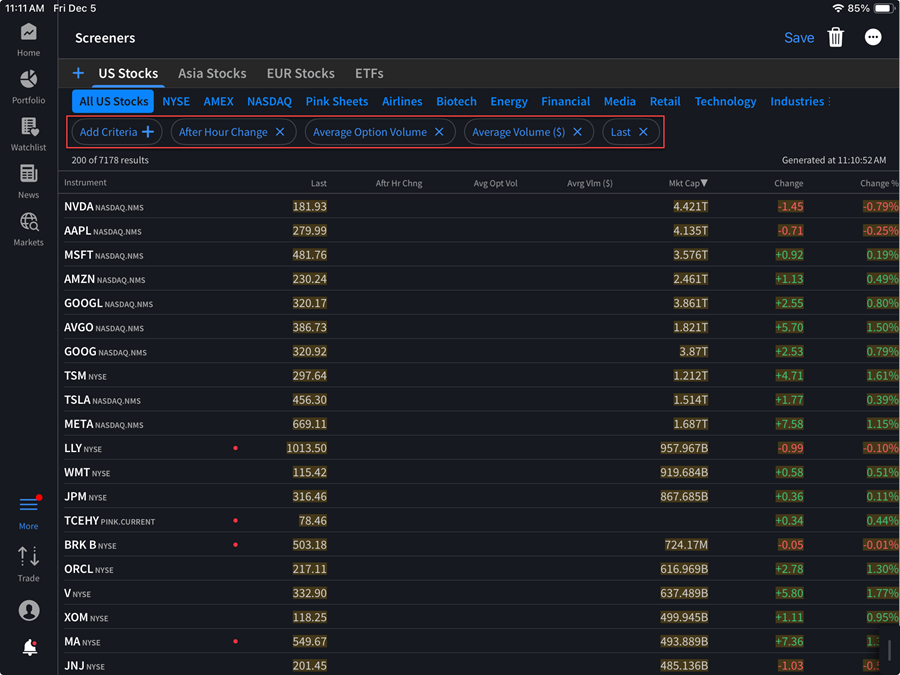
MultiSort Screener
Instructions
The MultiSort Screener quickly finds securities that best match the blend of your chosen factors. Simply select the factors that are most important to you, specify whether a higher or lower value should be prioritized for each, and set the importance level. MultiSort will return a ranked list of scored results. The higher the result, the more relevant the security is to your preferences. To use this tool, please take the steps outlined below.
-
Click the More menu and select Trade.
-
Scroll down and click Market Screener 2.0
-
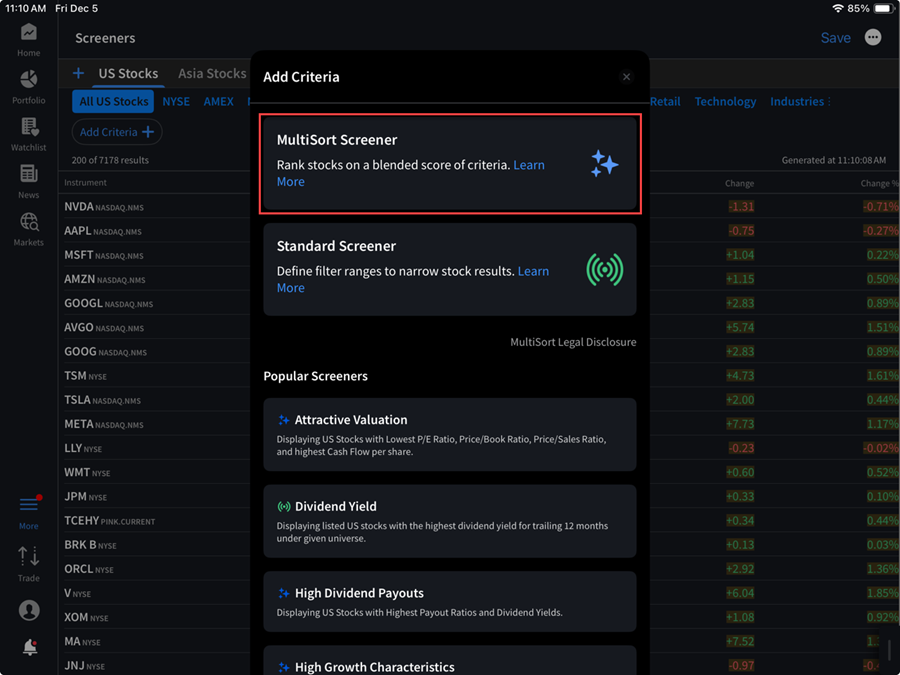
Select Add Criteria and select MultiSort Screener.
-
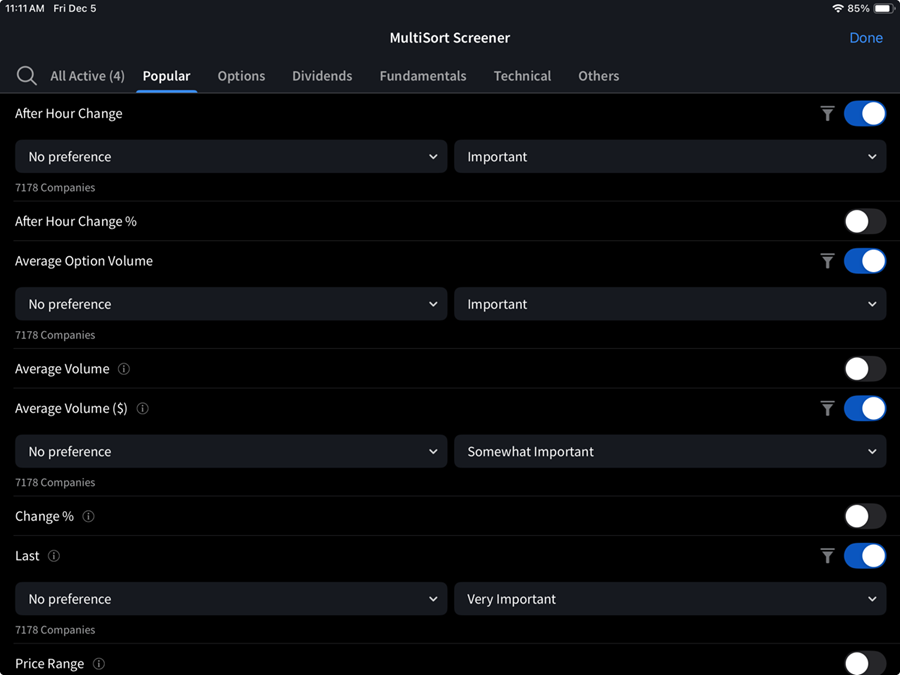
Click the factors and select the filter criteria.
-
Click Done to see the results. Additionaly you can add more criteria or edit the preferences.