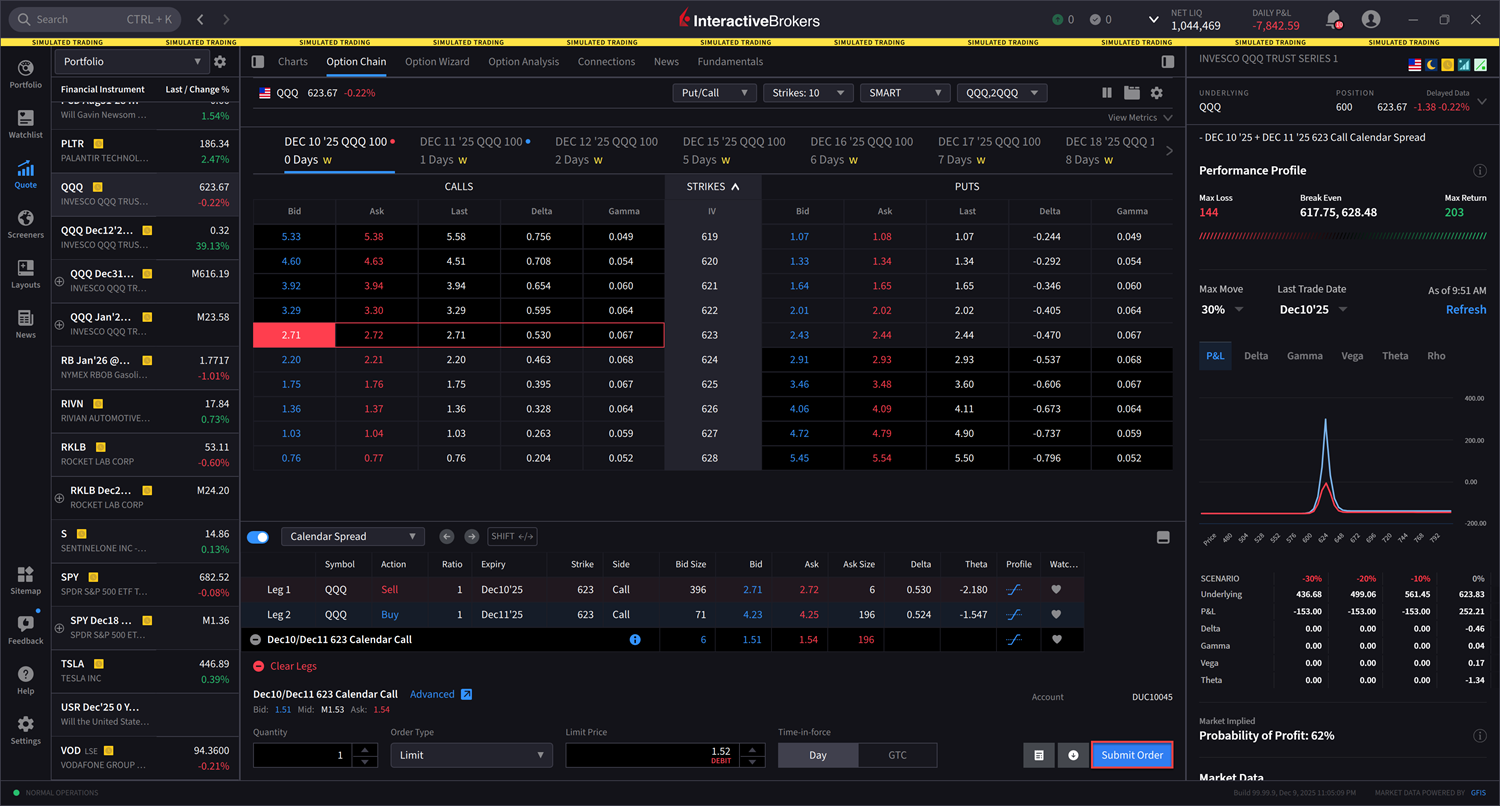
Strategy Builder
Use the Strategy Builder section of the Option Chains to quickly build complex, multi-leg strategies directly from the option chain display. To do so, please take the steps outlined below.
Instructions
-
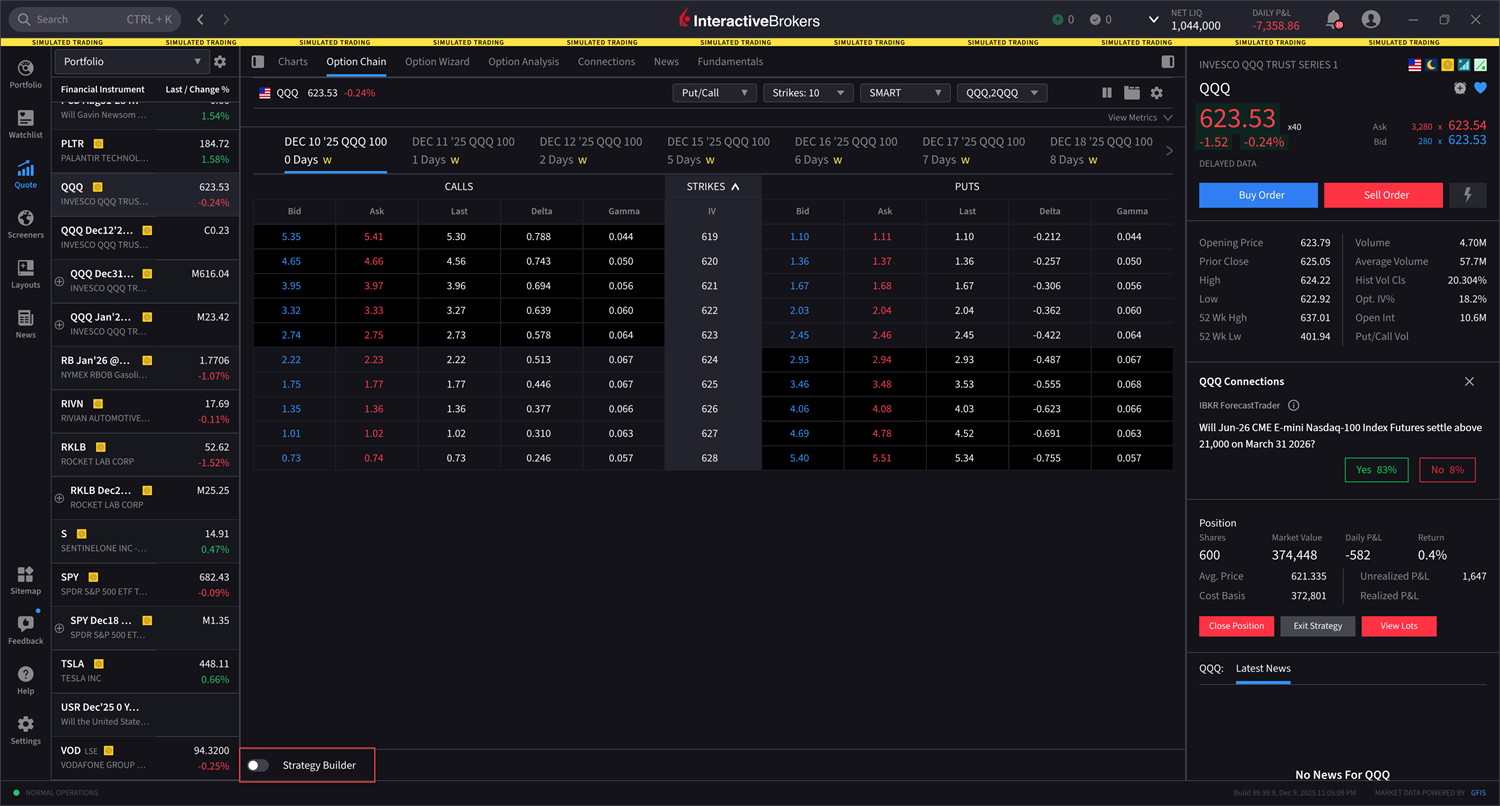
From within the Option Chain, toggle on the Strategy Builder. The Strategy Builder window will populate at the bottom of your screen.
-
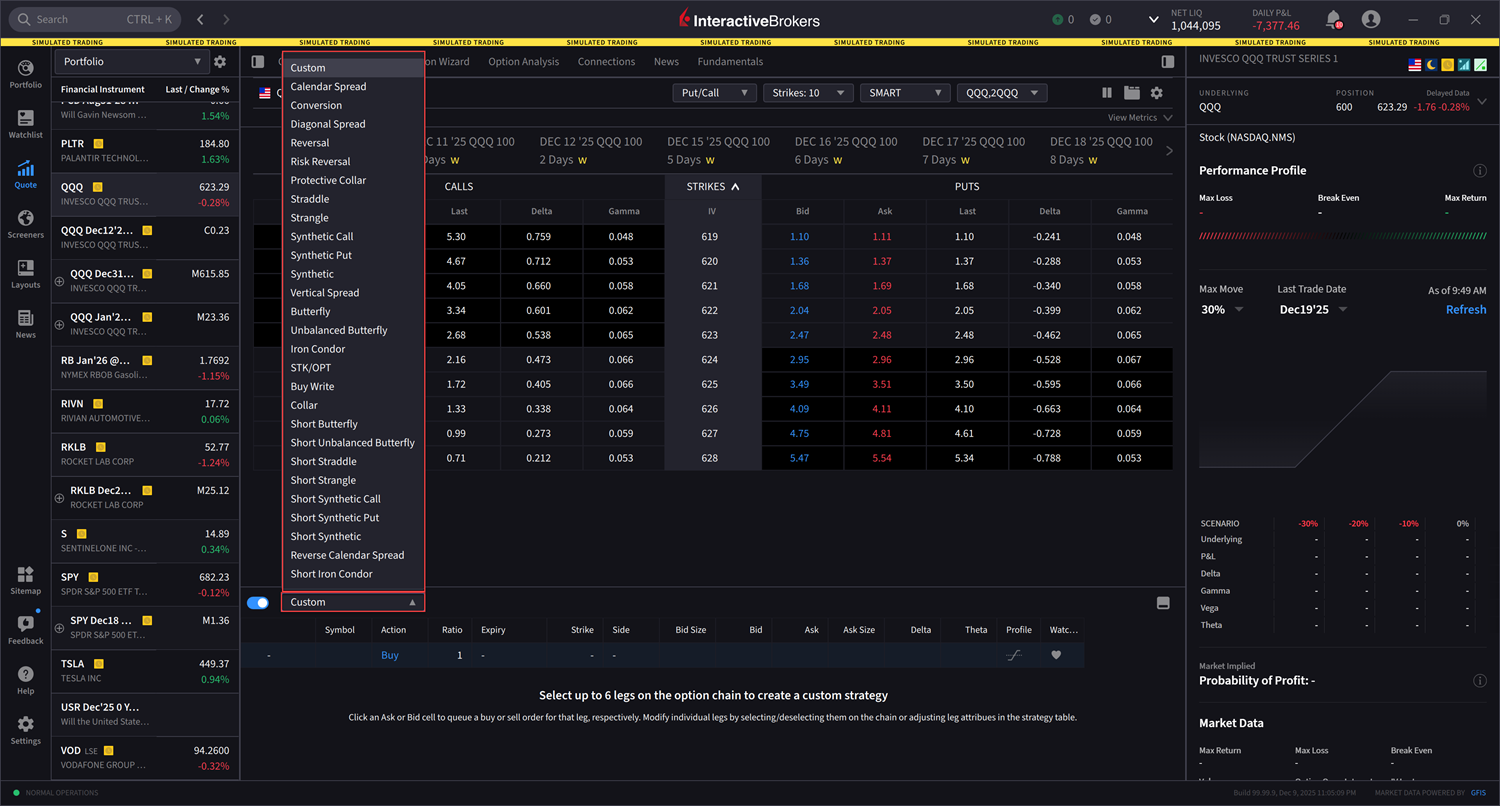
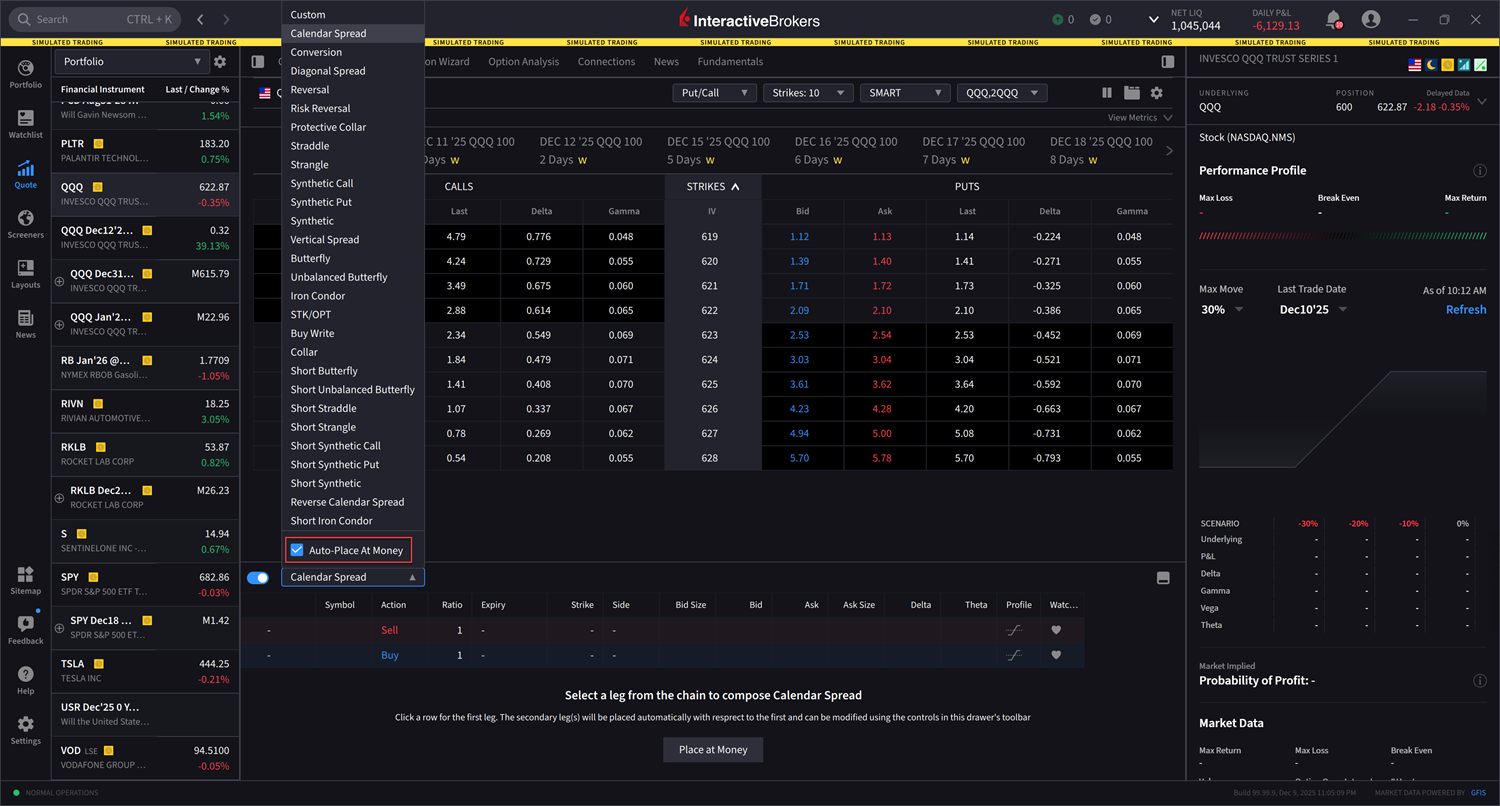
Select the Custom drop-down menu to select a strategy from the populated list.
-
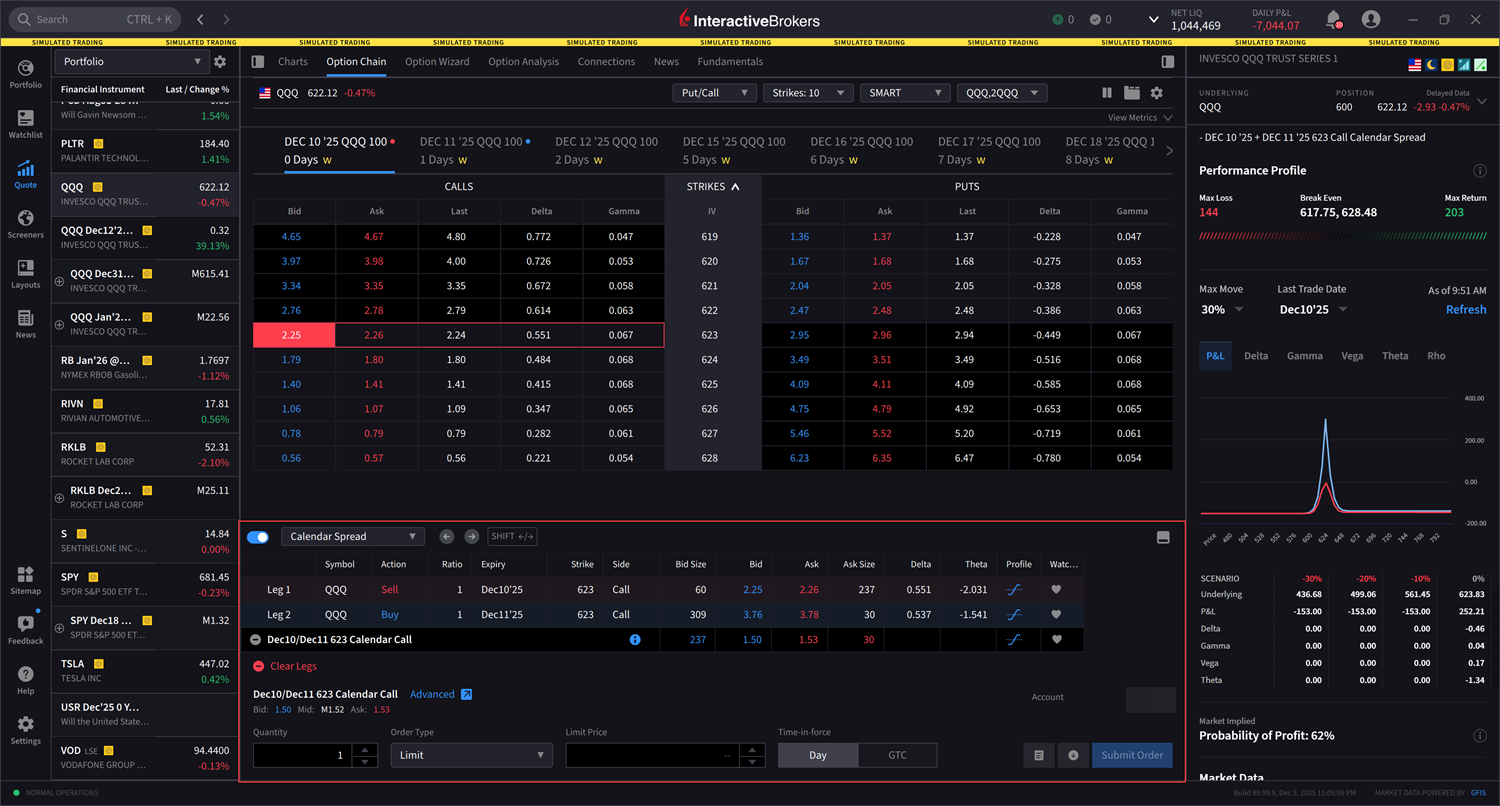
In this example, we selected Calendar Spread. Next, select the desired leg from the Option Chain. The spread will update automatically in the Strategy Builder.
-
Alternatively, after clicking your desired strategy, you may navigate back to the strategy drop-down menu and select Auto-Place At Money. This allows your strategy to be placed approximately at-the-money relative to the current market price.
-
Enter the additional order parameters at the bottom of the strategy builder and select Submit Order to transmit.