QuickTrade
Instructions
The QuickTrade feature allows you to place an order using fewer clicks. This feature is configurable and allows you to adjust the QuickTrade buttons shown on the order entry ticket. To navigate to this tool, please take the steps outlined below.
-
Search or click an asset from your Portfolio or Watchlist.
-
Navigate to the Order Entry panel on the right-hand side.
-
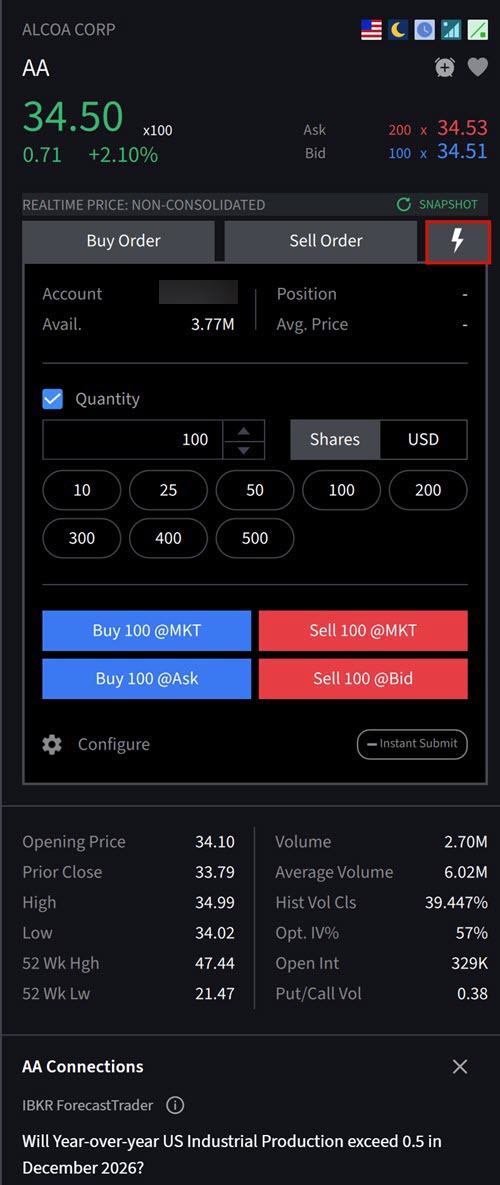
Click the Lightning Bolt icon.
-
Click one of the QuickTrade buttons such as Buy 100 @MKT or Sell 100 @MKT to place an order.
-
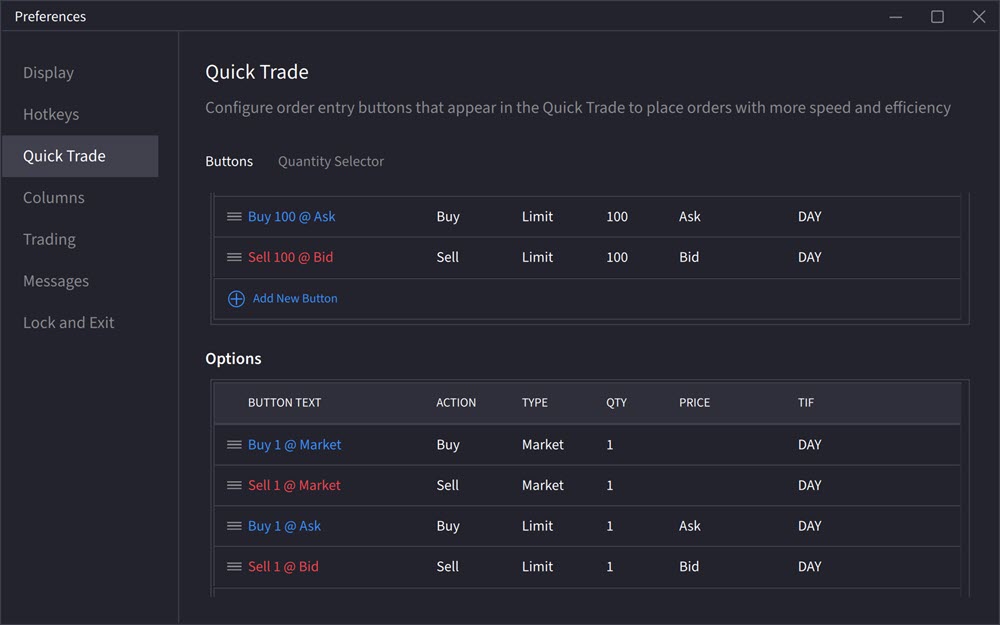
Click the Configure button to edit the displayed buttons.
-
To add a new button, Click + Add New Button. To change the order, click the 3 lined icon and click and drag in the desired order.