How do I add a predefined system Watchlist?
Instructions
Open the Watchlist window using the icon in the left panel.
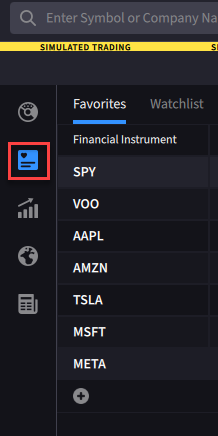
To add a predefined Watchlist
-
From the tab set at the top of the Watchlists, click the
 sign.
sign. -
Click "Library" and then select an available system Watchlist.
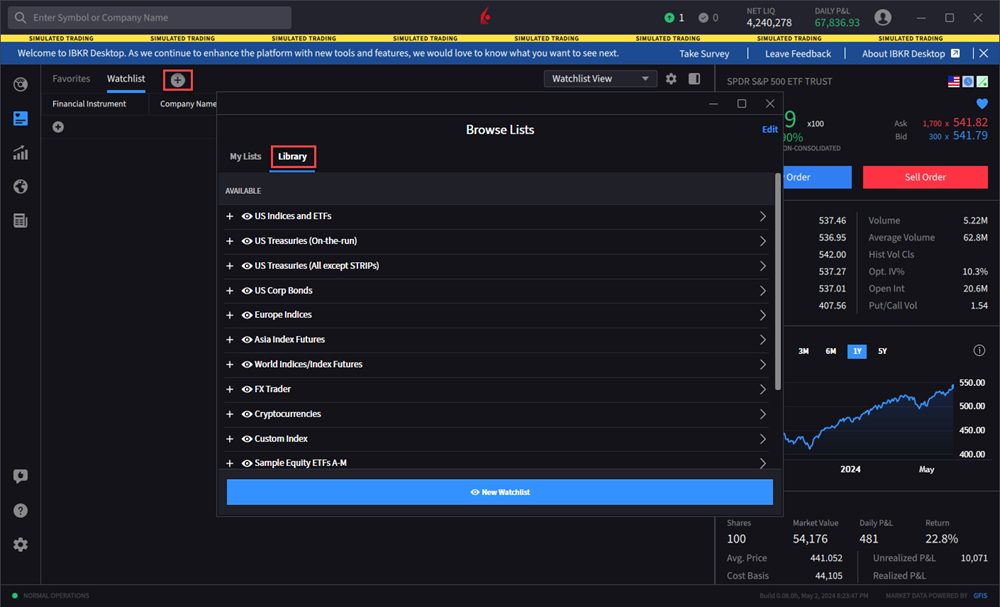
-
Click
 to add the predefined Watchlist to your