Heatmap
Instructions
The Heatmap is included in the Sitemap section which shows a visual representation of financial market performance with customizable sizing and labeling options for enhanced market analysis. To utilize this tool, please take the steps outlined below.
-
Navigate to the Sitemap menu button > Select Heat Map.
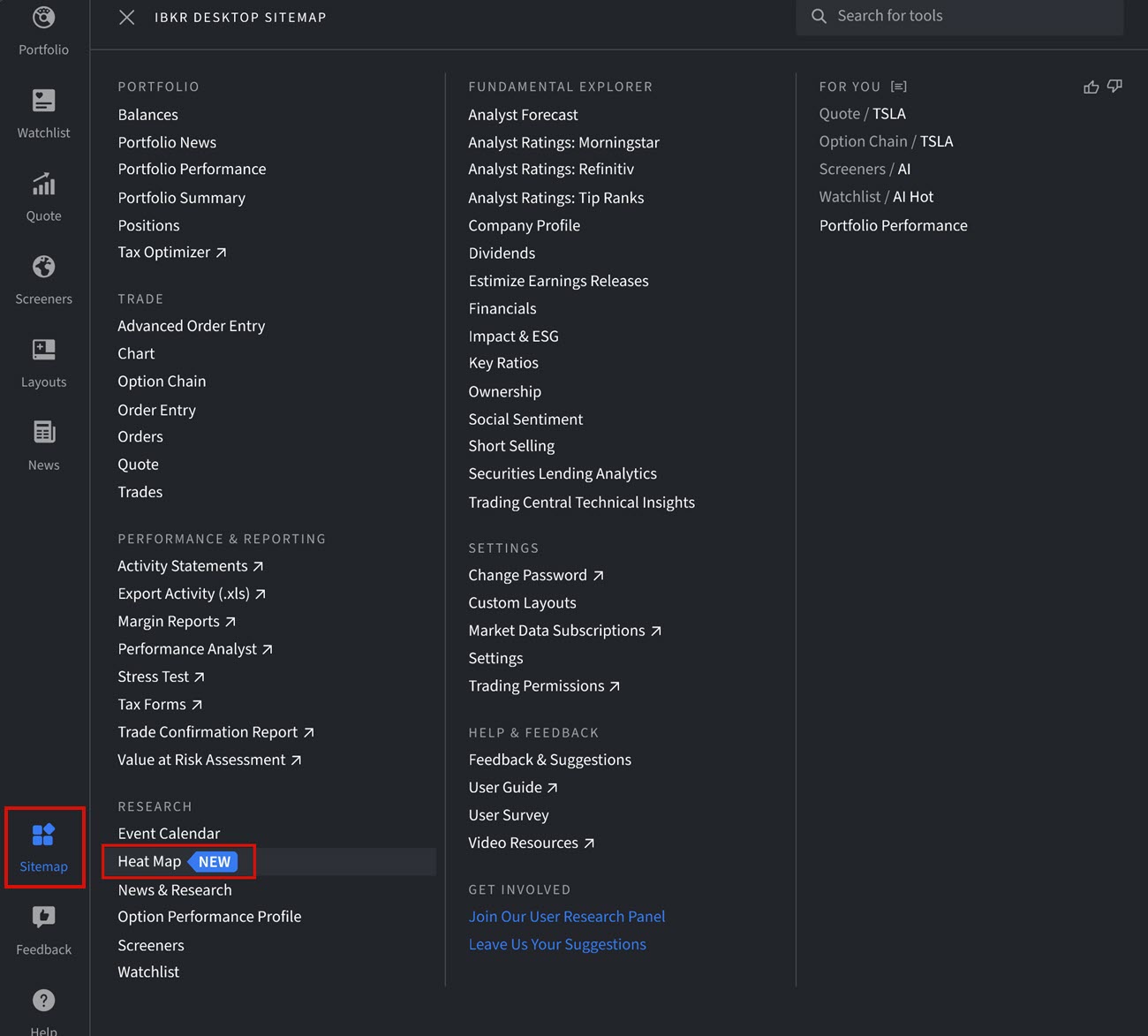
-
The Heat Map will populate on your screen.
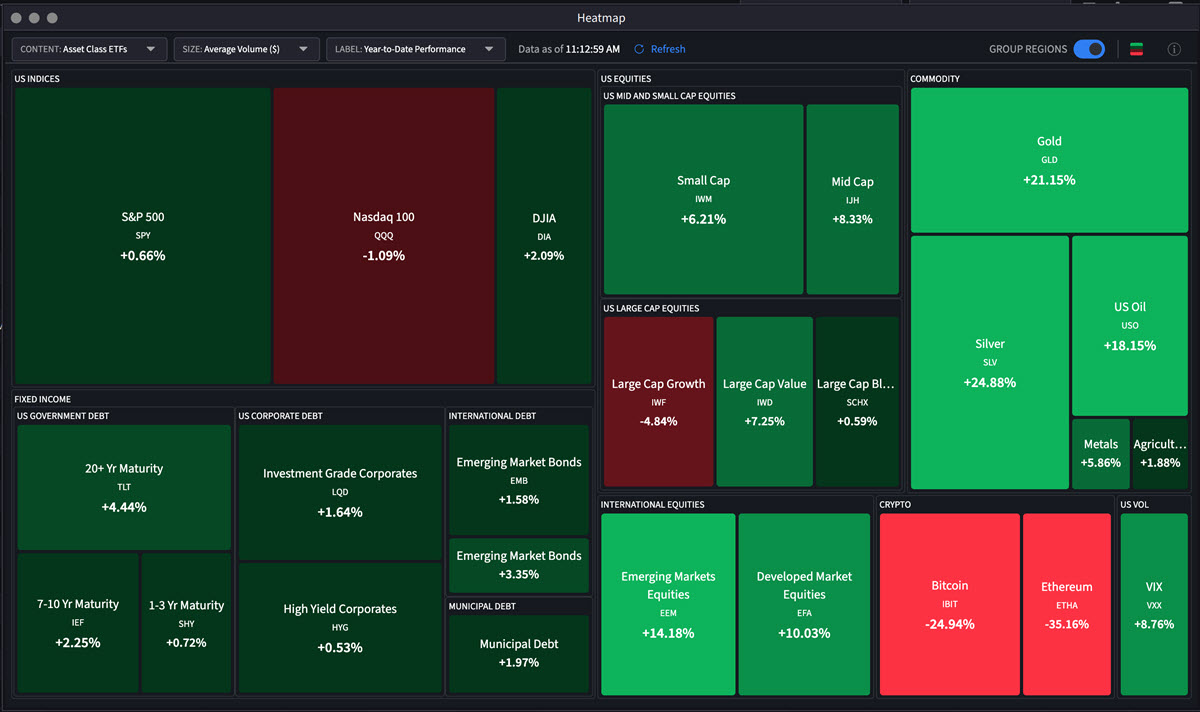
-
In the top left corner, select the Content drop-down menu to choose between US Sectors, Country, Major FX Crosses, and Asset Class ETFs.
-
Select the Size drop-down menu to choose between Equal or Average Volume ($)
-
Select the Label drop-down menu to choose between 1-Day Performance, 1-Week Performance, Year-to-Date Performance, 1-Year Performance, 3-Year Performance, and 5-Year Performance.