Customize Portfolio Metrics
Instructions
The Portfolio Metrics allows for user customization of the metrics displayed. To do so, please take the steps outlined below.
-
Click the carrot icon to the left of Net Liq on the top of any page

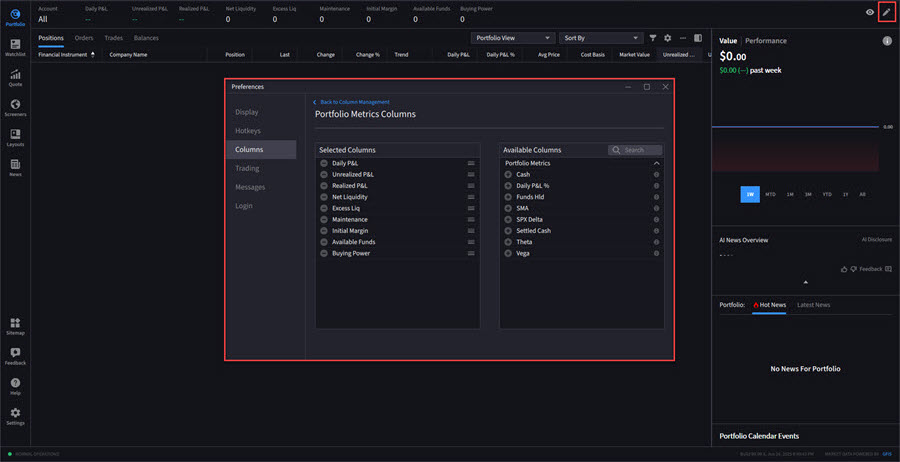
Alternatively, click the pencil icon in the top right corner of your portfolio screen.
-
Select the + mark to the left of any Available Columns to add them to your Portfolio screen.