Currency Conversion
Instructions
We offer the ability to easily convert your non-base currency balances. Please note, currency conversions will be submitted via market order. To utilize this feature, please take the steps outlined below.
-
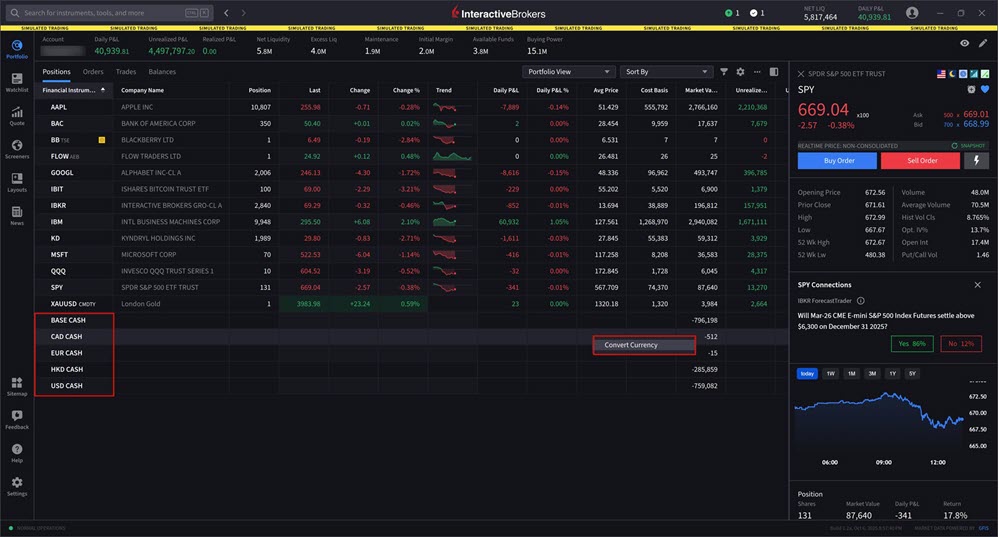
Navigate to your Portfolio.
-
Right-click on the non-base currency balance listed at the bottom of the screen.
-
Select Convert Currency.
-
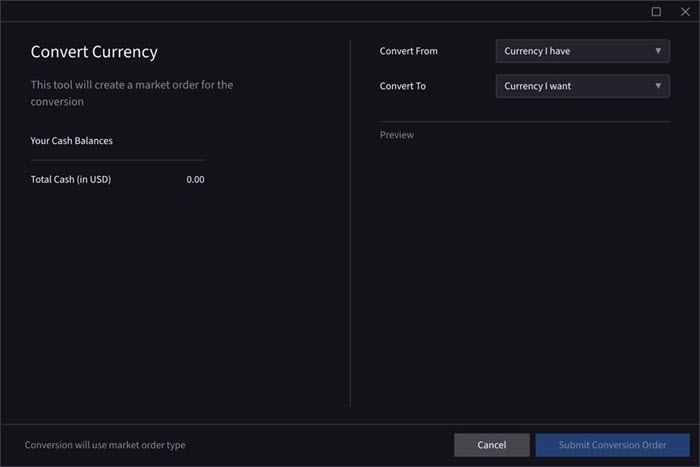
A pop-up will appear with the Total Cash Balance listed. Select the currencies to Convert From and Covert To from the drop-down menus.
-
Select Submit Conversion Order to place this order.