Configure Screener with AI
Instructions
Discover opportunities effortlessly with our intelligent AI powered stock screener that understands plain text commands. Navigate to Screeners and select Configure Screener with AI. To view this, please follow the steps outlined below.
-
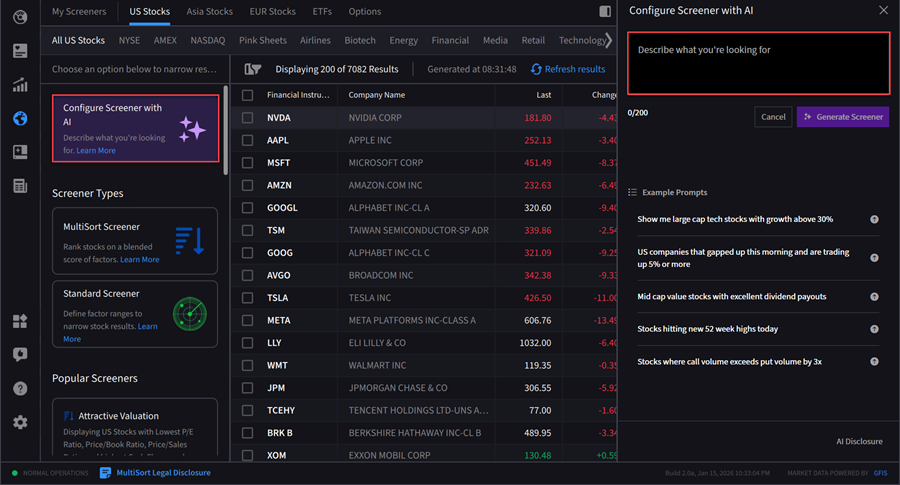
Navigate to Screeners > Configure Screener with AI in the top left corner.
-
Enter a screener query.
-
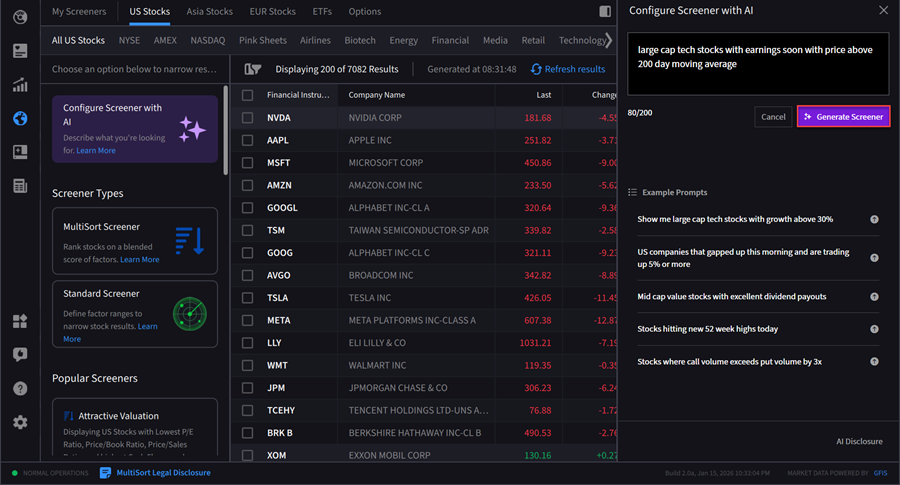
Select Generate Screener to populate results.
-
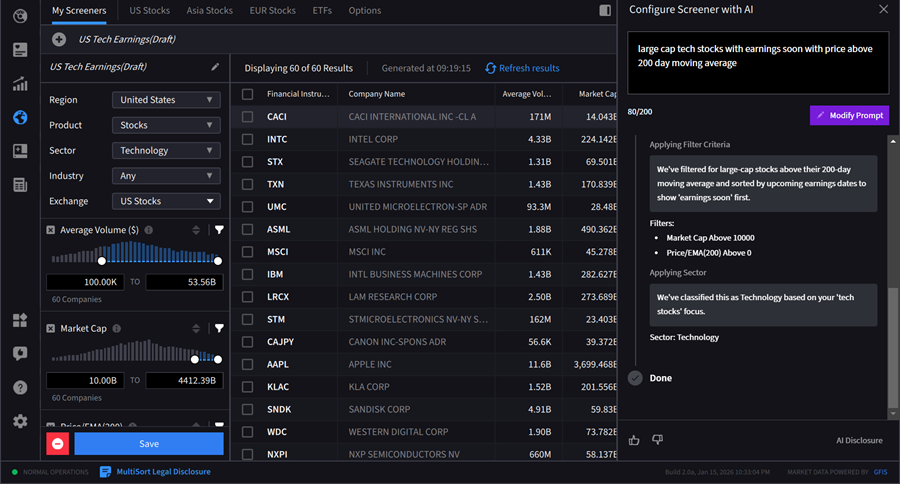
The screener results will populate on your screen. Press Save to save this screener, or press the red - button to delete. If you would like to modify the prompt, click the purple Modify Prompt button.
Disclosure: This response is generated by our digital assistant and, despite best efforts, may contain inaccuracies or lack relevance. The assistant will use artificial intelligence (AI) technologies to interpret client queries and provide responses. The digital assistant uses AI to interpret natural language inputs, which may lead to occasional misinterpretations or incomplete responses.
We continuously work to improve these capabilities but cannot guarantee that every response will be error-free or perfectly aligned with your intent. Responses are provided "as is" and are not reviewed or edited before being displayed. While we believe that the AI assistant's responses are generally accurate, they may not be and we make no representations or warranties regarding the accuracy of the digital assistant's response.