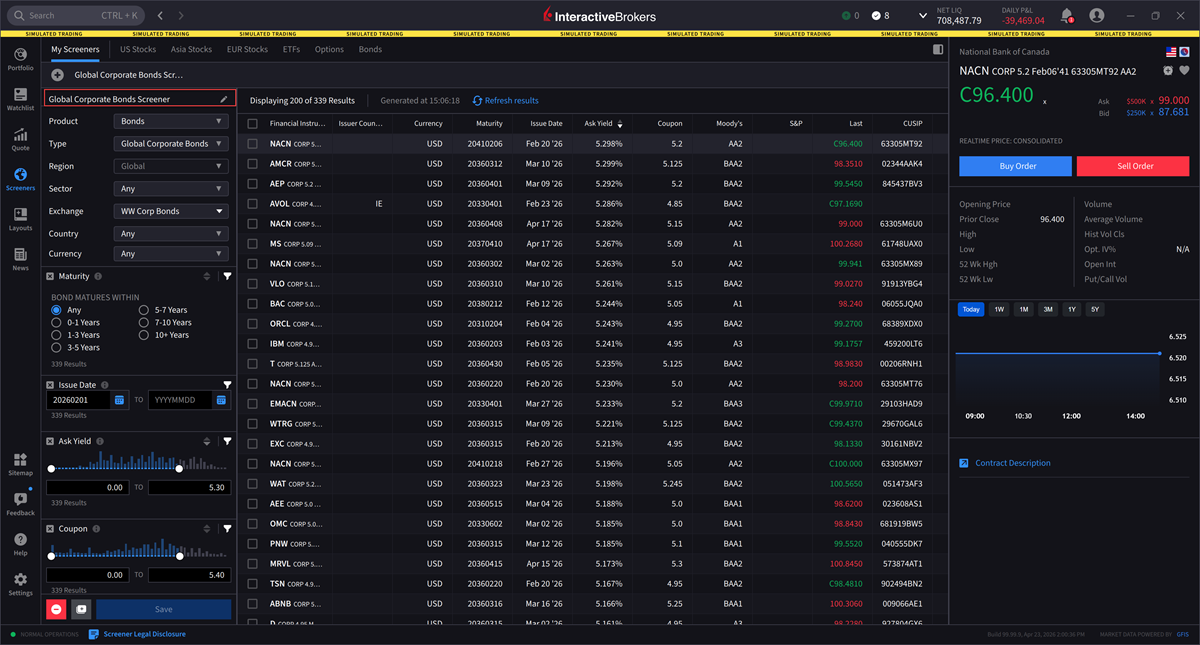
Bond Screener
Instructions
IBKR Desktop includes a Bond Screener, which enables users to filter and search for bonds based on specific criteria such as maturity, yield, credit rating, issuer type, etc. This powerful addition streamlines the bond selection process, helping investors quickly identify fixed-income securities that match their investment objectives.
To navigate to this tool, please take the steps outlined below.
-
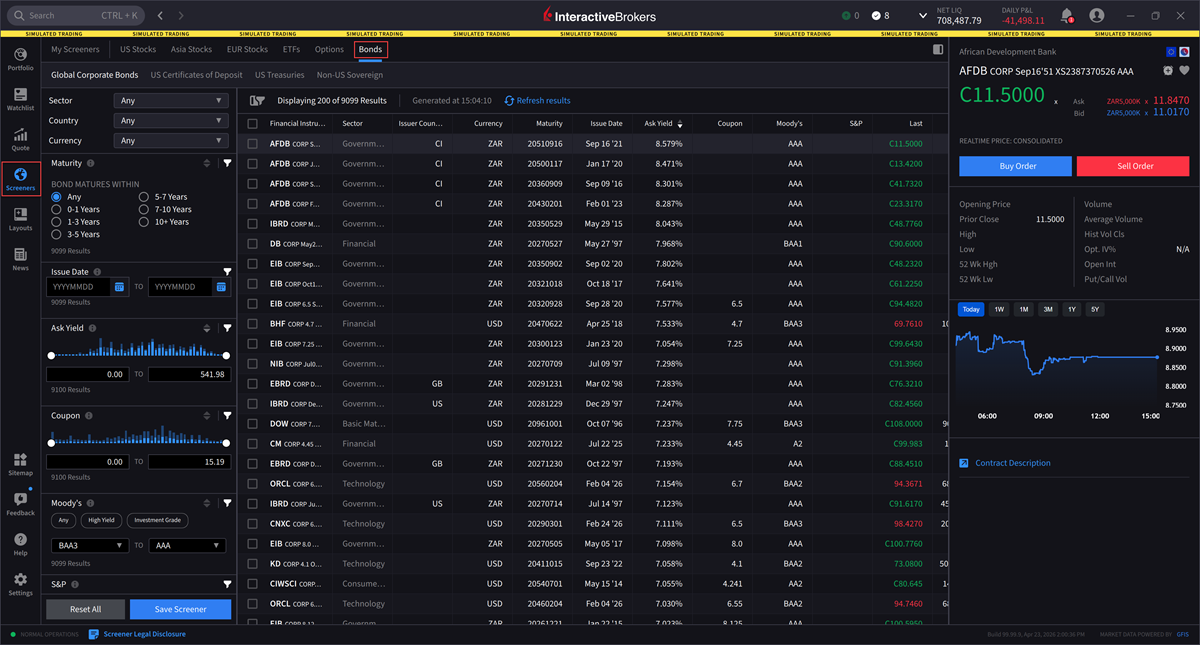
From the left-side panel click the Screeners
 icon.
icon. -
Select the Bond tab.
-
Use the Filter Parameters on the left-hand side to search for bonds based on specific criteria.
-
Select Save Screener once you have entered the desired filters.
-
To edit the screener name, click the pencil icon. You can update the screener at any time. When finished, click Save.