Restriction History
Instructions
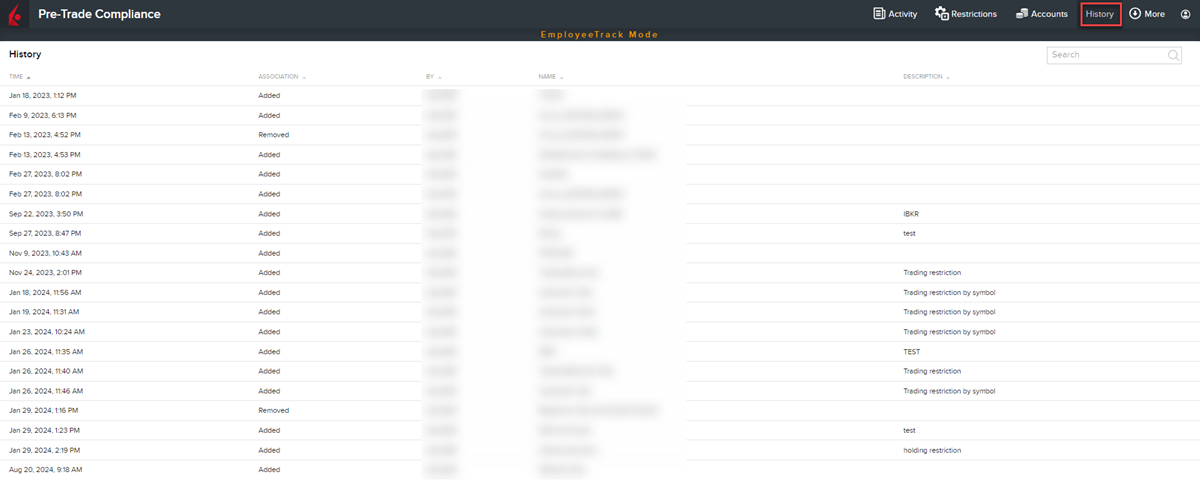
Click the History tab to see the history of all specific restrictions including the date and time created, when rules were added and more. Additionally, you may view the relationship history between restrictions and a selected employee account (i.e. if and when the restriction was applied to or removed from an account).
 View the history of a restriction
-
From the main menu select History.
-
Scroll down as needed to see the full history of all restrictions.
View relationship history between restrictions and account
-
From the main menu select Accounts.
-
From the list of employee accounts on the left side of the page, select the account for which you want to see the restrictions relationship history.
-
In the upper right corner of the Account page, click History.
-
Scroll down as needed to see the full history of when restrictions were added to or removed from the selected account.