View the Audit Trail Log
An audit trail log includes statement views and comment entries by Compliance Officers for the selected employee account. Compliance Officers can also add comments to the audit trail log page.
- Click Home. The Employee Accounts is the first page that opens when you log into Compliance Portal.
- Click Log in the Action column for the desired employee account.
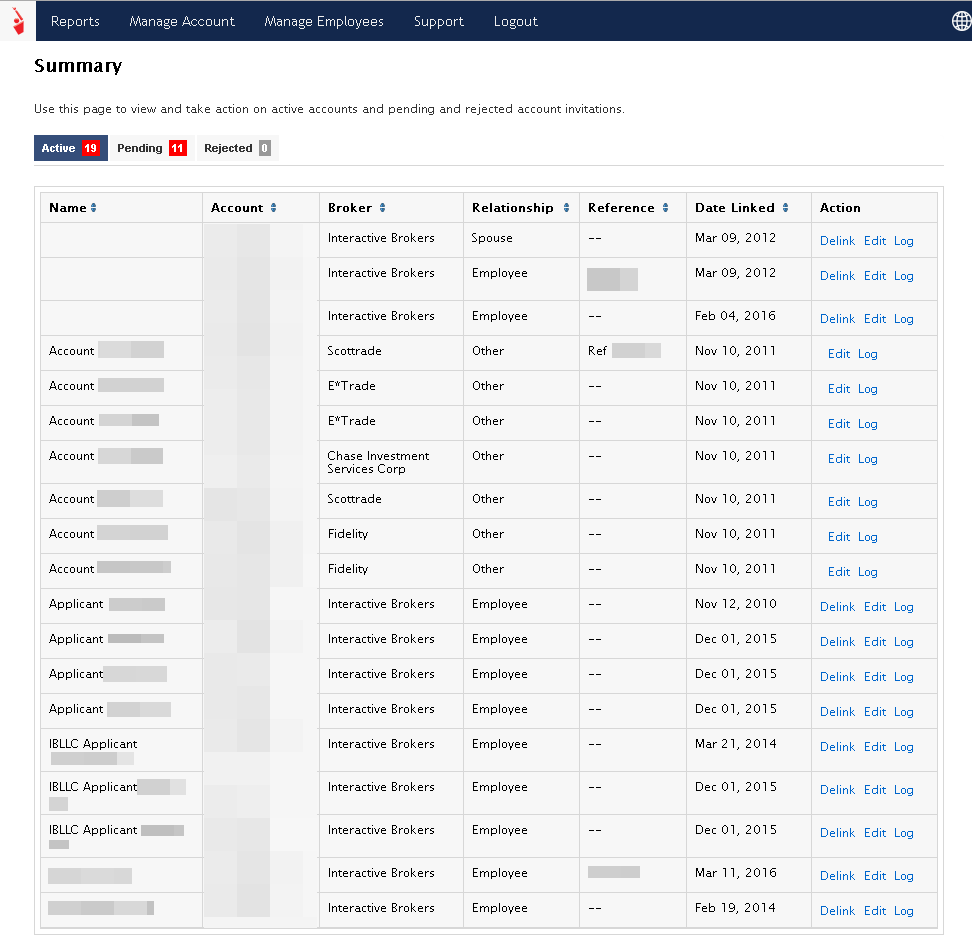
The Audit Trail Log page appears.
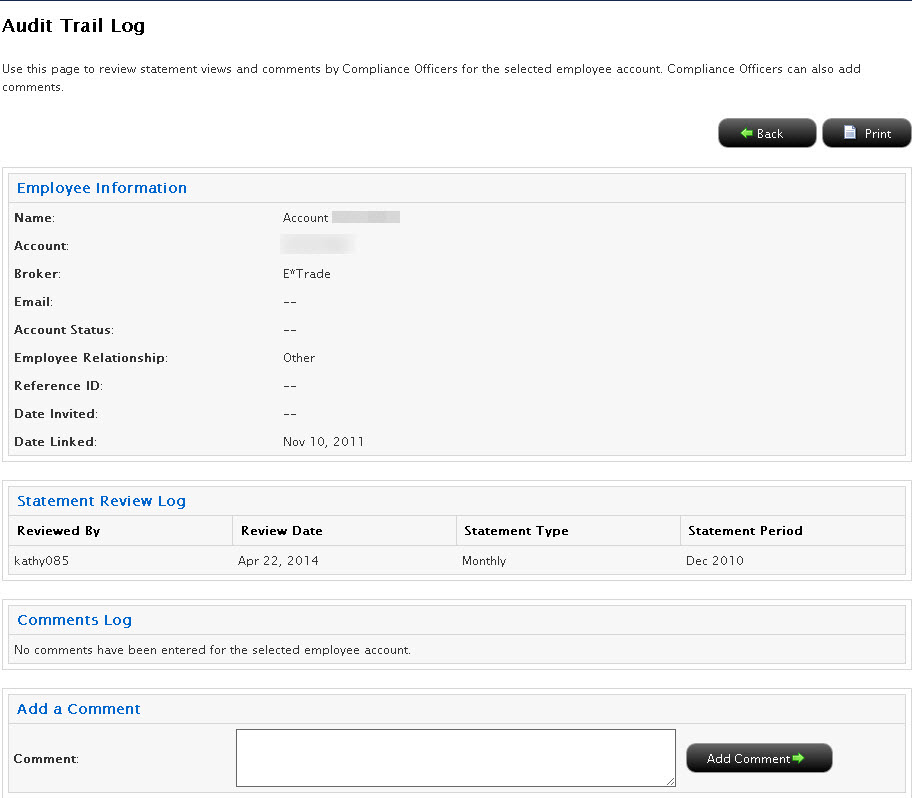
- Review the information as required.
- Add a new comment to the page by typing the comment in the Comment box, then clicking the Add Comment button.
- Click the Print button to print the Audit Trail Log page.
- Click the Back button to return to the home page.