Navigate the Compliance Portal Menus
Instructions
Find information in Compliance Portal by simply clicking an item on the top-level menu to display the available menu items.
To do so, please follow the steps outlined below.
-
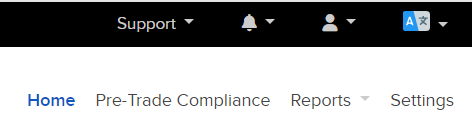
Across the top right corner of your Compliance Portal, you will see Home, Pre Trade Compliance, Reports, and Settings. Click any of these tabs to open that page.
-
The Reports section is expandable allowing you to select Statements or Flex Queries.
