Manage Templates
Instructions
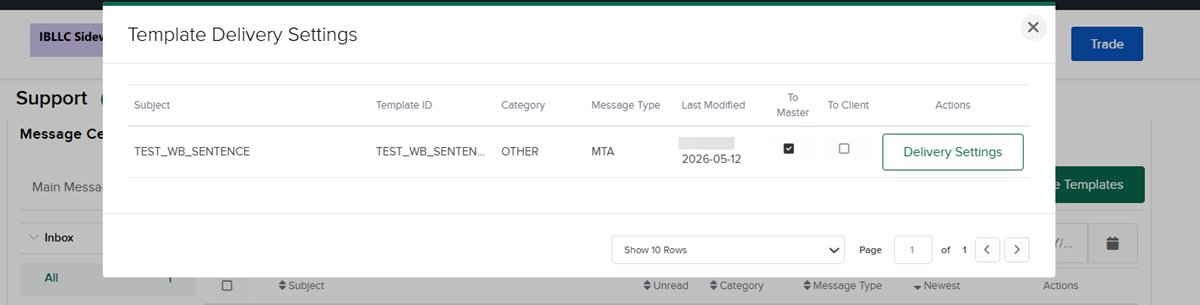
The Manage Templates option allows for centralized management of all template delivery settings and provides a comprehensive table view of all message templates with: Subject, Template ID, Category, Message Type, Last Modified By, To Master and To Client status (view-only checkboxes), and Delivery Settings button for each template.
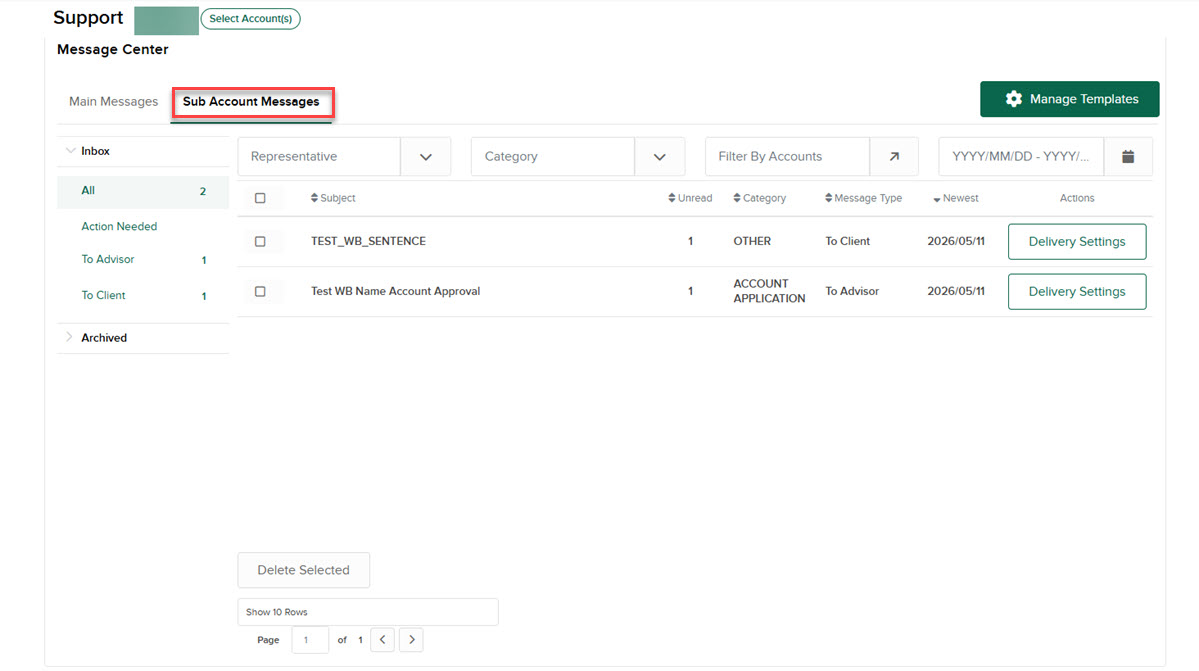
This feature is only visible when viewing the Sub Account Messages tab. To navigate to this tool, please follow the steps outlined below.
-
Select the Sub Account Messages tab.
-
Click the Manage Templates button in the header
-
Review all templates in the table view
-
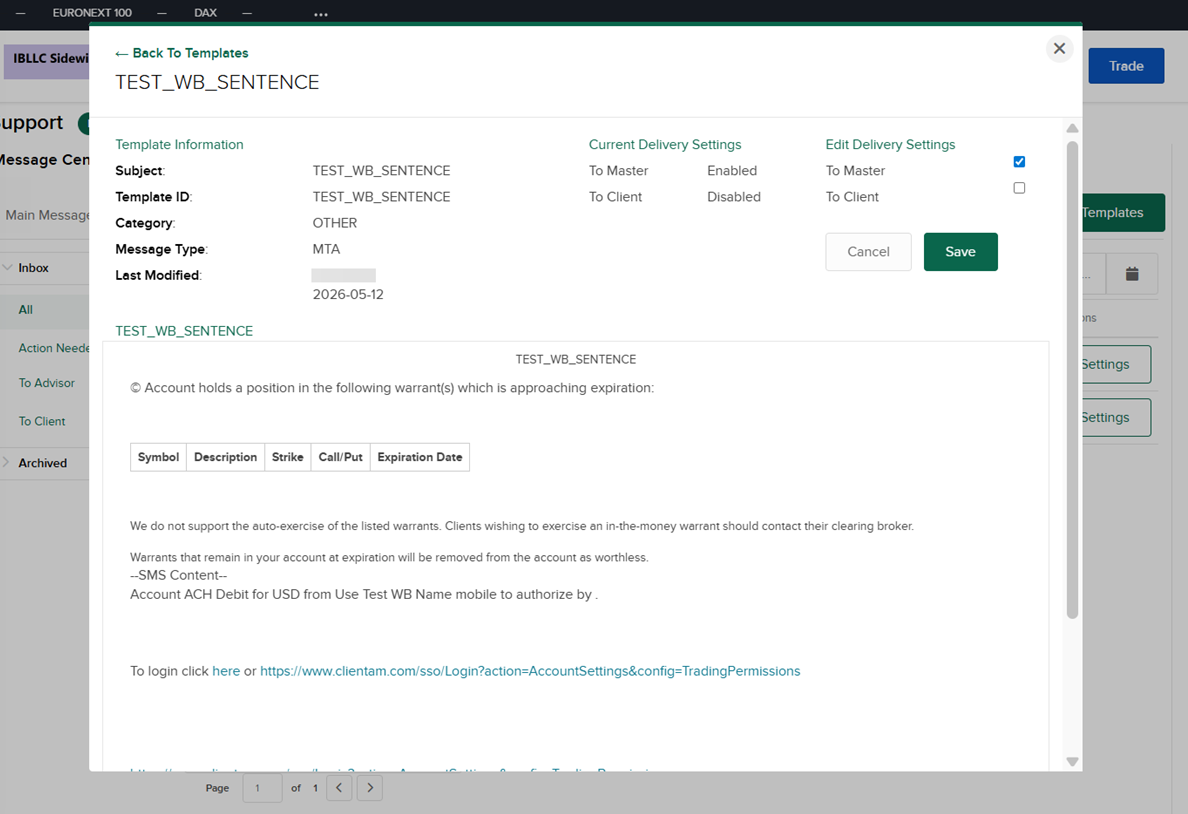
Click Delivery Settings for any template to view/edit details
-
Make changes using the toggle switches
-
Click ← Back to Templates to return to the list
-
Click × to close the modal