Workflow Navigation
Instructions
The Workflow Navigation is a revised client administration and navigation experience. We’ve refined the portal to clearly separate tools for administering clients from those for managing accounts, making it easier to find what you need. In order to enable this workflow, please take the steps outlined below.
-
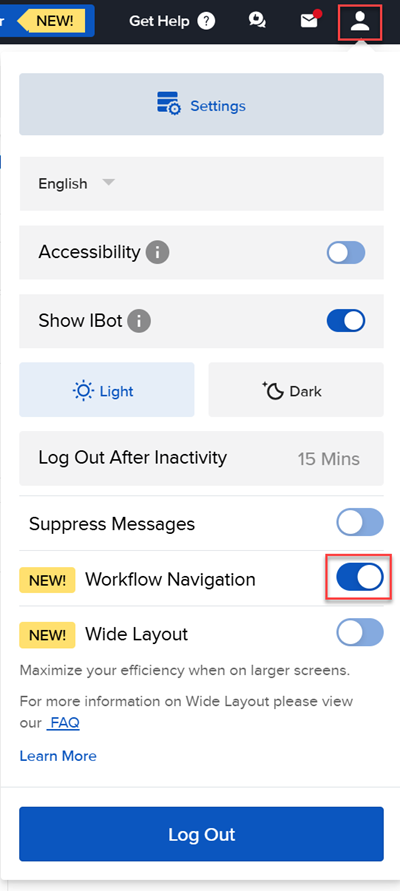
Navigate to the head and shoulders icon in the top right corner.
-
Click the toggle button to the right of Workflow Navigation to turn this on.
-
The updated navigation will appear on your screen.
