MiFIR
Instructions
The Markets in Financial Instruments Regulation Report can only be run for Eligible Clients . To do so, follow the steps below.
-
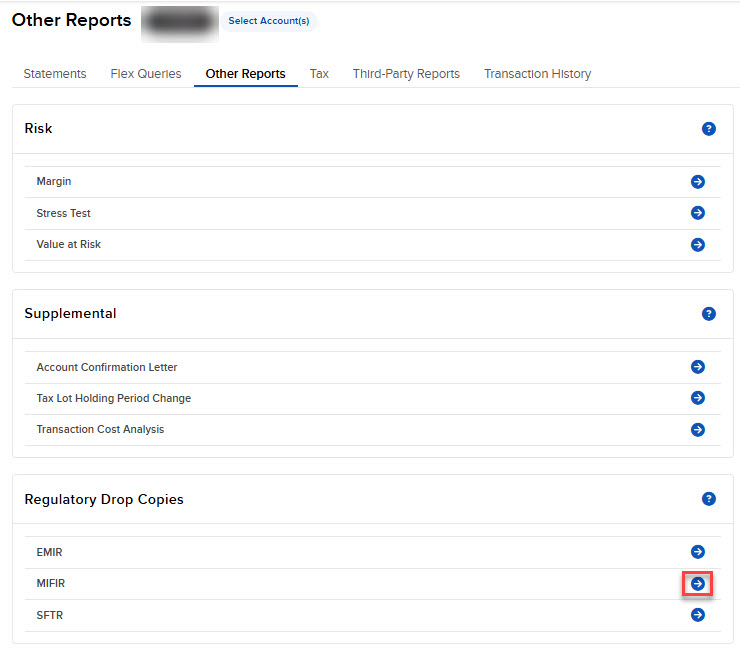
Click Statements & Reporting in the top left corner and select Other Reports.
- If you manage or maintain multiple accounts, the Account Selector opens. Search for and select the account.
The Other Reports screen opens.
-
Navigate to the Regulatory Drop Copies section.
-
Select the blue Run arrow icon to the right of MiFIR.
-
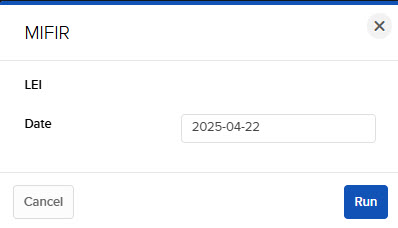
Select a Date and click Run.
-
The MiFIR Report will populate on your screen.