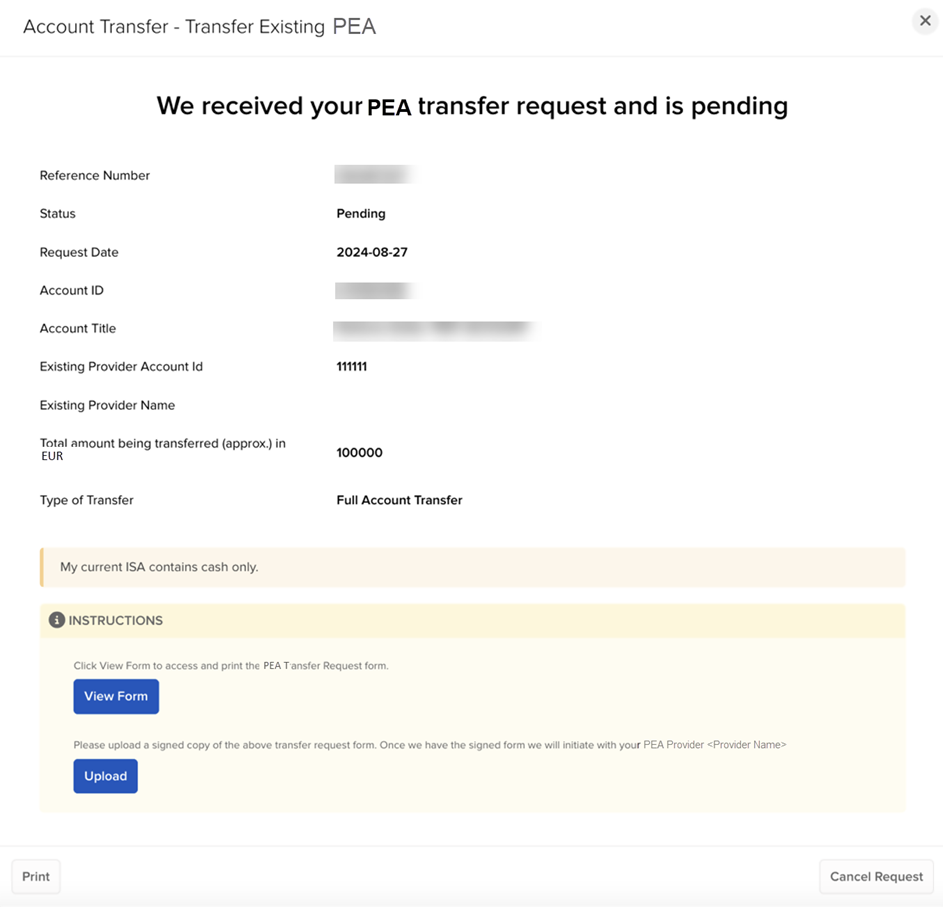
PEA Transfer
Instructions
A PEA refers to a Plan d’Epargne en Actions, which is a tax-efficient investment wrapper for residents of France. It allows French investors to buy and sell European securities with preferential conditions. It contains both a securities account and a cash account. The cash account is debited when a security is purchased and credited when a security is sold or a company pays dividends.
You can transfer PEA accounts held with other brokers (delivering broker/ceding broker) into your account. To do so, follow the steps below.
-
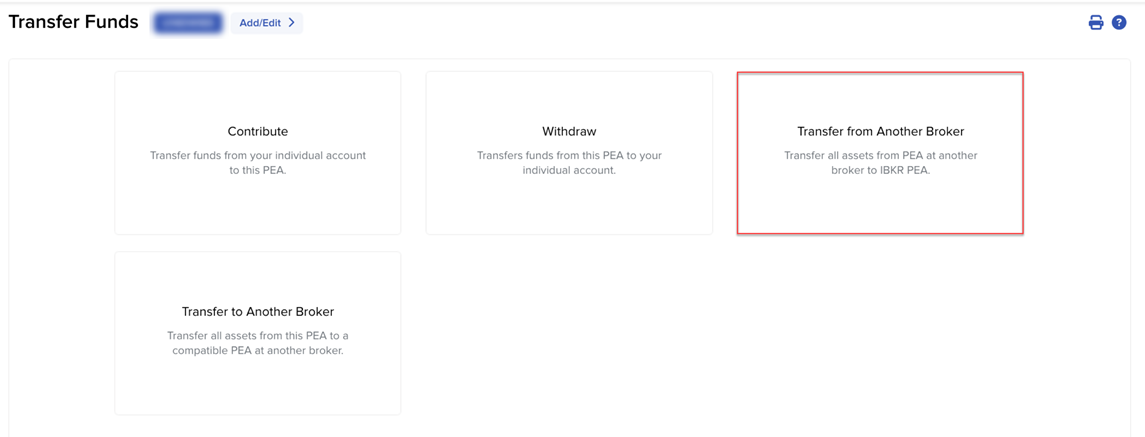
Click Transfer & Pay in the top left corner and select Transfer Funds > Transfer from Another Broker.
-
Select the Ceding Broker, enter the PEA Account ID, and upload an Account Statement from your current PEA Broker.
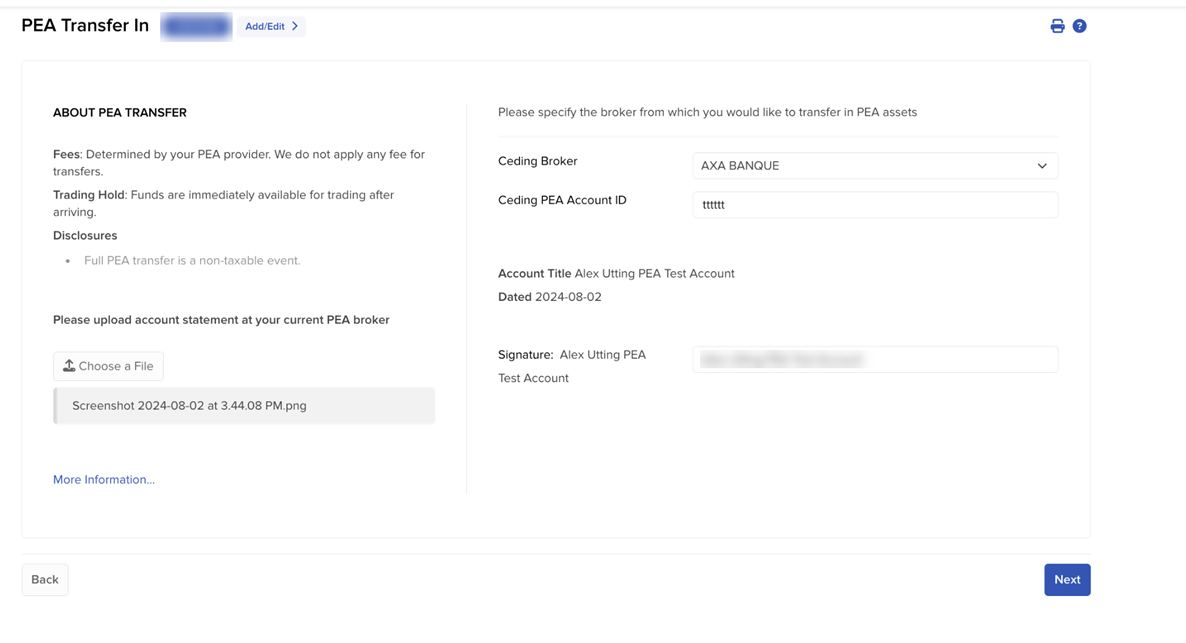
Note: Select More Information to view a knowledge base article about transferring PEA accounts.
-
Provide your signature and select Next to continue.
-
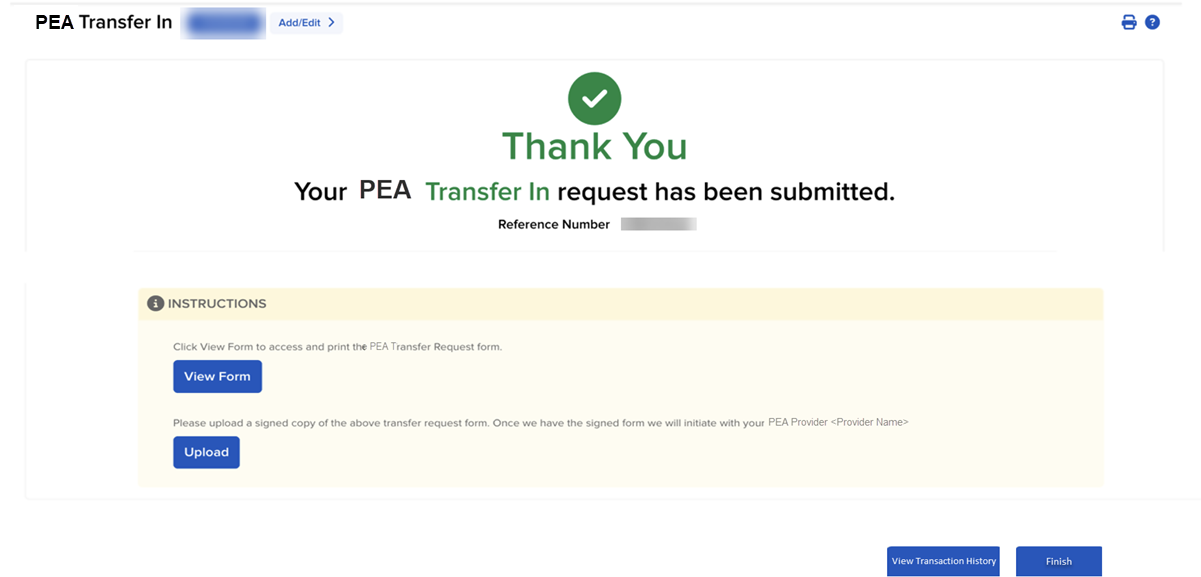
A confirmation page will appear on your screen.
-
Select View Form to access and print the PEA Transfer Request form, and Upload to upload a signed copy. We will then initiate this transfer with your PEA Provider.
-
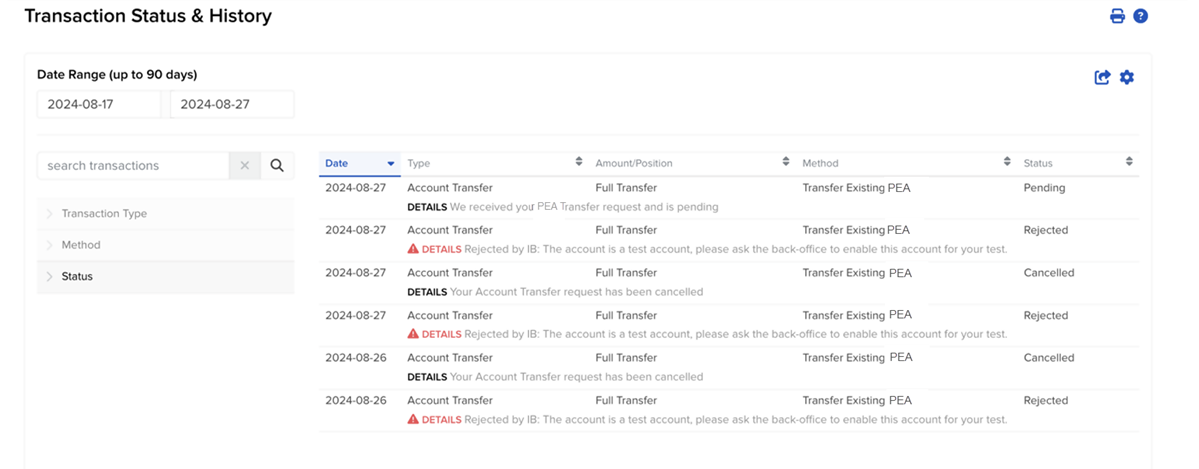
Select Finish to navigate back to the main Transfer Page. Select View Transaction History to view and/or modify your request.
-
Click a pending transaction from the transaction list to view, cancel, or upload documents.