Account Queries
Instructions
Use the Account Queries tool to search accounts by account type, account status, application type, margin type, and additional criteria. The Account Queries tool can only be accessed by users enrolled in the Secure Login System.
Note: Account Queries have been enhanced to provide additional beneficiary details for eligible accounts. Expand an account row directly within the results grid to view beneficiary information, including date of birth, address, email, relationship, and Per Stirpes designation. Reports now also display Transfer on Death (ToD) beneficiary details, when applicable, along with a Per Stirpes indicator showing whether the beneficiary has elected a Per Stirpes distribution.
 Create a Query
-
Click Statements & Reporting > Account Queries.
-
Click the + icon in the upper right corner to Create an Account Query.
-
Enter a query name, select the query sections, and select Continue.
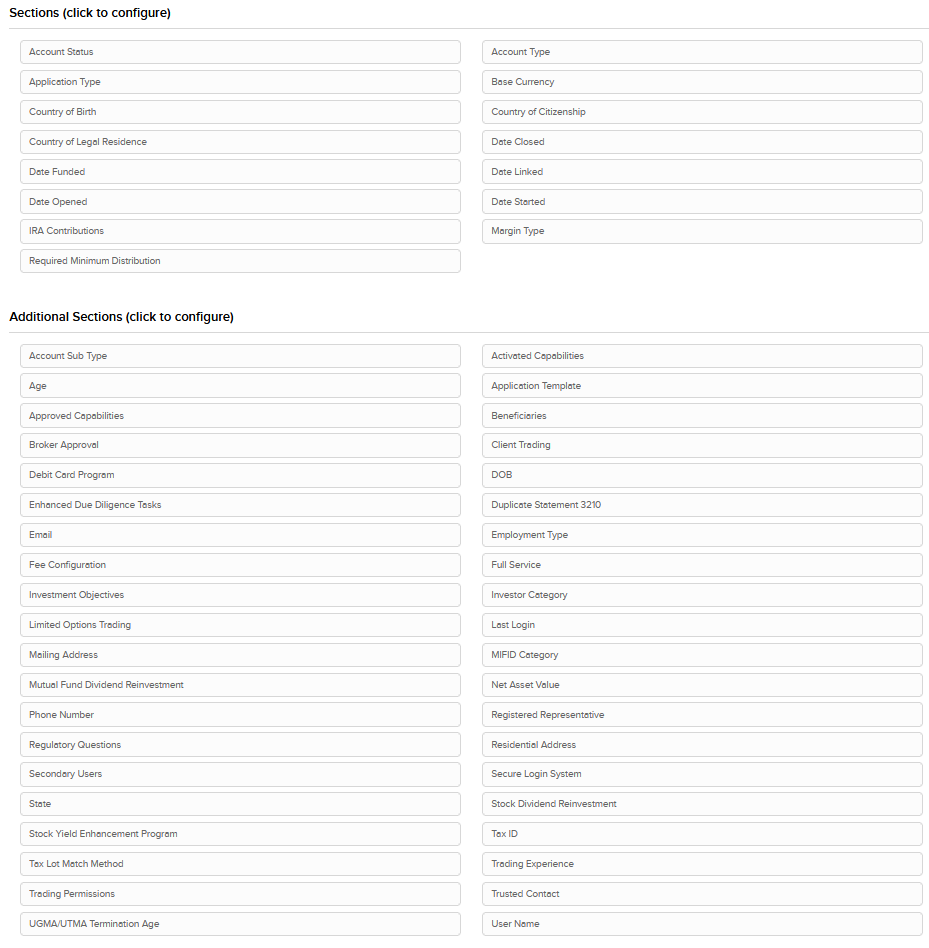
-
Review the Account Query and click Ok.
Run a Query
-
Click Statements & Reporting > Account Queries.
-
Click the Run arrow icon next to the query you want to run.

-
Once the query is run, the results are displayed in a table:
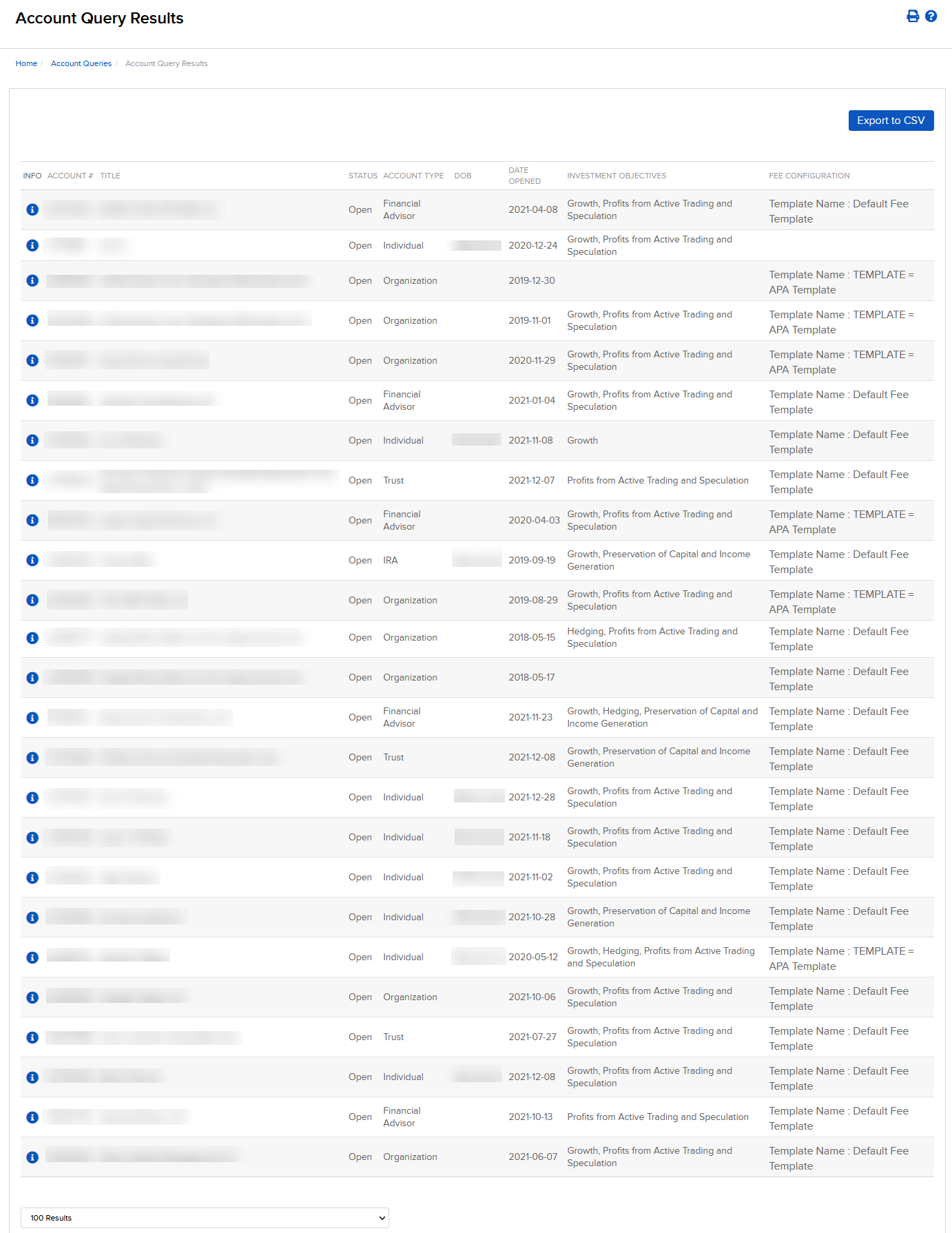
-
Select Export to CSV to download page content as a CSV file.
Each beneficiary in the CSV is listed in a single row, making it easier to sort and filter beneficiary data for your own analysis and record keeping.