Holdings
The Holdings widget shows you the value and performance of your portfolio holdings by asset class, account, and account type.
Supported Time Period(s) and Account Type(s):
-
Time Period(s): All time periods supported.
-
Account Type(s): All account types supported.
To navigate to this tool, follow the steps below.
-
Select Performance & Reports > PortfolioAnalyst > Navigate to the Holdings widget.
-
Alternatively, click Menu in the top left corner > PortfolioAnalyst > Navigate to the Holdings widget.
-
-
Select the blue arrow icon in the top right corner to view additional details.
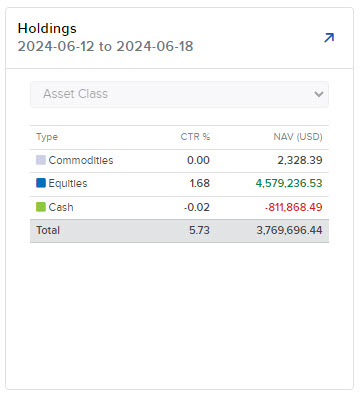
-
A new page will populate with additional information regarding your holdings.
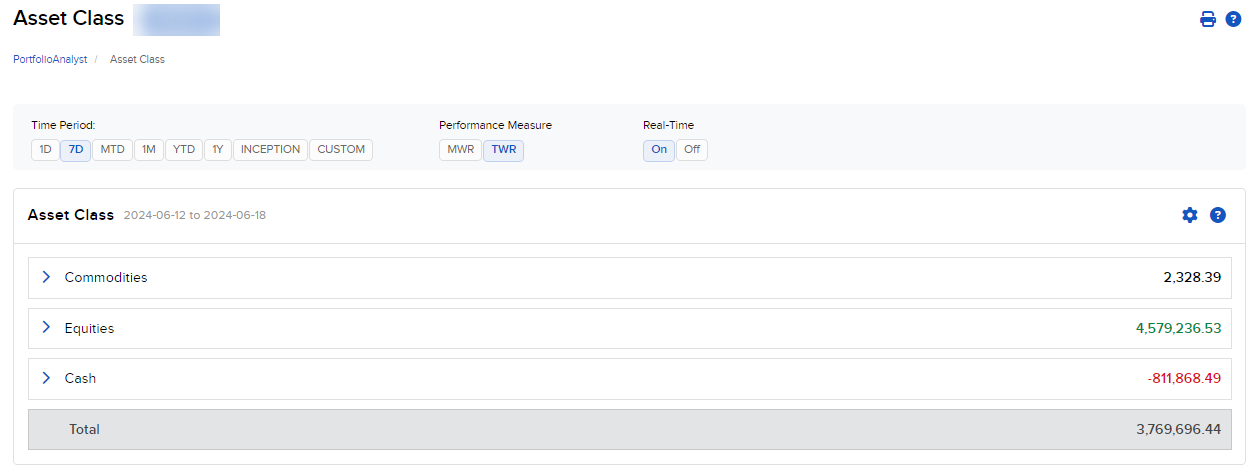
For information on linking an external account, please click here.
 Column Definitions
-
Symbol: Contract symbol or class as defined by the exchange.
-
P. Quantity: Previous quantity or starting number of shares for the period selected.
-
P. Price: Previous price or starting position price for the period selected.
-
P. Value: Previous market value or starting value of your position for the period selected.
-
Quantity: Current number of shares for the period selected.
-
Price: Current price for the period selected.
-
Value: Current market value of your position in the security for the period selected.
-
Change: Difference between the current value and the previous value for the period.
-
CTR: Contribution to return or average weight * return geometrically linked over time.
-
Description: Description of the security.
-
Long/Short: Whether the aggregate position is net long or short.
Note: To switch accounts, return to the PortfolioAnalyst overview page and use the account selector.