Allocation
Instructions
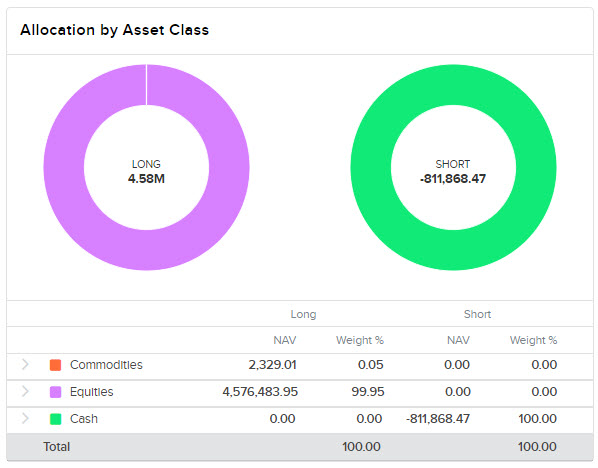
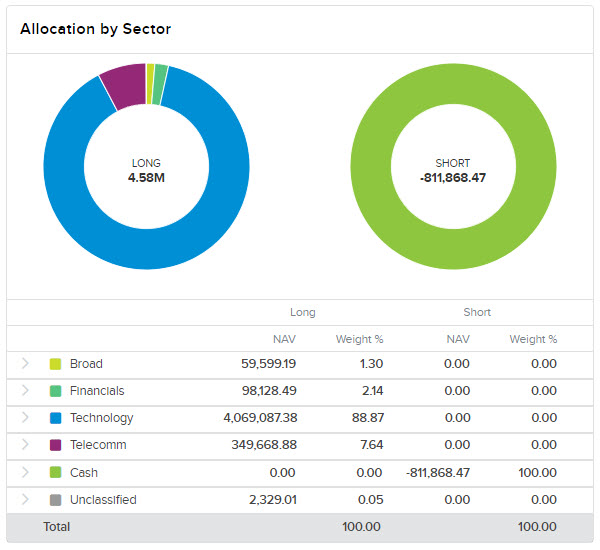
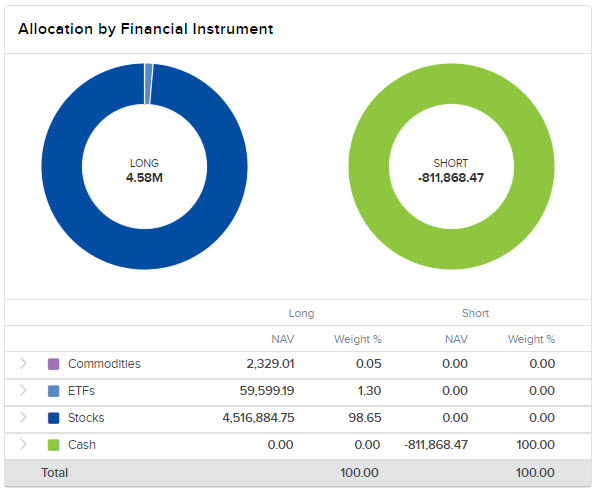
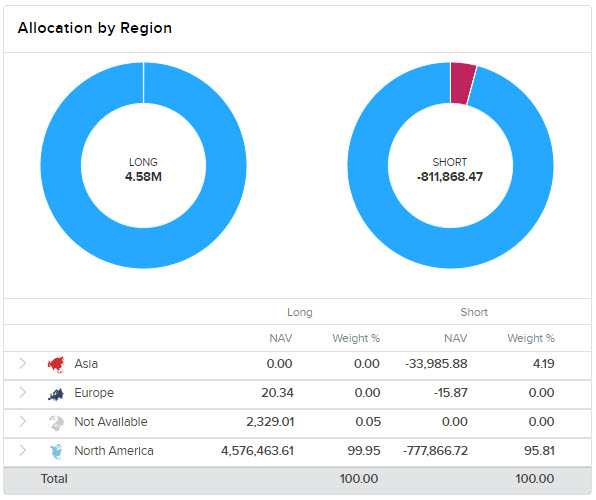
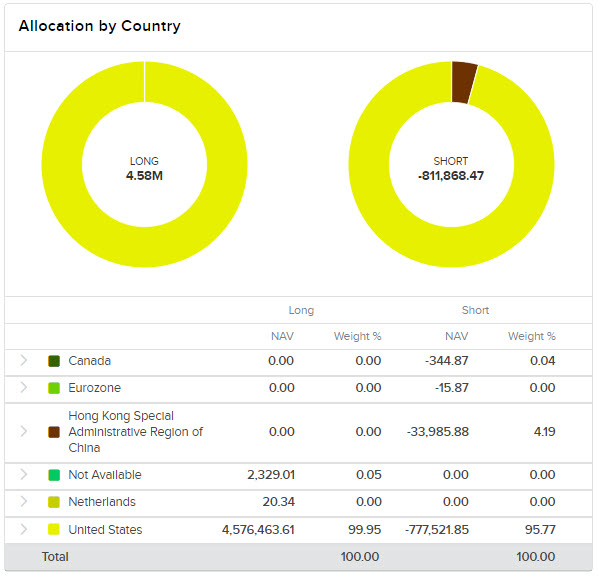
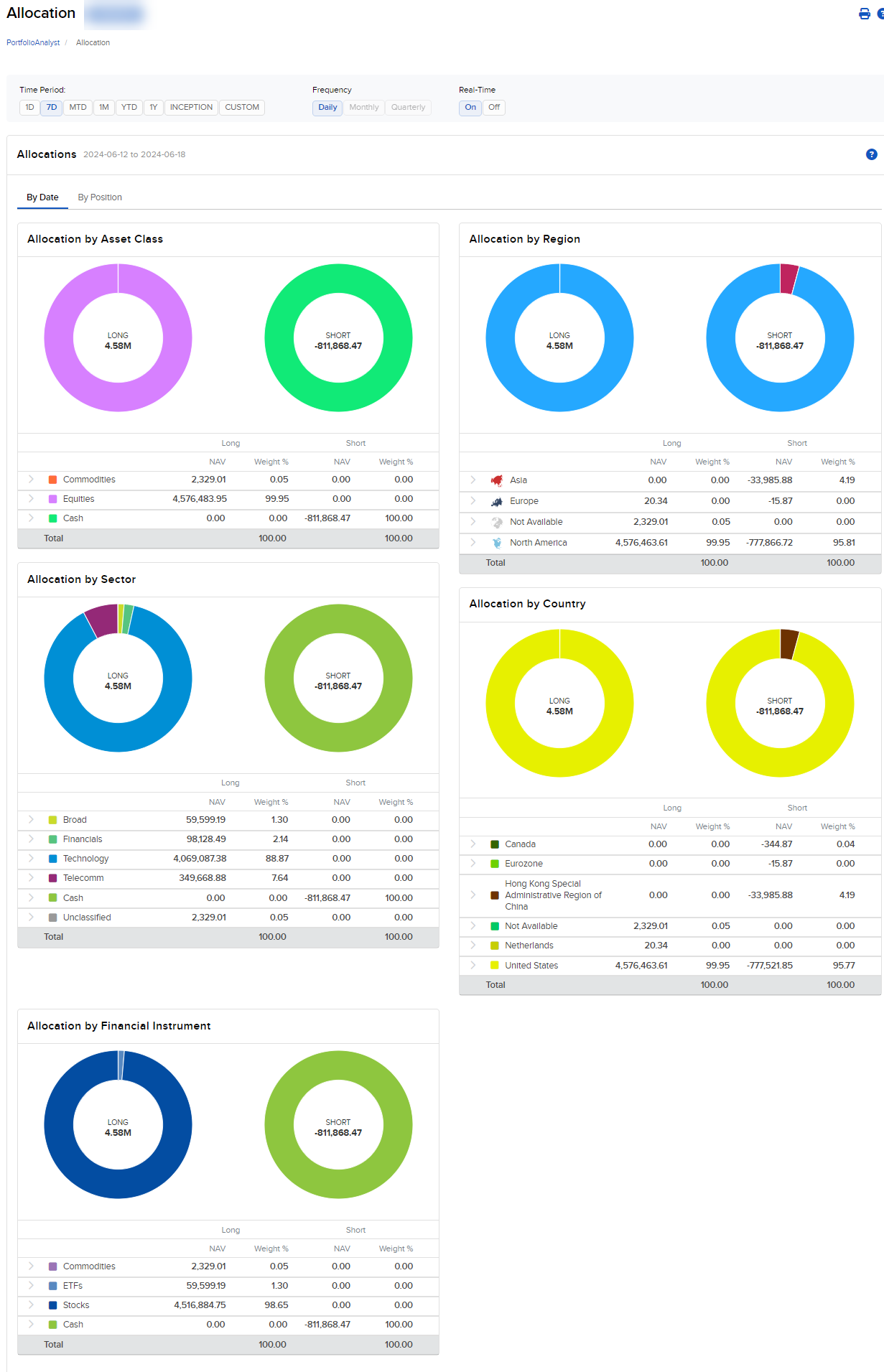
The Allocation widget shows your portfolio's value and weight summarized by Asset Class, Region, Sector, Country and Financial Instrument, broken out by long and short positions.
Supported Time Period(s) and Account Type(s):
-
Time Period(s): All time periods supported.
-
Account Type(s): All account types supported.
To navigate to the Allocation widget, follow the steps below.
-
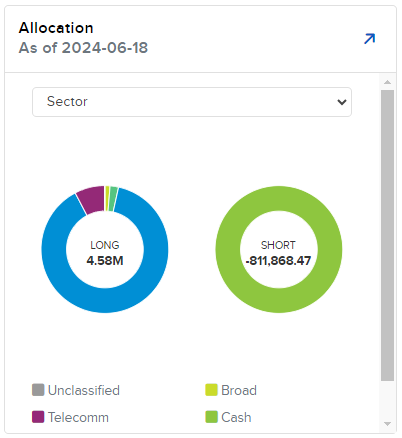
Select Performance & Reports > PortfolioAnalyst > Navigate to the Allocation widget.
-
Click the drop-down menu and select the Asset Class.
-
Select the blue arrow icon in the top right corner to view additional details.
-
A new page will populate with additional information about your allocations.
 Asset Class