Allocation Goals
Instructions
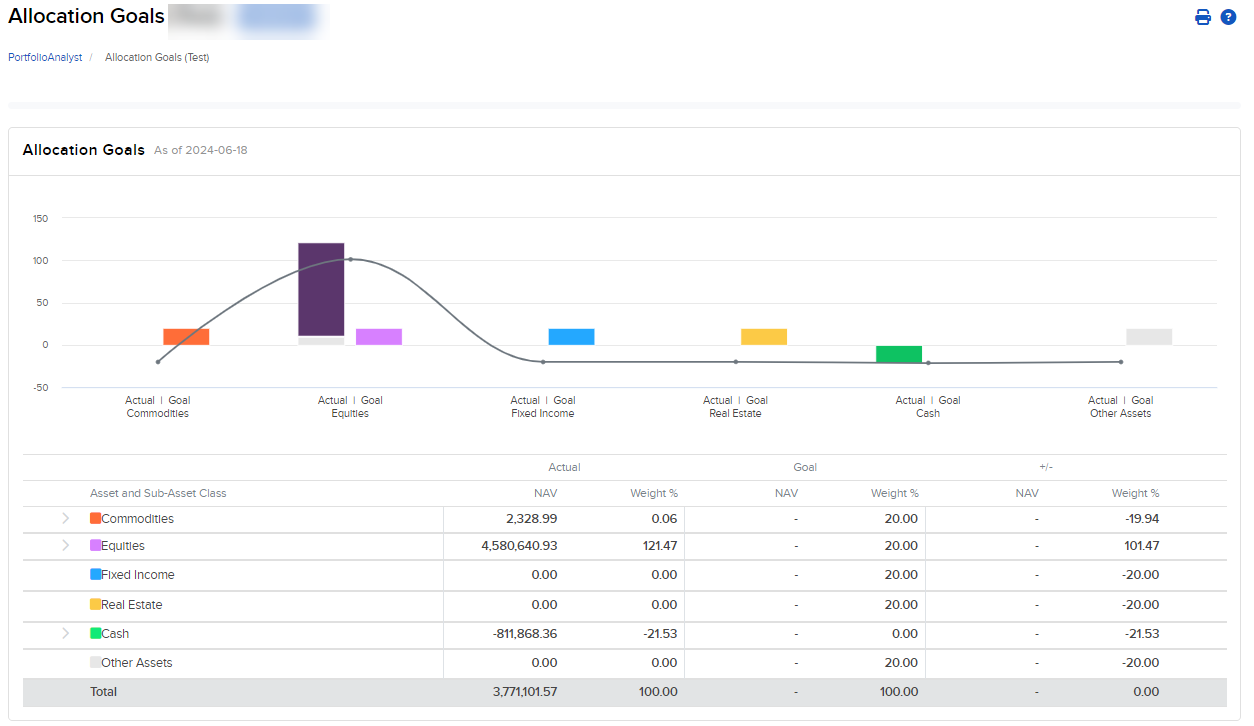
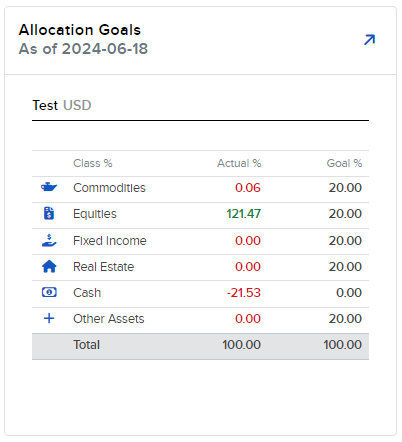
The Allocation Goals widget allows you to view your current vs. target asset allocations. Once the goals have been configured, you can navigate to this widget to identify over- and underweighted asset/sub-asset classes relative to the goal.
Supported Time Period(s) and Account Type(s):
-
Time Period(s): Supported for time periods ending on most recent day.
-
Account Type(s): All account types supported.
To navigate to Allocation Goals, follow the steps below.
-
Select Performance & Reports > PortfolioAnalyst > Navigate to the Allocation Goals widget.
-
Alternatively, click Menu in the top left corner > PortfolioAnalyst > Navigate to the Allocation Goals widget.
-
-
Select the blue arrow icon in the top right corner to view additional details.
-
A new page will populate with additional information regarding your allocation goals.