Hedge Fund Capital Introduction Program Portal for Investors
Instructions
Investors of Hedge Funds may access the Hedge Fund Capital Introduction Program by taking the steps outlined below.
-
Log in through the Portal
-
Navigate to the User Menu (head and shoulders icon in the top right corner) > Settings > Select Investors Marketplace - Find a Provider at the top of the page.
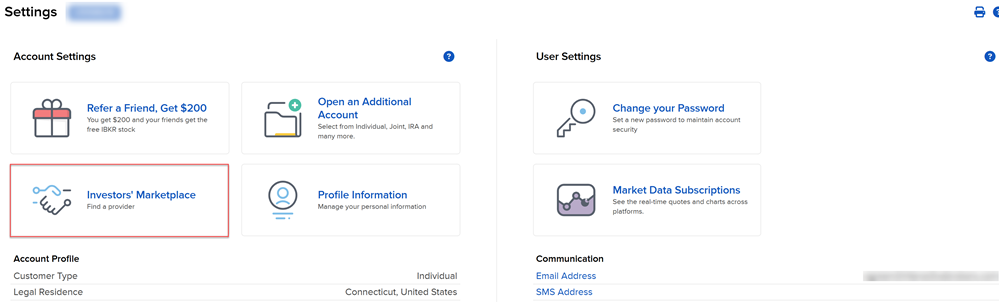
Alternatively, you may scroll down to the Investors Marketplace section and select Investors' Marketplace - Find Services.

-
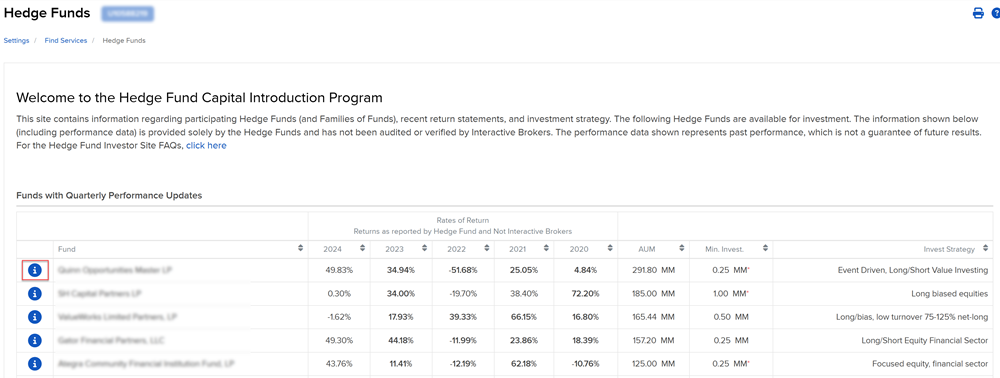
A list of Hedge Funds will populate on your screen. To view information on the fund, select the blue "i” icon to the left of the fund.
-
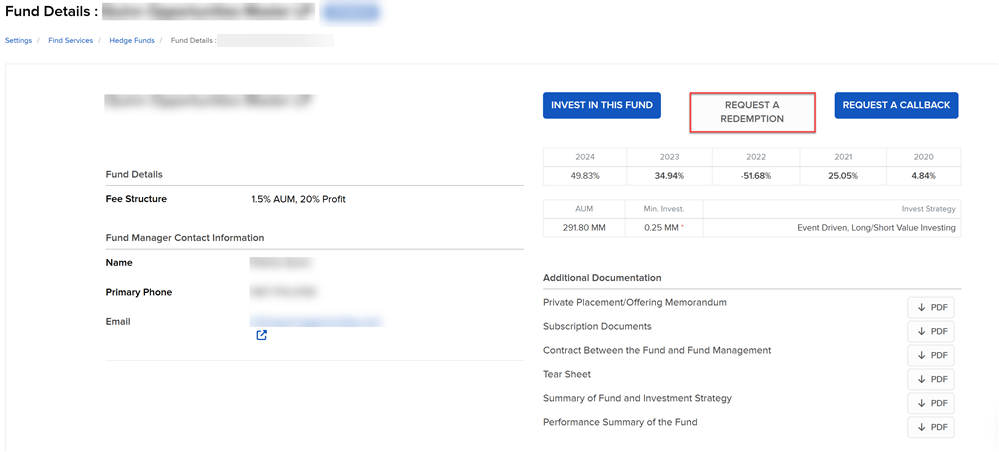
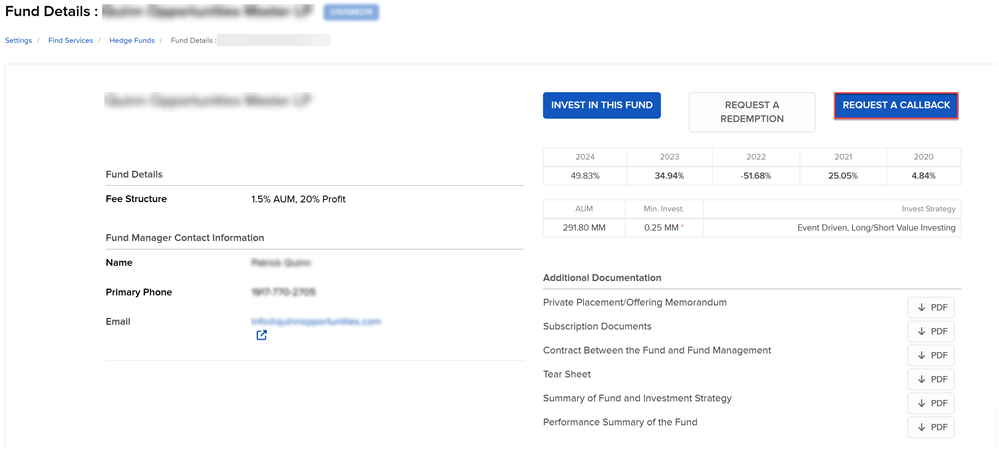
The Fund information will populate on your screen.
-
To contact a fund, select the Request A Callback button in the top right corner.
-
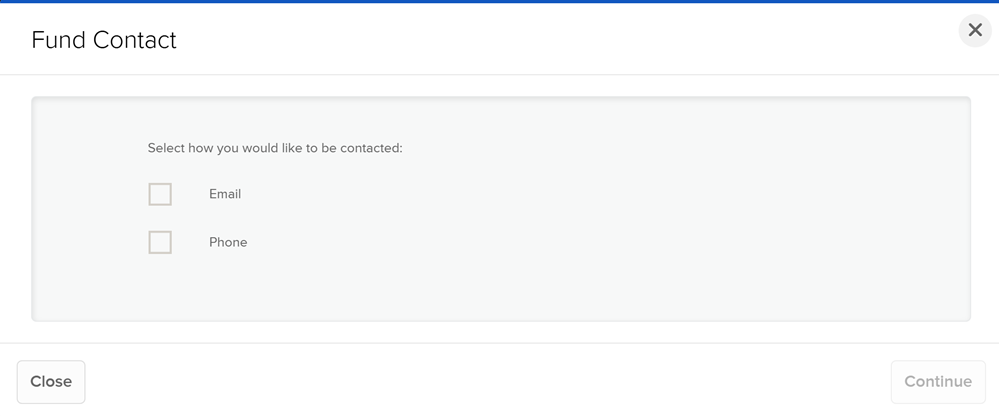
Select Email or Phone. You are unable to write a message to the fund.
-
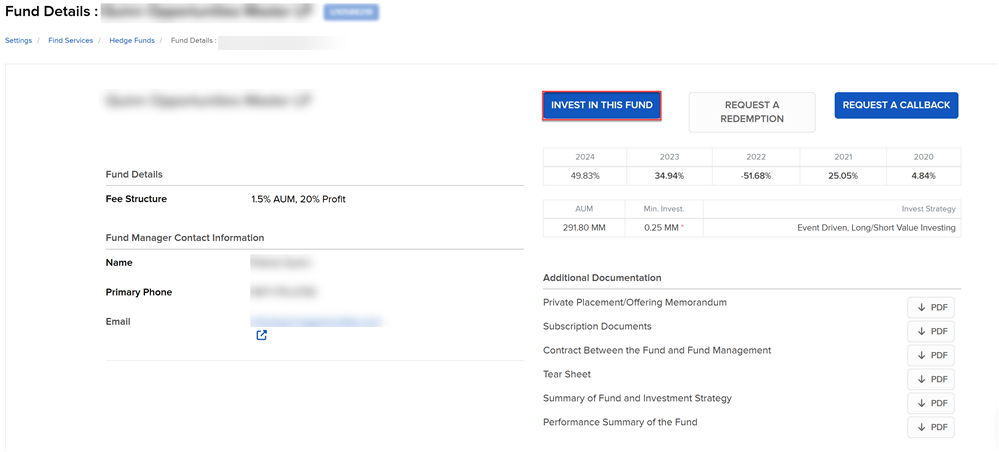
To invest in a fund, select Invest In This Fund.
-
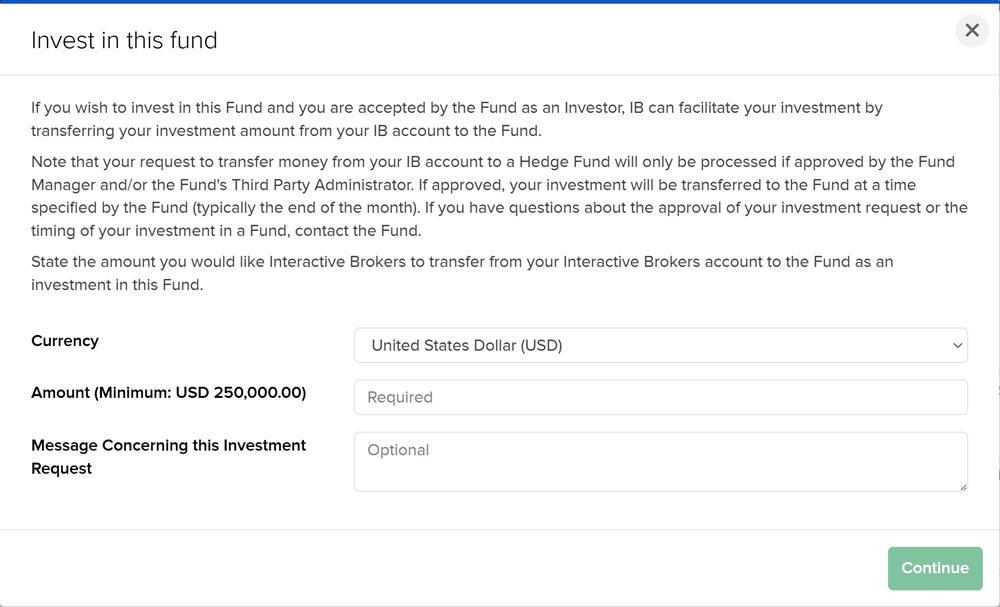
A pop-up will appear providing the minimum investment information. Enter investments of up to $250,000+.
-
Select to Continue to save this information and navigate to the main screen.
-
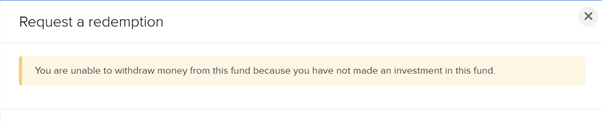
To redeem money from a fund, select Request a Redemption. Please note, you can only select this if you have previously invested in the fund through