Trading Event Contracts for Advisors and Brokers
Instructions
To place an Event Contract trade for a client, please take the steps outlined below.
-
Log into the IBKR Prediction Markets website using your username and password.
-
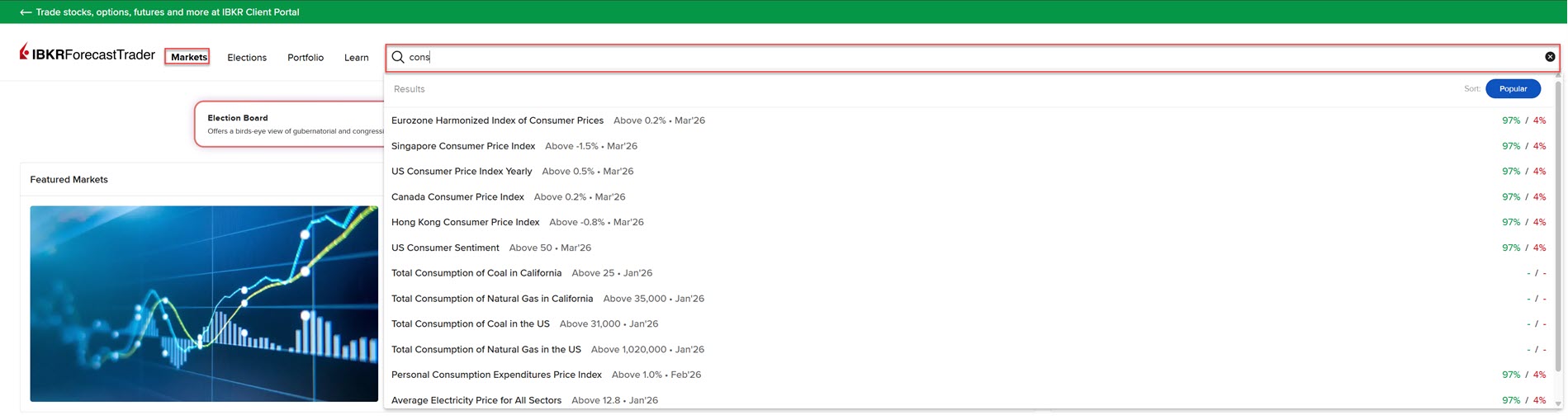
On the IBKR Prediction Market page, click the Markets tab and use the search bar to type a description of the product (e.g. "cons" for consumer price index, "fed" for fed fund rate, etc).
-
Alternatively, click a contract on the home screen to buy or sell.
-
-
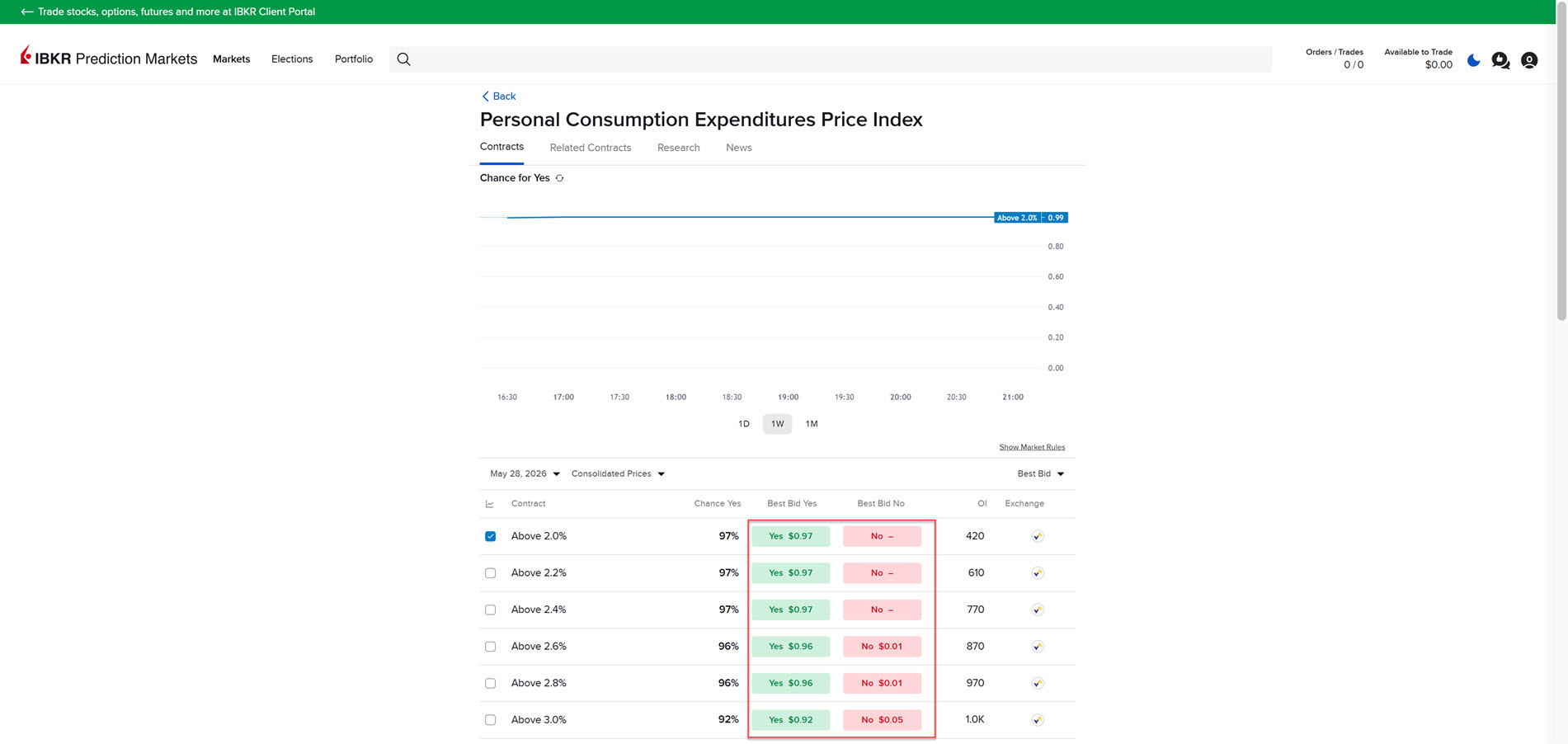
Click on an Event Contract from the Search results. A new screen will populate with additional contract information. Click Yes to Buy or No to Sell.
-
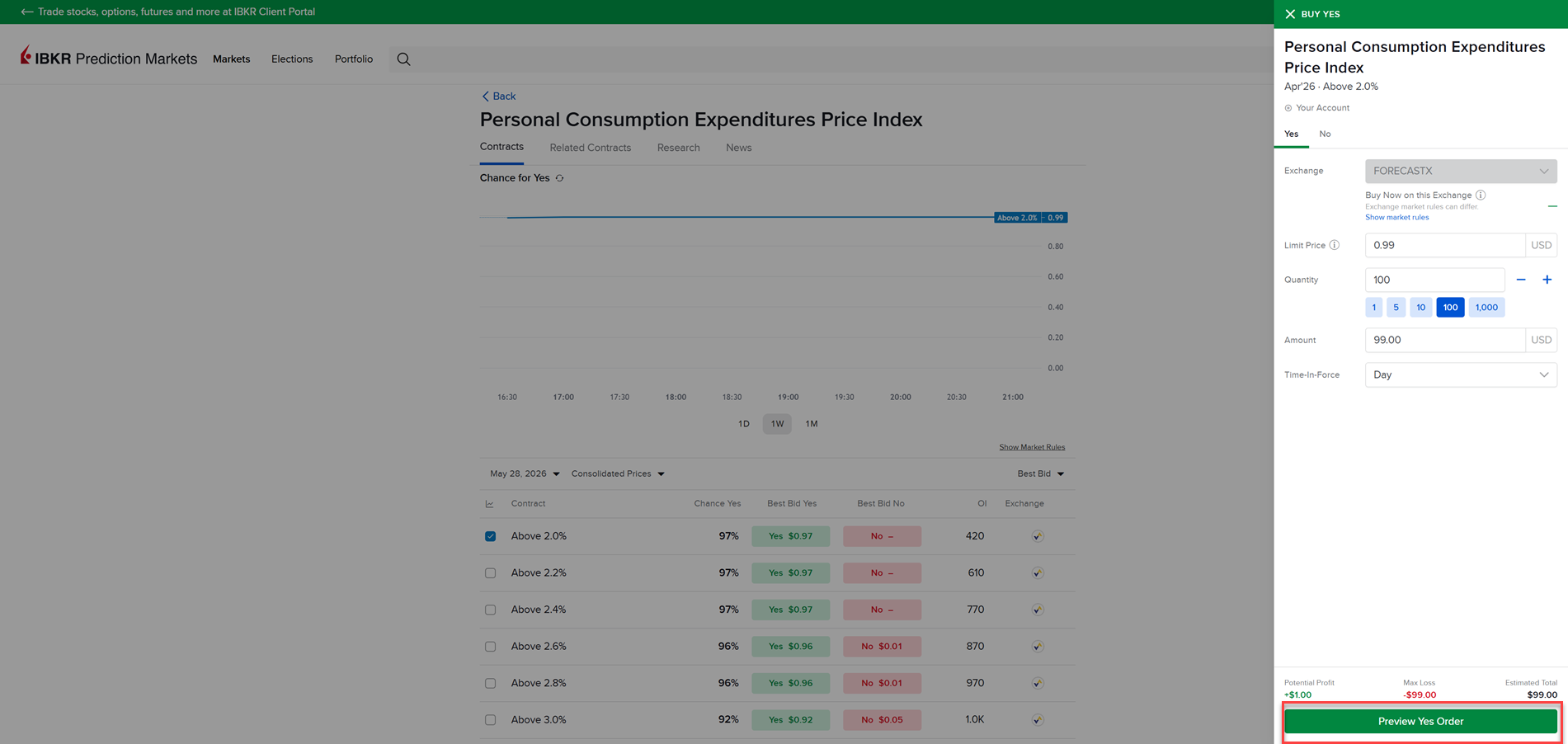
The Order Ticket will populate on the right side of the page; select the client’s account from the drop down at the top of the order ticket.
-
Once the clients account is selected enter the Order Parameters and click Preview Order.
-
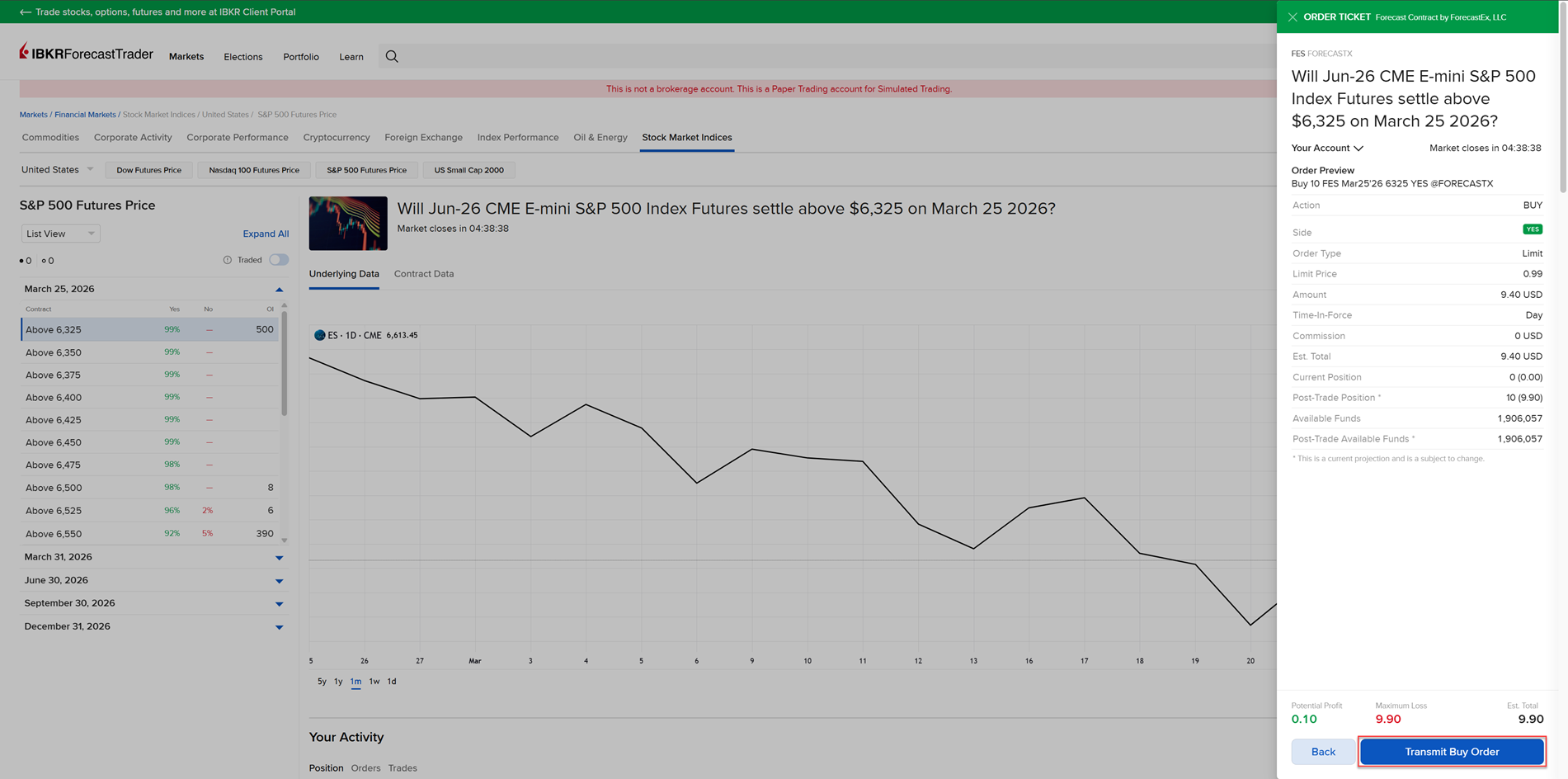
A preview of your order will appear on the screen. Press Submit Buy Order or Submit Sell Order to place the order.
-
To navigate back to the Portal, select the arrow icon in the top left corner of the IBKR Prediction Markets screen. Note that you will not need to log in and out to navigate between screens.